GEK-106426B MIB High Impedance Bus Differntial Relay 4-3
4 COMMUNICATIONS 4.2 FILE
4
4.2FILE 4.2.1 NEW
From the File – New option, the user can create a new file that will contain all the protection unit settings, as well as the
relay configuration (inputs, outputs, events, oscillography, etc.).
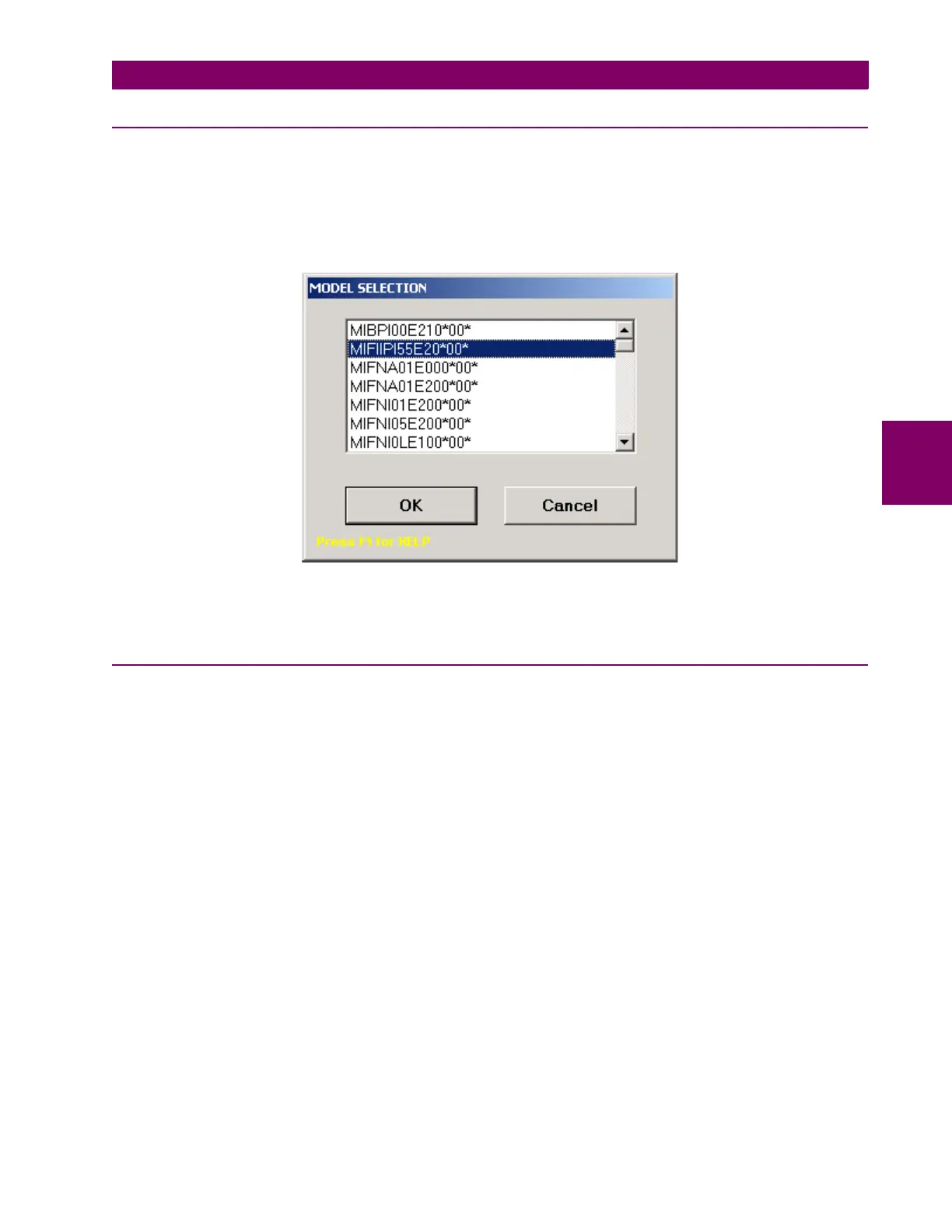
When the option is selected, the following screen will be shown. The user must select here a specific relay model
matching exactly the relay model to which the settings and configuration will later be downloaded. The mentioned settings
and configuration are related to the default factory settings of the relay.
Figure 4–2:
Once the relay model is selected, the software will load the relay structure and will enable the Setpoint, Actual,
Communication, View and Help menus for configuration.
4.2.2 OPEN
Option that allows to open previously created setting files for their modification.
Once the relay model is selected, the program will enable Setpoint, Actual, Communication, View and Help sub-
menus.








 To Next Page