7-6 MIB High Impedance Bus Differntial Relay GEK-106426B
7.4 OPERATIONS 7 KEYPAD AND DISPLAY
7
7.4OPERATIONS 7.4.1 ONE KEY OPERATION AND LAST TRIP DATA
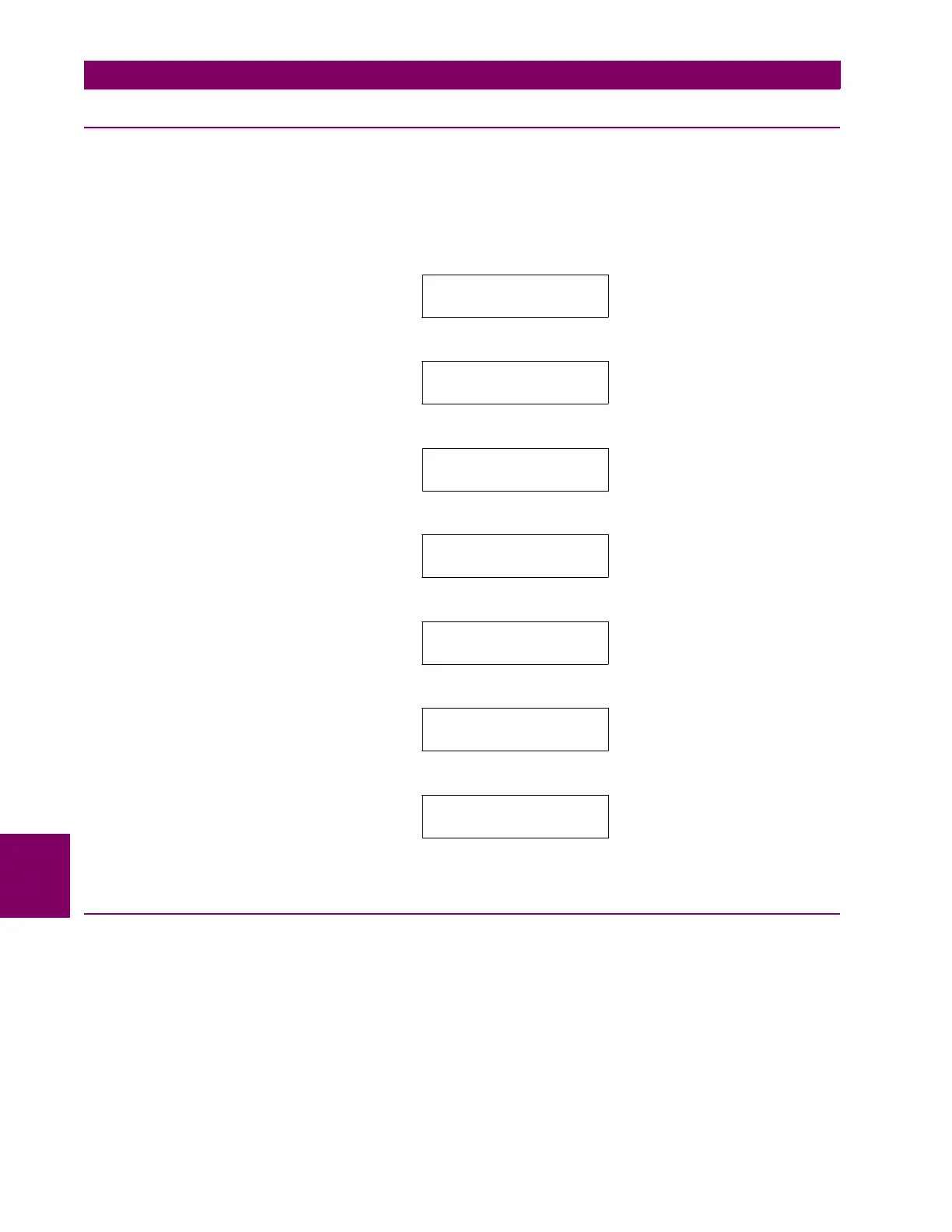
From the main screen, pressing Enter key the display shows a one-key operation menu that presents measures,
thermal image value and up to five latest trip element data with the element that has tripped, the phase and the
secondary current value (not affected by CT ratio), with the day, month and time of the trip.
When a fault occurs, trip information is automatically shown in the display. Pressing ENTER key, main screen will be
shown again. In order to perform a RESET operation, display must be in main screen showing phase and ground
currents, in this situation, pressin ESC/RESET key for more than 3 seconds a RESET operation will be performed.
1. Day - month
7.4.2 HMI PASSWORD
The MIB relay allows settings protection by password. This password is called HMI password and is disabled by default
(value 0). If you change this value to other than 0, the HMI password will be enabled and required to change settings.
When the password is enabled, a value between 1 and 9999 is shown on the screen. This number is the
password value shown in a coded format.
Main screen Ia 0.0 Ib 0.0
Ic 0.0 mA
Enter
Last Trip Unit
Enter
1
st
LTU 03-03
1
11:23:02
1 ---- - ----
Enter
2
nd
LTU 28-02 05:41:30
2 ---- - ----
Enter
3
rd
LTU 01-01 00:00:00
3 ---- - ----
Enter
4
th
LTU 01-01 00:00:00
4 ---- - ----
Enter
5
th
LTU 01-01 00:00:00
5 ---- - ----







 To Next Page