4-18 MIB High Impedance Bus Differntial Relay GEK-106426B
4.6 COMMUNICATION 4 COMMUNICATIONS
4
4.6COMMUNICATION
The COMMUNICATION menu provides configuration options to communicate with the relay, as well as to perform a
ModBus communication troubleshooting, or to update the relay with a new firmware.
After making any change, pressing Store button saves the changes without exiting the window. Pressing OK saves and
exits and pressing Cancel exits without saving changes.
4.6.1 COMPUTER
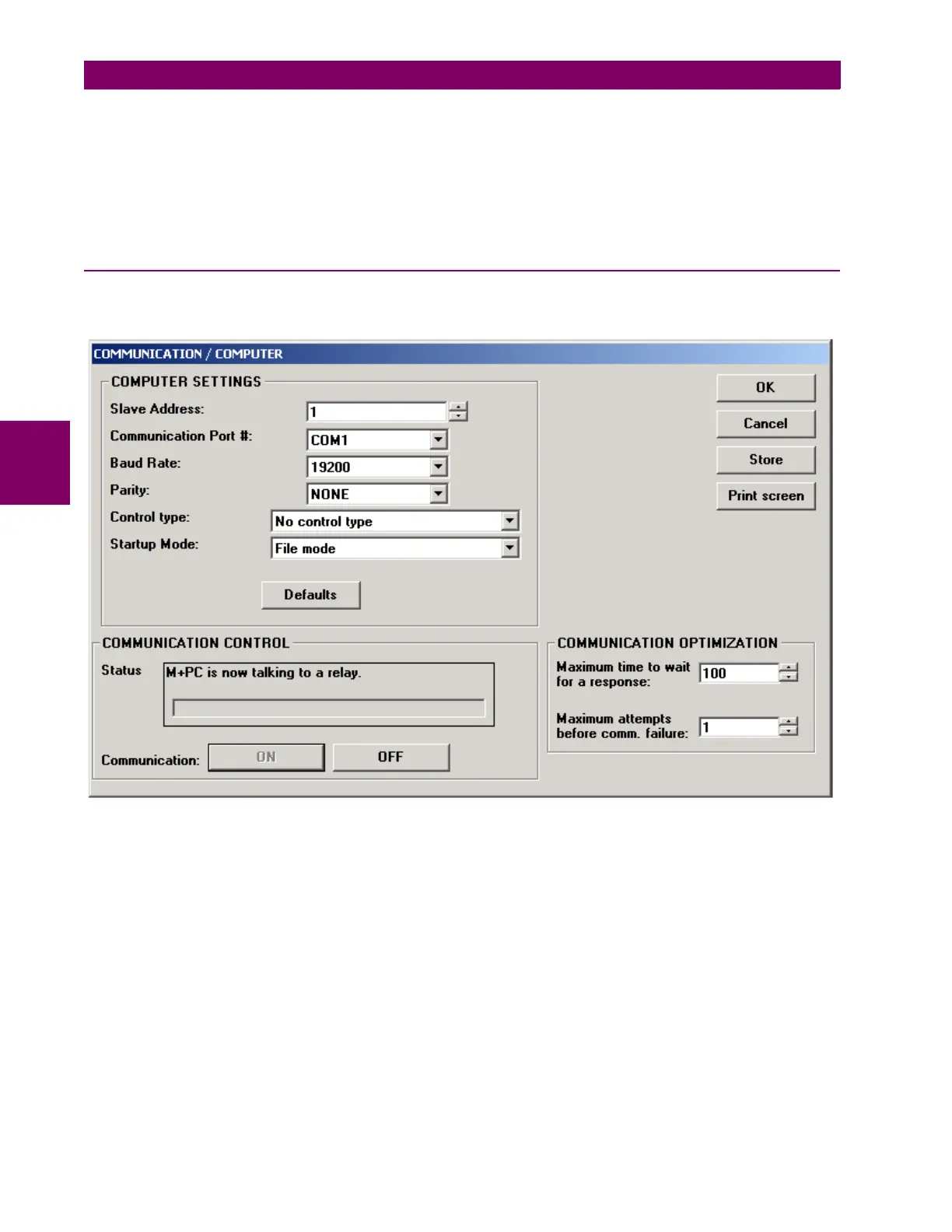
In COMPUTER dialog the user can configure the necessary adjustments to communicate with the relay from a PC.
Figure 4–19: COMMUNICATIONS DIALOG







 To Next Page