V 09/18
OptiStar CG06 Automatic gun control unit Start-up and operation • 31
The predefined mode automatically set values for high voltage and spray-
ing current:
Presetting Desired µA Desired kV
Flat parts 100 100
Complicated parts 22 100
Overcoating 10 100
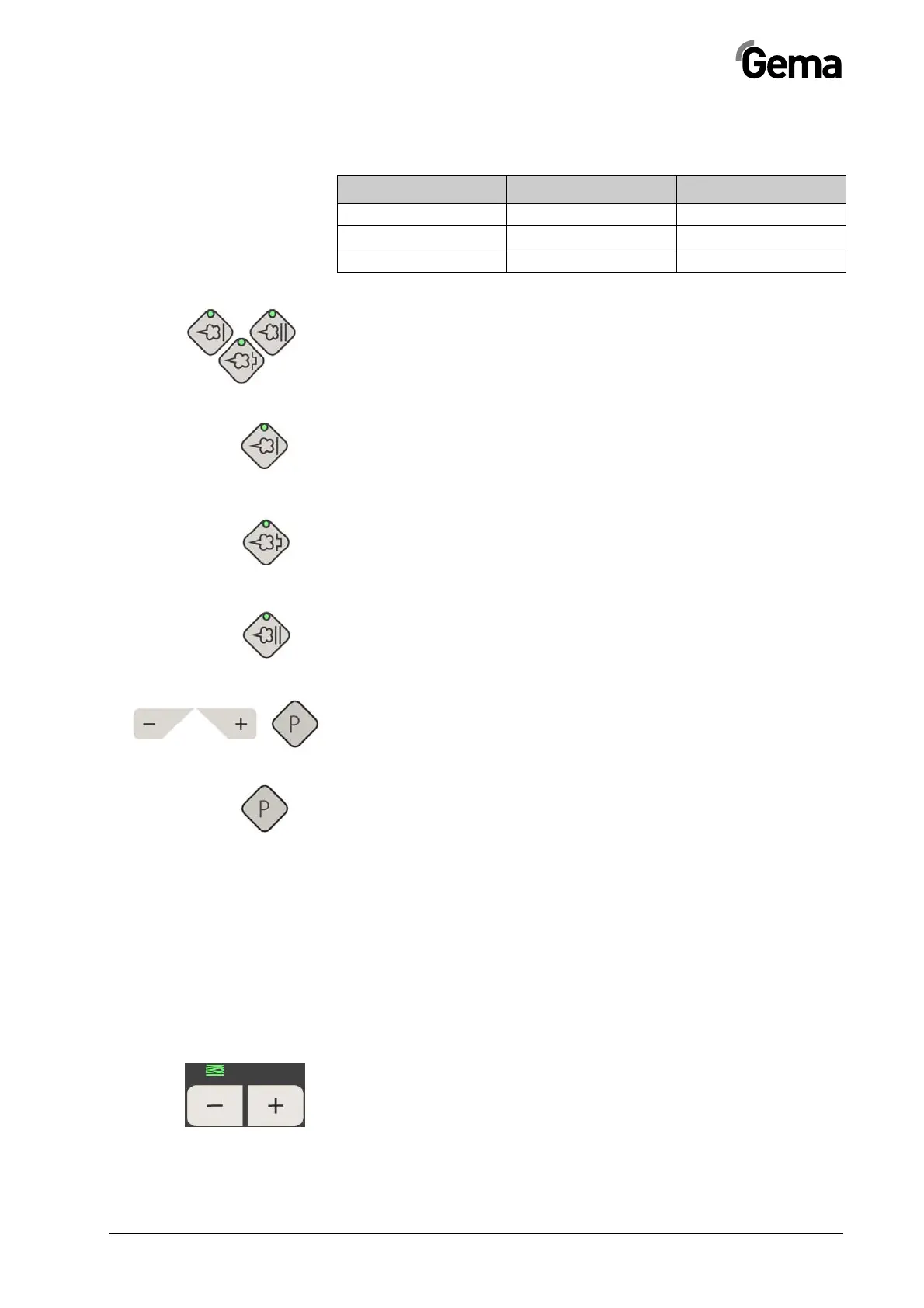
Starting the predefined operating mode (Preset mode)
Select the preset mode with the application keys T13/T14/T15. The LED
of the corresponding application key illuminates. No program number will
be shown on the display A5. The values for powder output and total air
volume, indicated before the changeover, are maintained.
Application mode for flat parts
This application mode is suitable for the coating of simple, flat workpieces
without larger cavities.
Application mode for complicated parts
This application mode is suitable for the coating of three-dimensional
workpieces with complicated shapes (e.g. profiles).
Application mode for recoating parts already coated
This application mode is suitable for the over-coating of workpieces
which are already coated.
Exiting the Preset mode
Exit the Preset mode with the keys T10, T11 or T12. The preset values of
the Program mode used before the Preset mode are displayed by the
control unit memory.
Starting the user-defined operating mode (Program
mode)
Select this application mode with the program key T12. Here, 250 indi-
vidually adjustable programs can be defined and saved. The programs 1-
250 were loaded with presets by factory. Factory preset values are 60%
powder output at 4.0Nm³/h total air and 20µA spray current at 80kV high
voltage.
Setting powder output and powder cloud
The powder output is dependent on the selected powder output (in %)
and the selected total air volume.
Setting the total air volume
1. Adjust the total air volume with the keys T3/T4 (see also the
injector operating manual)
- Adjust the total air volume according to the correspond-
ing coating requests



 To Next Page