17
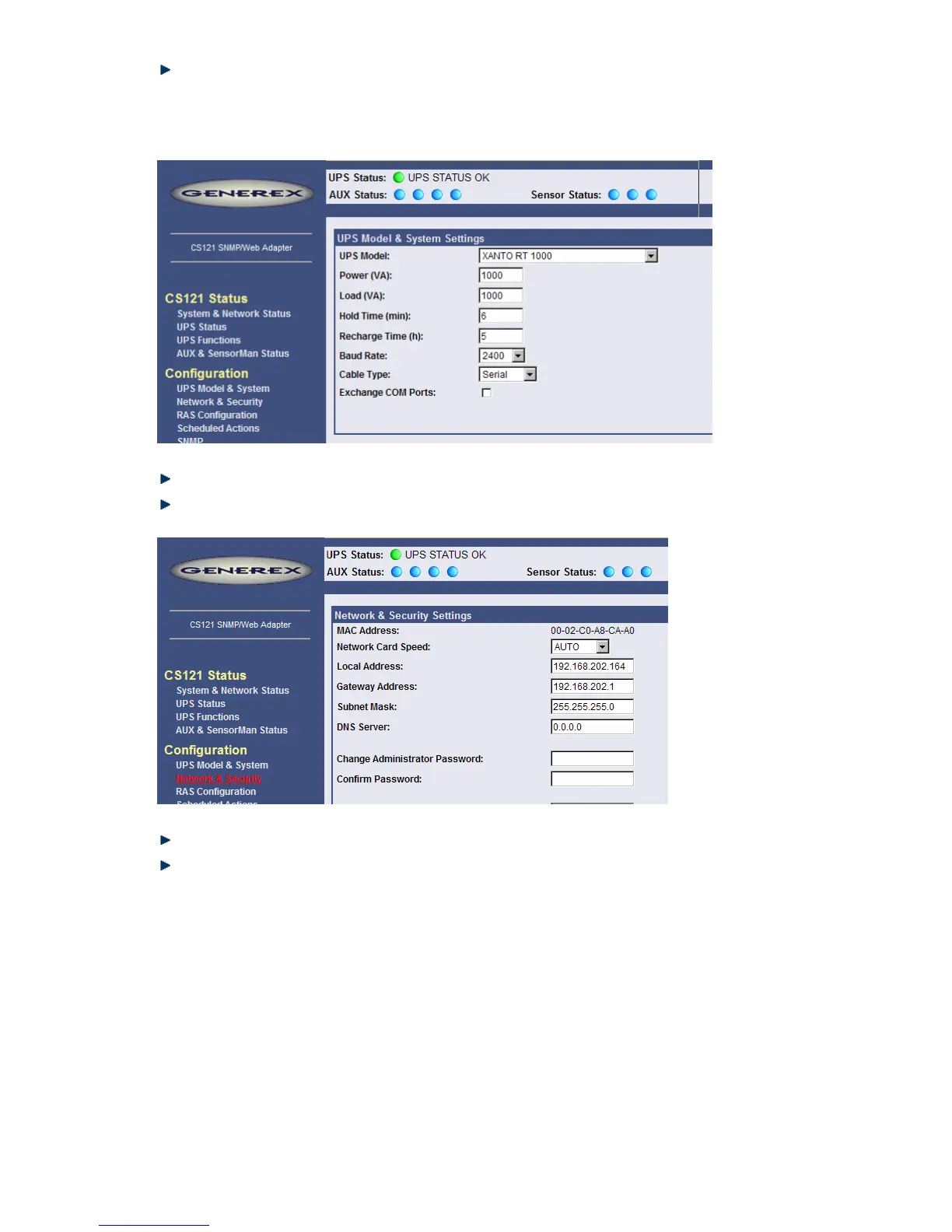
Call Configuration, “UPS Model & System” and choose your UPS Model from the drop
down list. Further configurations like Power, baud rate, cable type etc. were made
automatically (ensure your Browser has enabled JavaScript) and do not need to be set. We
strongly recommend to keep the default settings for this UPS unless you have instructions
from the UPS maker.
Figure 5: HTTP - UPS Model & System Settings
Apply your settings with the button at the right side.
Change to menu “Network & Security” and specify IP-address, Gateway and Subnet mask
to the CS121-adapter.
Figure 6: HTTP - Network & Security Settings
Apply your settings with the button at the right side.
Change to menu “Save Configuration” and click “Save Configuration”.
2.1.4 Using Telnet / MS-HyperTerminal
2.1.4.1 Building up a connection
Use of Telnet, enter the command: „telnet <IP-Address>“, whereas <IP-Address> is in the
configuration mode set to 10.10.10.10.
Start a Terminalprogram (e.g. MS-HyperTerminal) and ensure that the serial communication
cable for COM2 is connected. To build up the connection, mind the following communication
settings:



 To Next Page