39
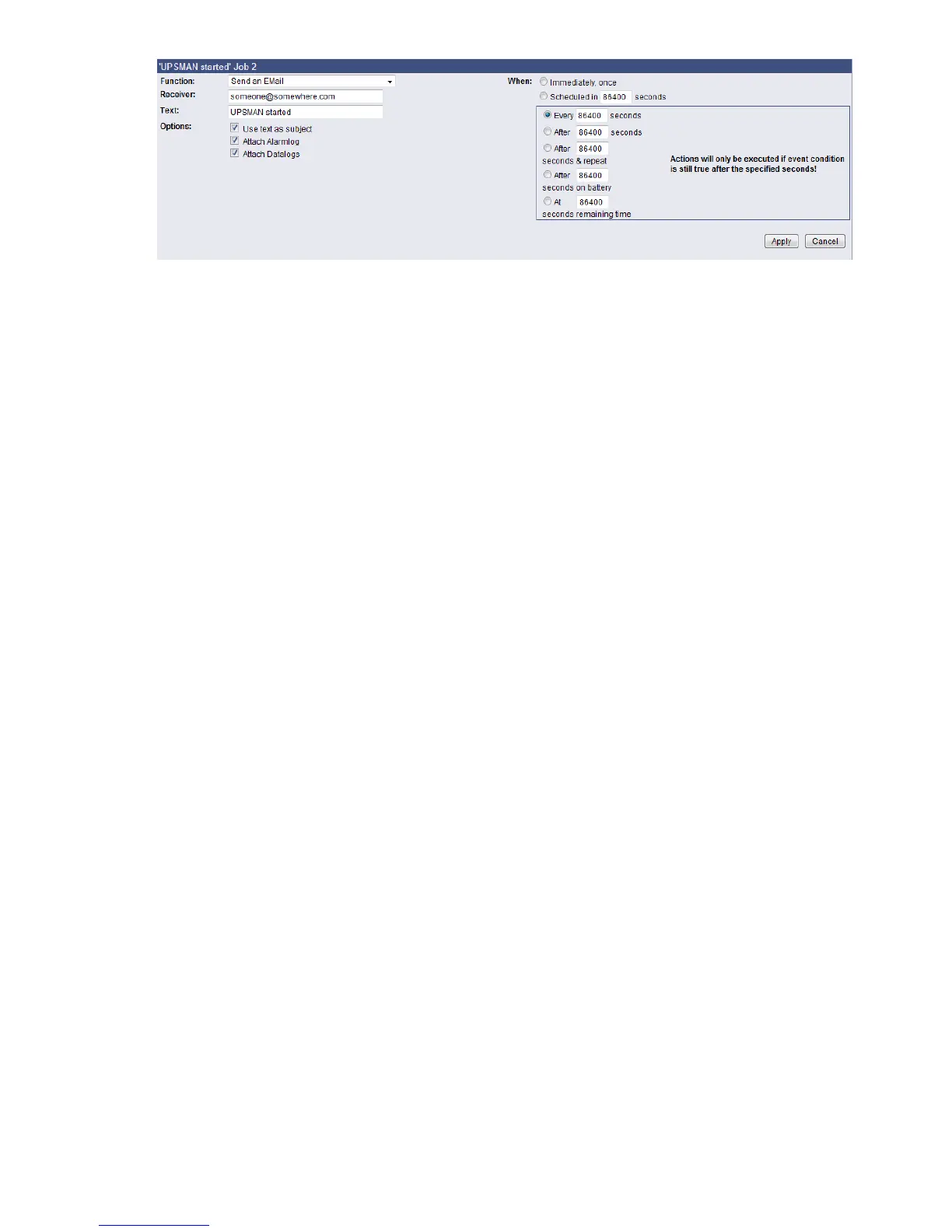
Figure 35: HTTP - Job Editor: Continuous event job
3.2.10.4 Email-To-SMS
In order to send a SMS message in case of an alarm, you have to use the “Email to SMS
Service” of your GSM provider. This is a service where the UPSMAN sends an email to the
service center of your GSM provider, who converts the email into an SMS. This service is
standard in most GSM networks and very reliable compared to modem solutions. For receiving
emails as SMS you have to contact your GSM provider to open this service. In the following we
describe how this works with some GSM providers in Europe, since these providers change
this very often, please refer to the website of your GSM provider to find out how “Email to
SMS” can be activated for your cell phone.
Example:
GSM Provider T-Systems D1
Your D1 email address will be D1Nr.@t-d1-SMS.de (e.g.:01711234567@t-d1-sms.de) Please
note that you enable receiving emails on your cell phone. This is done by sending a SMS with
the message “OPEN”, to the number 8000.
Only the subject or the text field of the email will be transferred as a SMS, 160 characters from
the subject and text field.
Important: If you want to stop receiving emails, please send a SMS to the number 8000, with
the text “CLOSE”.
(If you want to enable the email transfer again, just send a message to the number 8000,
containing the text “OPEN”, as described before.)
GSM Provider Vodafone
In germany the vodafone email-to-SMS server is called „vodafone-sms.de“. Please take a look
onto the vodafone website of your country for the accordant server name.
Please note that you enable receiving emails on your cell phone. This is done by sending a
SMS with the message “OPEN”, to the number 3400.
Only the subject or the text field of the email will be transferred as a SMS, 160 characters from
the subject and text field.
Important: If you want to stop receiving emails, please send a SMS to the number 3400, with
the text “CLOSE”.
(If you want to enable the email transfer again, just send a message to the number 3400,
containing the text “OPEN”, as described before.)
Other providers
Please ask your cell phone network provider for informations about the email to SMS settings.
3.2.10.5 RCCMD Jobs
RCCMD (Remote Console Command) is the world’s most successful shutdown client for
heterogeneous networks and is the most secure way to establish a UPS multiple server
shutdown sequence today. RCCMD clients are listening to an RCCMD server which is usually
an UPSMAN software, CS121 or any third-party UPS manager which has a license to use
RCCMD. An RCCMD server is found inside any CS121 and is triggering RCCMD clients in
case of alarms. Therefore RCCMD requires such listeners on each client-computer you wish to



 To Next Page