52
3.2.12.3 AUX-Port
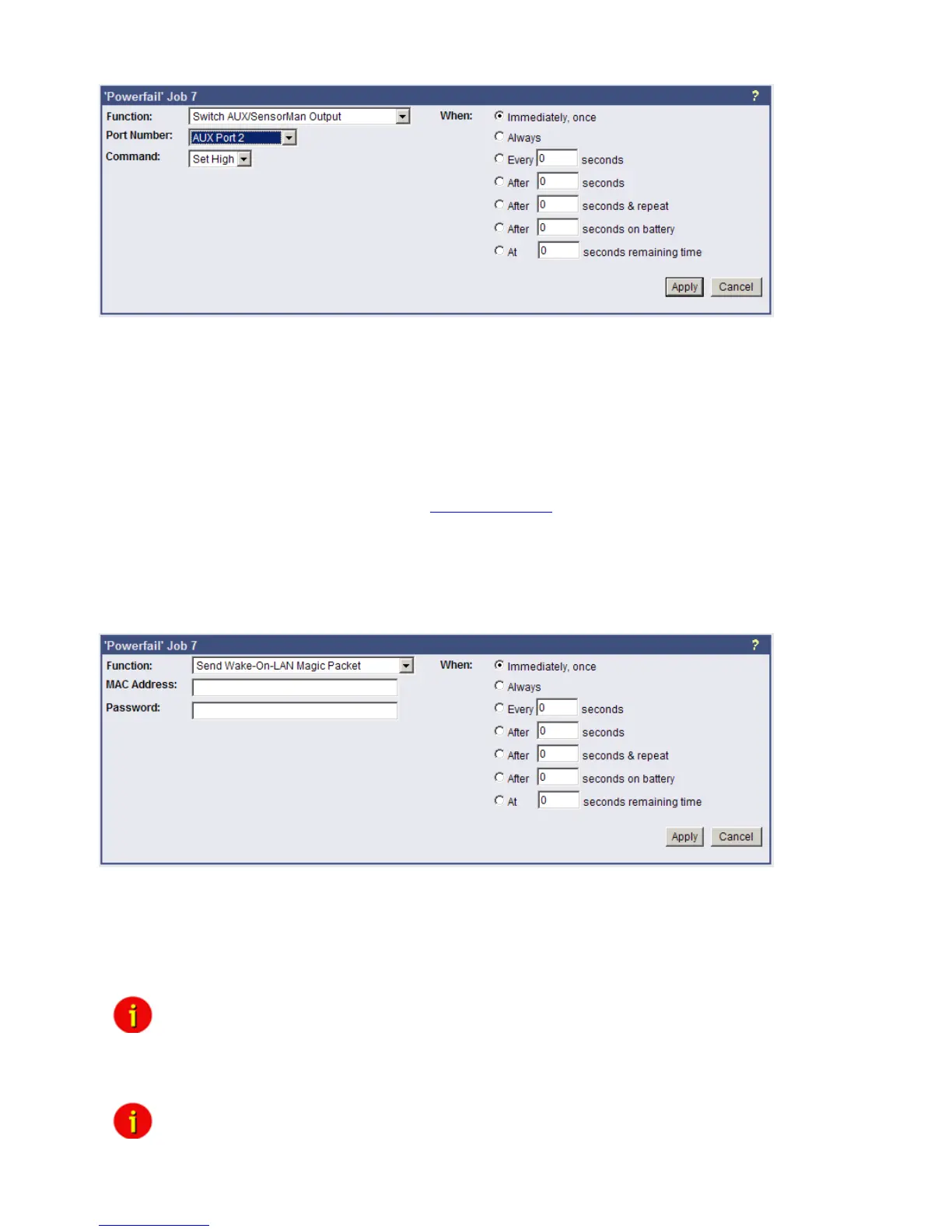
Figure 57: HTTP - Job Editor: Switch AUX-Port
In general, the AUX port is used for auxiliary contacts that can be configured to function as
either an Input or an Output. (e.g. as input for Air-conditioning alarm contacts and as Output to
switch on electrical sockets or start Beepers etc. ) When these contacts are set as Inputs, they
are to be treated as an event in the „Events settings“-menu. Reverse, the AUX contacts to be
treated as actions when they are being used as Outputs. The AUX port is also used for
connecting an SS4/AUX power outlet manager, in which case all AUX ports function as
Outputs. For the AUX we provide several “add-ons” like the SS4AUX, SM_IO Relay box,
SM_BUZZ Alarm beeper, etc. For a complete overview of “add-ons” for the AUX please see
the according datasheet, downloadable from www.generex.de.
The CS121 L (external box) allotted from serial number 0121-10417 (delivered from
31.07.2008) about a COM3 port. The CS121 SC (slot card) allotted from serial number 0123-
09428 (delivered from 03.09.2008) about a COM3 port too. The AUX port assignment is
depending to the hardwaretype different, see figure 71 and 76.
3.2.12.4 Wake on LAN (WOL)
Figure 58: HTTP - Job Editor: Wake on LAN
WOL stands for “Wake on LAN”. This function uses data packages to prompt other computers
in a local network to start-up. Please use this function in the event “UPSMAN started” to wake
up computers which have been shutdowned previously after an extended poweroutage, which
cause the CS121 or UPS to switch off completey. Additional you may add this WOL signal to
the EVENT “Power restored”.
Note: Not all network cards support this function, and for those network cards
that do, some of them are password protected. Please enable this
function on your computers BIOS settings on the motherboard.
Attention: If you want to send WOL signals into different subnets, it is required, that
the switch, the PC and the CS121 are configured to “Autosensing”!



 To Next Page