73
5.1.2 RCCMD with SSL for Windows
The Secure Sockets Layer (SSL) protocol is a cryptographic protocol that provides security
and data integrity for communications over TCP/IP networks.
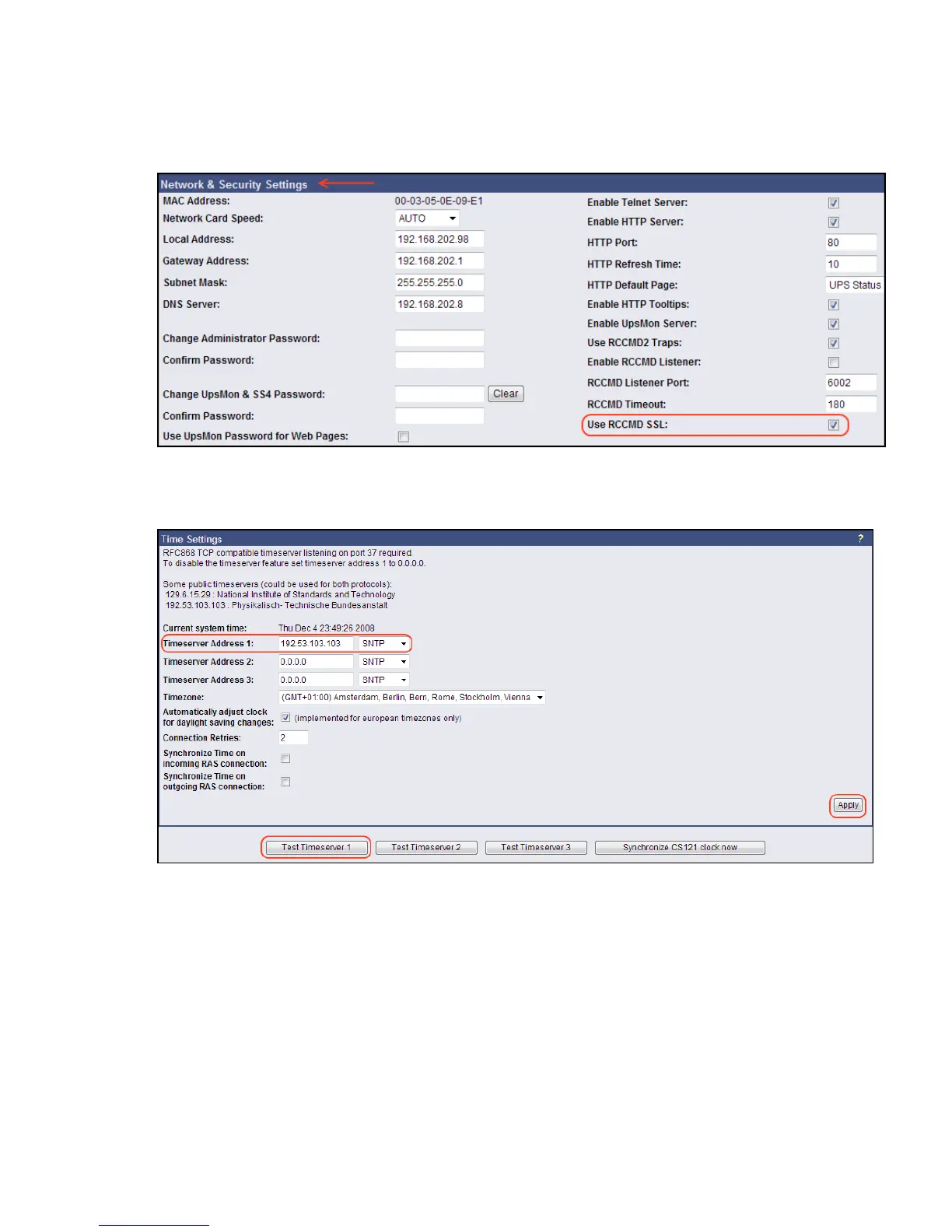
Use your Web-browser to navigate to the address of your UPS Web-Manager. Click the
“Network & Security” configuration button and enable the SSL network feature.
Figure 84: RCCMD SSL Settings
The SSL network feature requires correct time settings, so it is required to configure a
timeserver. Click the „Timeserver“ configuration button and enter the address of at least one
timeserver.
Figure 85: Timeserver Settings
Click the „Save Configuration“ button and the „Save, Exit & Reboot“ button to confirm your
settings.



 To Next Page