82
The CS121 establishes a user interface for the SS4 for which the user has the option of using
either UPSMON, Webbrowser, UNMS or an SNMP-Program. All communications take place
either through a modem or network connection. Detailed information is covered in section 7.7.9
AUX and SS4 Settings.
6.1.4 SS4 - Technical data
Inputvoltage: 230V AC +/- 5%
Max. Power Input: 16A
Max. Power Output per socket: 8A (Load at cos phi 1)
Dimensions 260x180x60mm (BxTxH), with 19” : 1,5U
Operating temperature: 0-40°C/rel.Humidity0-95% non condensating
6.2 Sensor SM_T_COM
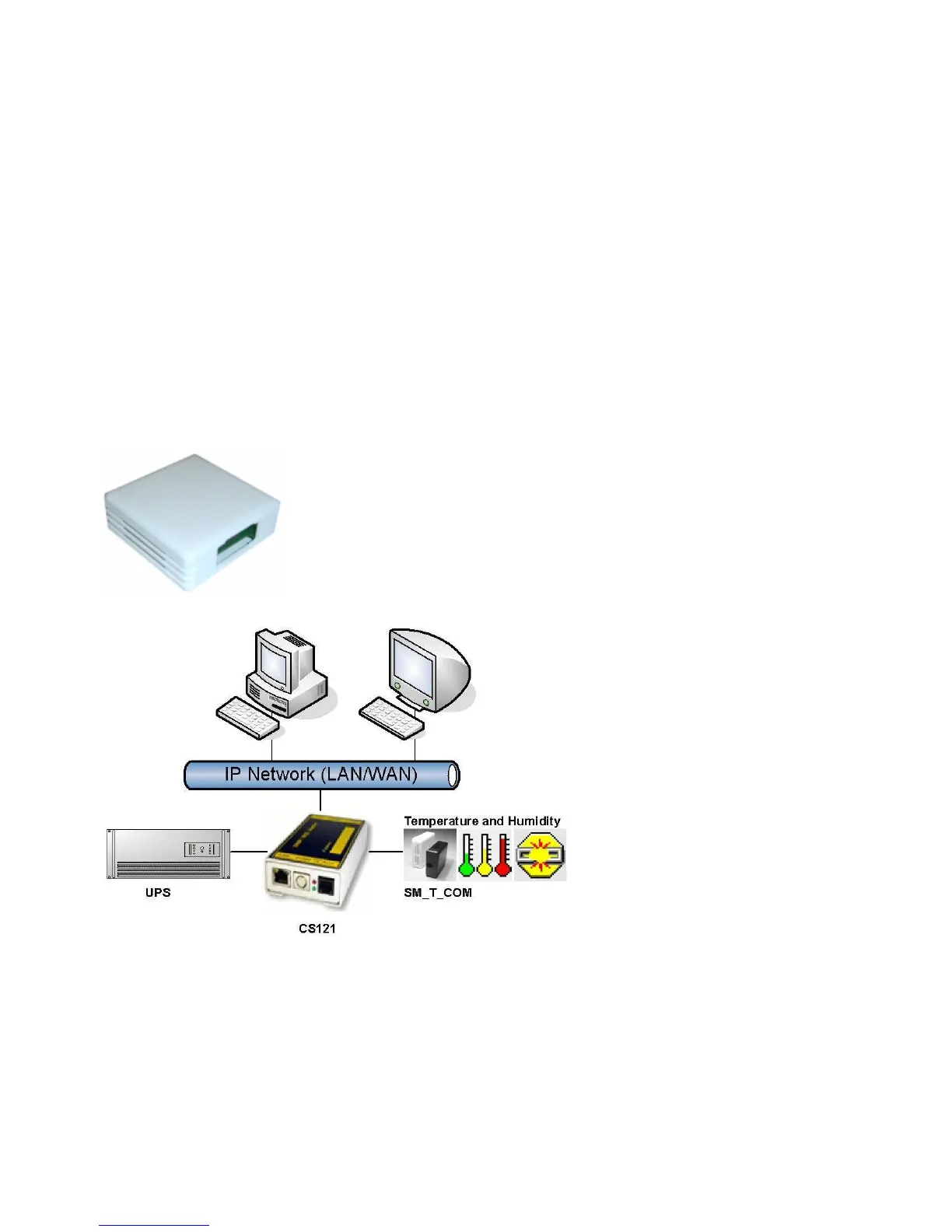
The SM_T_COM is a temperature sensor for the use with a GENEREX CS121. It has a range
from -25° - 100° Celsisus (-13° –212° Fahrenheit) and comes with a 1.8 meter cable for
connecting to the CS121 COM2 port. The SM_T_COM is designed for monitoring and
management of 19"- racks, UPS rooms, server and data center rooms and for industrial
applications. Simple Plug' n Play connections insure that the sensor can be easily and safely
installed.
Figure 96: The Sensor SM_T_COM
Figure 97: CS121-Installation with temperature SM_T_COM
The SM_T_COM (also available as SM_T_H – a combination of Temperature and Humidity) is
a temperature sensor with an RS232 protocol which can be connected directly to the CS121
COM2 port. (Not BUDGET series).
The SM_T_COM shows the actual values on the CS121 Webserver screen and allows to
trigger alarms, emails, messages in case the values exceed configurable thresholds.
SM_T_COM is simply connected with the original CS121-TEMP cable (part of every CS121
SC and L) to the COM2. In the Webinterface COM2 & AUX you have to change to the COM2
mode to “SM_T_COM”, press “apply” and “save&exit” and reboot to start the CS121 with your
new settings. The Configuration of thresholds and Events is made via the Event-configuration
windows and the SM_T_COM configuration page.



 To Next Page