46
of x seconds and repeated every x seconds again.
"After x seconds”: Action/Job will be executed in case that this EVENT is true after a delay
of x seconds. Action will be cancelled, if EVENT is false before time has run out.
"After x seconds and repeat”: Action/Job will be executed in case that this EVENT is true
after a delay of x seconds and will be repeated after x seconds again. Action will be cancelled,
if EVENT is false before time has run out.
"After x seconds on battery”: Action/Job will be executed in case that the EVENT UPS ON
BATTERY or POWERFAIL is true and after a delay of x seconds. Action will be cancelled, if
EVENT is false before time has run out. This Job is identical to the EVENT POWERFAIL and
the configuration "After x seconds".
"At seconds remaining time”: Action/Job will be executed in case that the UPS runs on
battery/Powerfail and the remaining time, read by the UPS or calculated by the
internal CS121 routine has reached a certain remaining time. Only useful if the
"Autonomytime" of your UPS can be regarded as reliable.
"REMAINING TIME " is defined as Autonomytime in seconds of this UPS at the actual
discharging level minus the DOWNTIME (configured in menu UPS MODEL & SYSTEM,
default is 3/6 minutes).
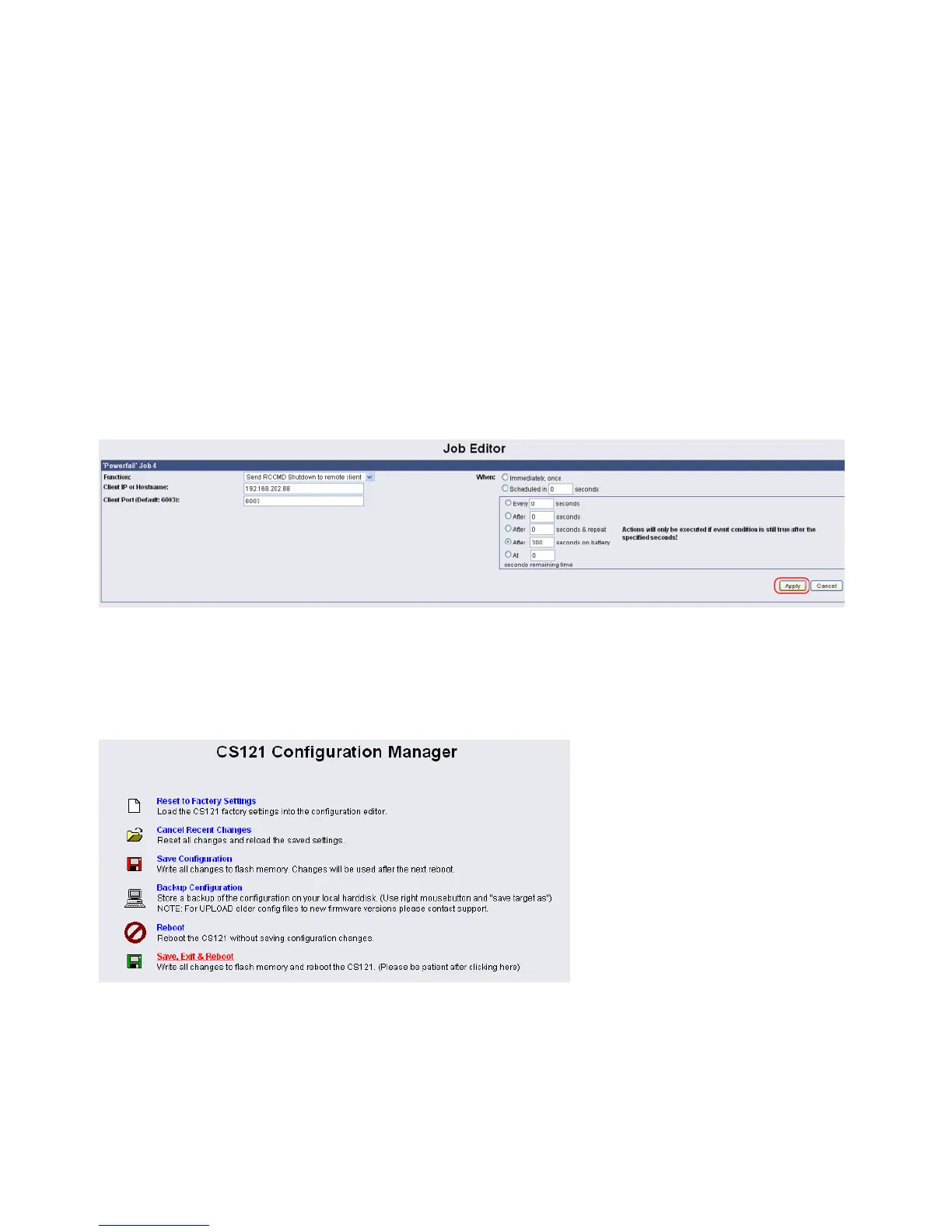
Figure 45: HTTP - Job Editor / Function
In this example a RCCMD Shutdown is configured for the event Powerfail. The shutdown
signal should be send after 5 minutes (300 seconds). Click the „Apply“ button after you have
finished the configuration. Save your settings via the menu „Save Configuration“ and execute
the „Save, Exit & Reboot“ function.
Figure 46: HTTP – CS121 Configuration Manager
We recommend to test the configuration prior of the implementation of the shutdown function
into a live-system. Click into the Event Editor of Powerfail the “Test” button (Job Type: RCCMD
SD).



 To Next Page