35
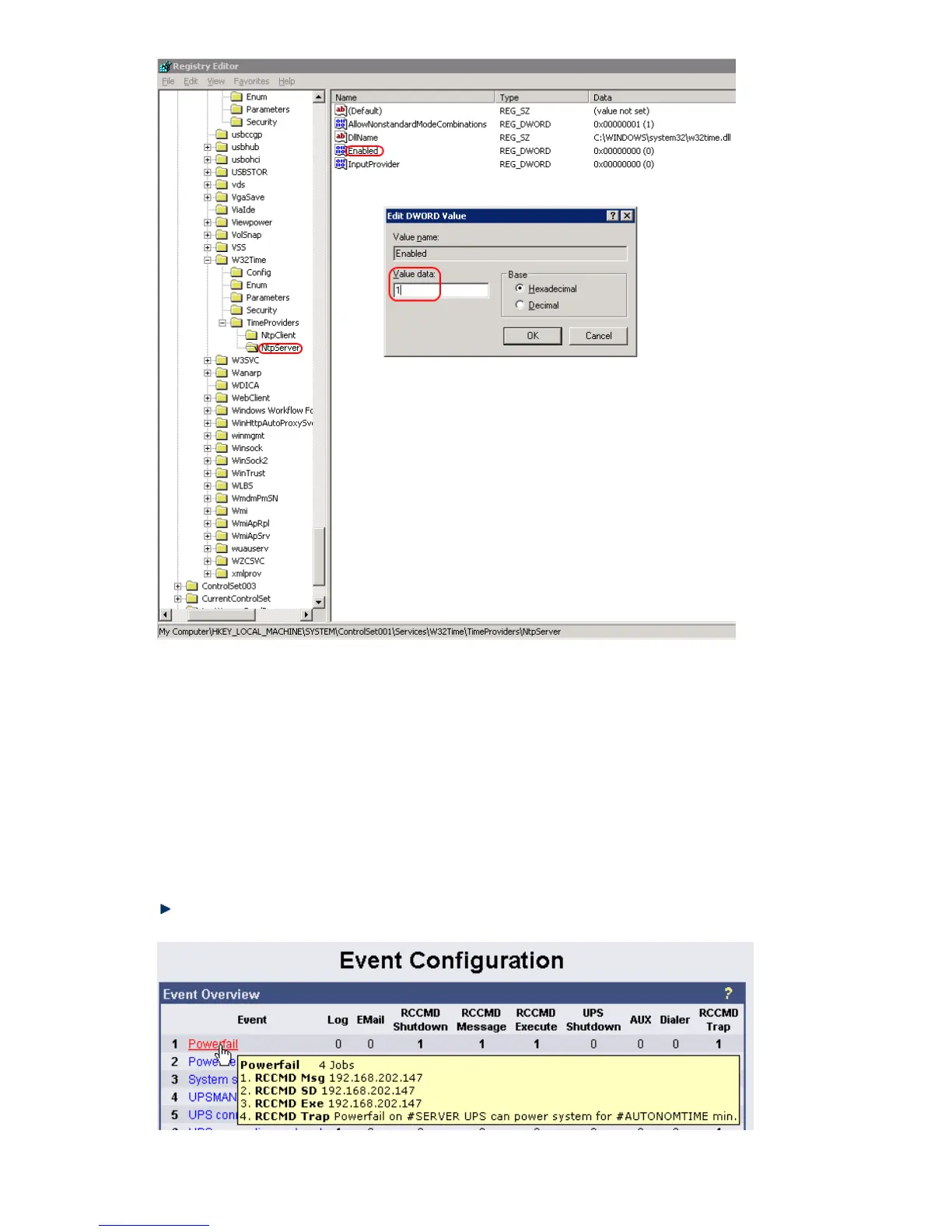
Figure 27: Registry NTP Server
3.2.10 Events / Alarms
The Event/Alarm-pages are the main feature of the CS121-configuration and are based on a
combination of events and actions (resp. Jobs). At CS121 there are various events defined,
such as e.g. “Powerfail”, “UPS Battery bad”, “Battery low” etc. Each event the CS121-adapter
allows you to release one or more actions. An action can be e.g. to write a logfile-entry in the
alarm-logfile (as default all events do perform an logfile-event), to send an eMail or to perform
an RCCMD-Command (e.g. shutdown signals to several RCCMD Clients). For a short
introduction into the handling of Events and Actions see also the section “Quickstart”.
In this menu the relationships between system events such as alarms and the actions to be
taken those events are defined.
To configure your events and actions open the menu “Events / Alarms”. The menu “Event
Configuration” shows you an overview about the events and the number of configured actions.
Figure 28: HTTP - Event Configuration with tool tip



 To Next Page