91
in chapter 3.2.5 Events / Alarms. This is possible because each marker has its own event
“Alarm Marker x”, which can be configured through the event configuration.
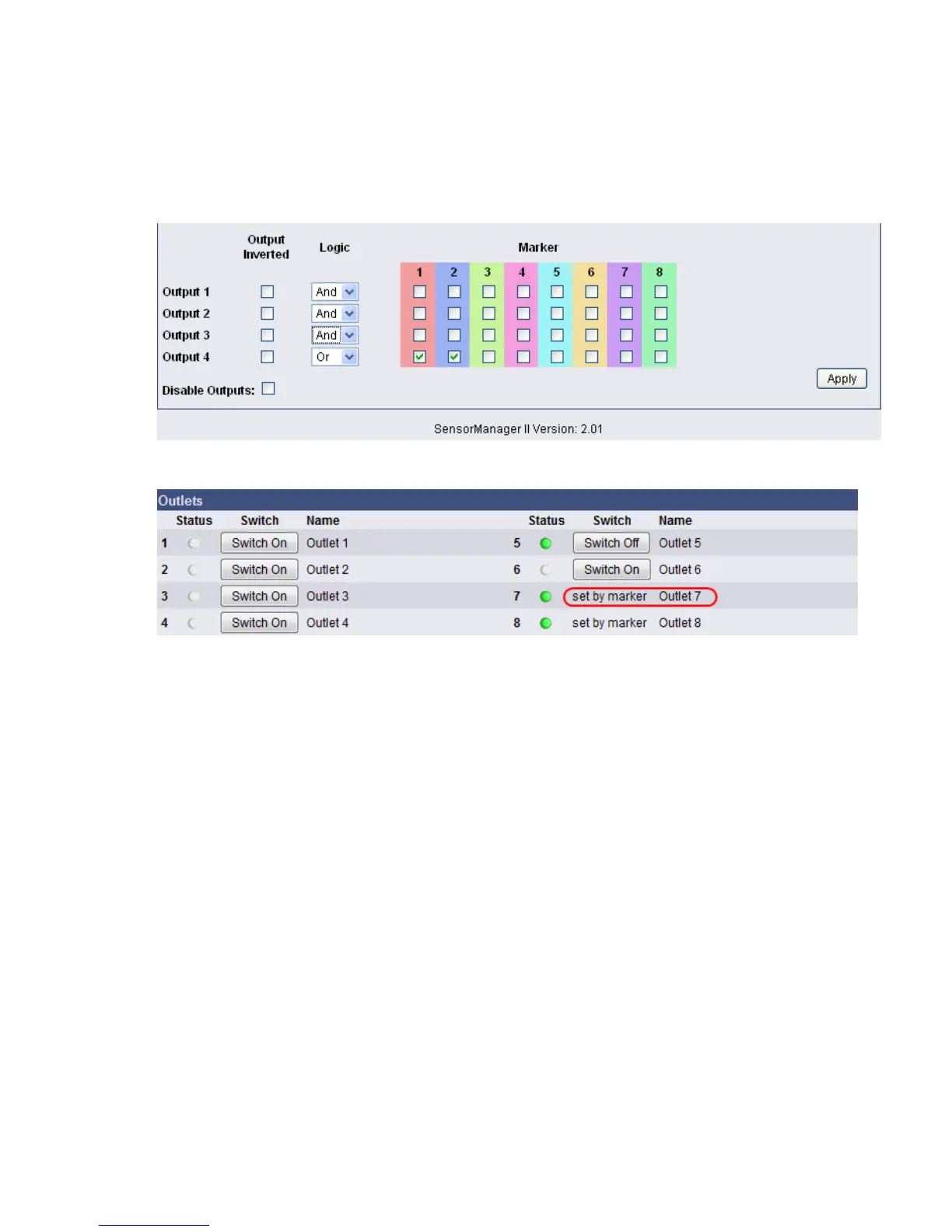
The second possibility is to switch a relay output in dependency of the statue of one or several
markers. Therefore you have the output matrix, figured as below. In this example is configured
that Output 4 is to be switched on when Marker 1 or Marker 2 is set (or the opposite way
around in case “Output Inverted” is enabled). Using the “Alarm Matrix” offers you numerous
possibilities to switch Outputs in dependency of input alarms.
Figure 110: Alarm Matrix – Switching of relay outputs
Figure 111: Alarm Matrix – Switching of relay outputs
Detection of the analog temperature values via variables:
#SM2_ANALOG0
#SM2_ANALOG1
#SM2_ANALOG2
#SM2_ANALOG3
#SM2_ANALOG4
#SM2_ANALOG5
#SM2_ANALOG6
#SM2_ANALOG7
6.4 RASMANAGER
The RAS-Manager relays alarm signals coming from monitoring devices such as UPS,
SiteManagers, contact alarms and the like to monitoring stations or email receivers. Any
computer with RAS capabilities (Windows, Linux) can be used as a monitoring station. The
only requirement is the setup of an PPPServer on the monitoring station. After the
establishment of communications between the RAS-Manager and the monitoring station, a
RCCMD signal is sent that depending on configuration can either make log entries, send
emails and SMSs or execute programs.



 To Next Page