53
3.2.13 Scheduled Actions
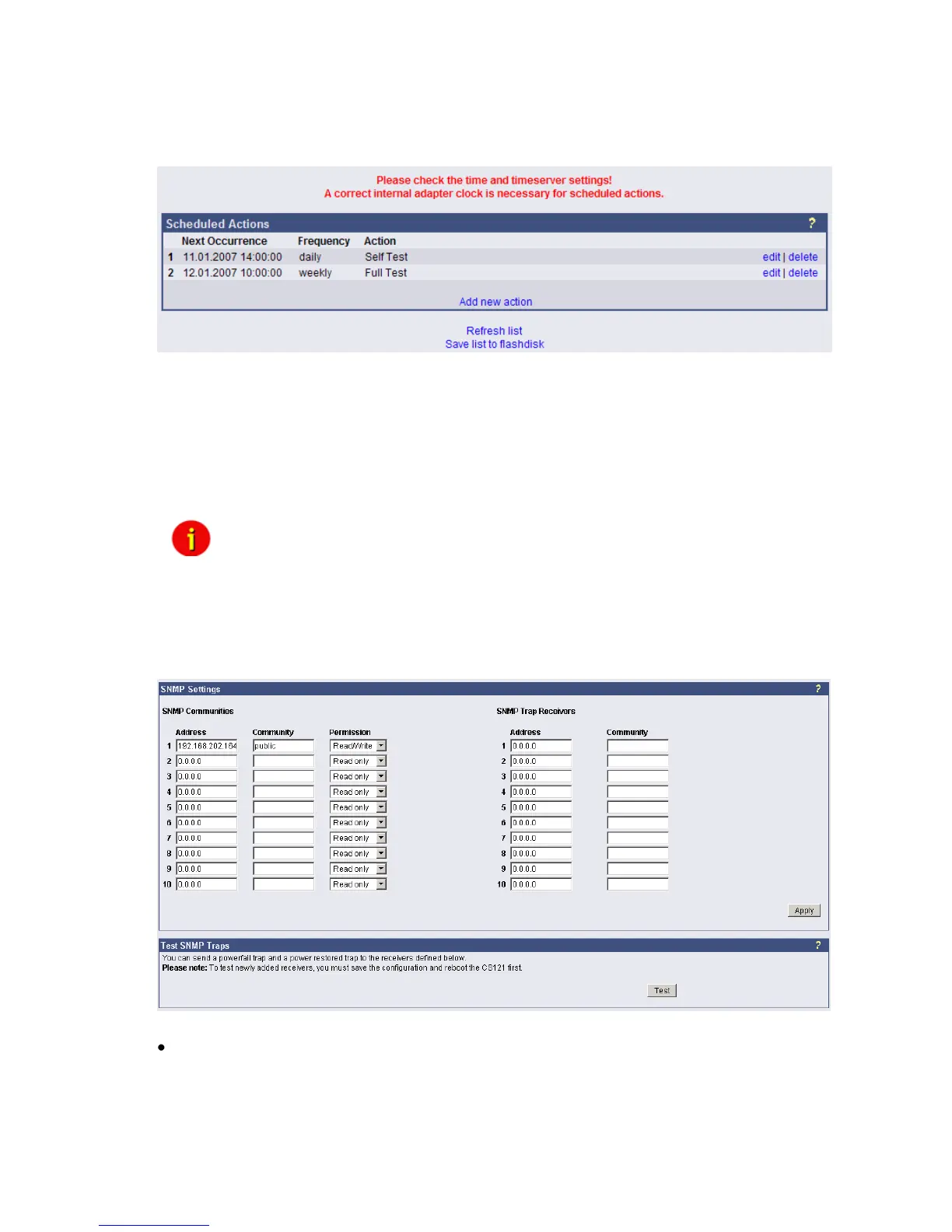
This menu is for programming schedules actions on your CS121 or facility manager
SITEMANAGER. When combined with the other facility managing functions of the CS121
adapter, the Scheduled actions tool can be used to operate and run many different tasks, e.g.
Switch on/off UPS, do battery tests, switch to “green mode” or bypass, etc.
Figure 59: HTTP - Scheduled Actions with warning
After pressing the “new”-button a configuration window will be opened for the making of new
entries into the scheduled events of the adapter. This is a very dynamic and versatile
configuration window that automatically readjusts itself to adapt to the selected job. Just select
a different type of Action and see how the configuration window changes. This makes it very
easy for the user to configure the individual jobs. In addition, the window makes the scheduling
of reoccurring events very easy by offering the selection of ONCE, DAILY, WEEKLY, and
MONTHLY for each new entry.
Note: Please ensure that timeserver settings are valid when you configure
scheduled actions. An unreachable timeservice will be indicated at the
top of the menu “Scheduled Actions”.
3.2.14 SNMP
Within this menu you can define access controls for SNMP-communities. This concern e.g.
SNMP-Management tools, Trap receivers etc.
Figure 60: HTTP - SNMP
Network Server Settings
The user may activate or deactivate different options from this menu. Telnet and or SNMP may
be switched on or off and the UPSMON access can be blocked. The network speed can also
be selected and the user can select and adjust the desired security level.



 To Next Page