33
3.2.9 Timeserver
The CS121 uses a timeserver to supply the correct date and time of any event in its local
logfile. If no Timeserver is set, the CS121 will not use date and time in the logfile, but a date
stamp of 1970. For the normal operation of the CS121 a timeserver is not required, but we
strongly recommend to set access to a timeserver.
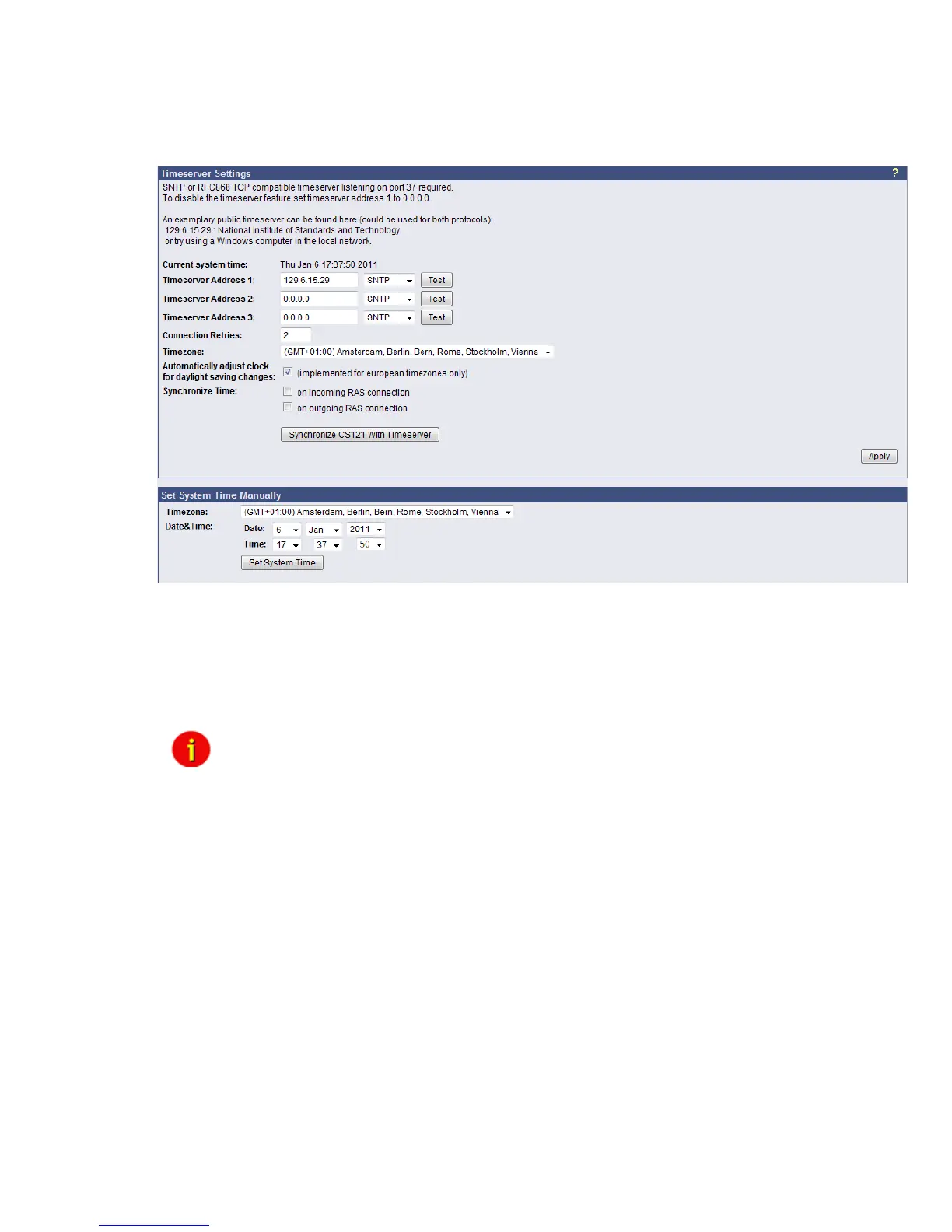
Figure 25: HTTP - Timeserver Settings
The timeserver is important to synchronize the UPS logfile to the actual time. The adapter
supports up to three different timeserver IP-addresses. Both, RFC868- and SNTP- protocols
are available. Enter the IP-address of any timeserver in your LAN or in the internet. In the
internet you will find many timeservers supporting RFC 868 TCP requests, e.g. the IP-address
of the timeserver of the National Institute of Standards and Technology is 129.6.15.29; the
timeserver of the Physikalisch-Technische Bundesanstalt is 192.53.103.103.
Note: The timeserver will synchronize immediately following the reboot
(featured with Firmware 3.03 and newer). If the synchronisation fails, the
CS121 will attempt another timeserver synchronisation. Following that,
the CS121 will attempt a synchronisation with the timeserver every 24
hours. It is required to unlock UDP port 123. From Firmware 4.17 the
timeserver will synchronize in a 10 minute interval for at most 24 hours,
after it the synchronization interval will be reduced to 24 hours.
The CS121 firmware version 4.28.x provides the option to set the system time manually.
Please note, that after the next reboot the synchronization will be lost.
Attention: The NEWAVE UPS got a special feature: Time synchronization via MODBUS
command 99. With this signal, the internal clock of the CS121 will be reset to 01:00 every
night, because of the optimization of a correct time. To avoid that the CS121 internet
synchronization process will correct this time again (regularly process at every restart and
every 24 hours), it is required to disable the SNTP timeserver into the CS121.
Every Windows computer offers the by “Windows Time” a timeserver which synchronizes the
time of the PC with an internet clock. How to setup the MS-Timeservice is described below.
If you do not have any internet access in your network, you may setup a timeserver which use
the PC clock. For this you may choose any freeware from the internet or download from here:
http://www.generex.de/wwwfiles/timeserver/atcs22.zip



 To Next Page