54
Note: Please ensure that in the menu “Network & Security” the option “SNMP
Agent” is enabled. SNMP Traps have nothing to do with RCCMD traps
or the RCCMD shutdown functions. RCCMD works independent from
SNMP.
The submenu displays a column of 10 manager IP-addresses with the corresponding access
permission, the commands and an example. Use this screen to specify which managers have
access to the SNMP adapter agent, the community names (password) and also what type of
access the IP managers have - read only or read and write.
Configuring Trap-receivers
Use this to determine which IP managers receive traps (messages) from your SNMP-adapter.
The screen permits you to send traps about your UPS to IP-addresses (managers).
Also, the menu for switching authentication and cold boot traps are located here. If activated
these traps are send to the configured SNMP trap receivers in the trap receiver list.
SNMP Trap Test
In this menu the user may test the SNMP traps, whereas the defined traps are only used for
test purposes and do not represent real traps. The receiver must also be configured in order to
make this test work. Additionally, save the settings and reboot your CS121 before testing the
communication with the configured IP-address. (does not work in configuration mode). If you
use SNMP Test trap, you will receive SNMP Traps of a “Powerfail” and “Power restored “
scenario – the simulation of a power outage of some seconds.
See also Network & Security-Settings.
3.2.15 COM2 & AUX
3.2.15.1 COM2
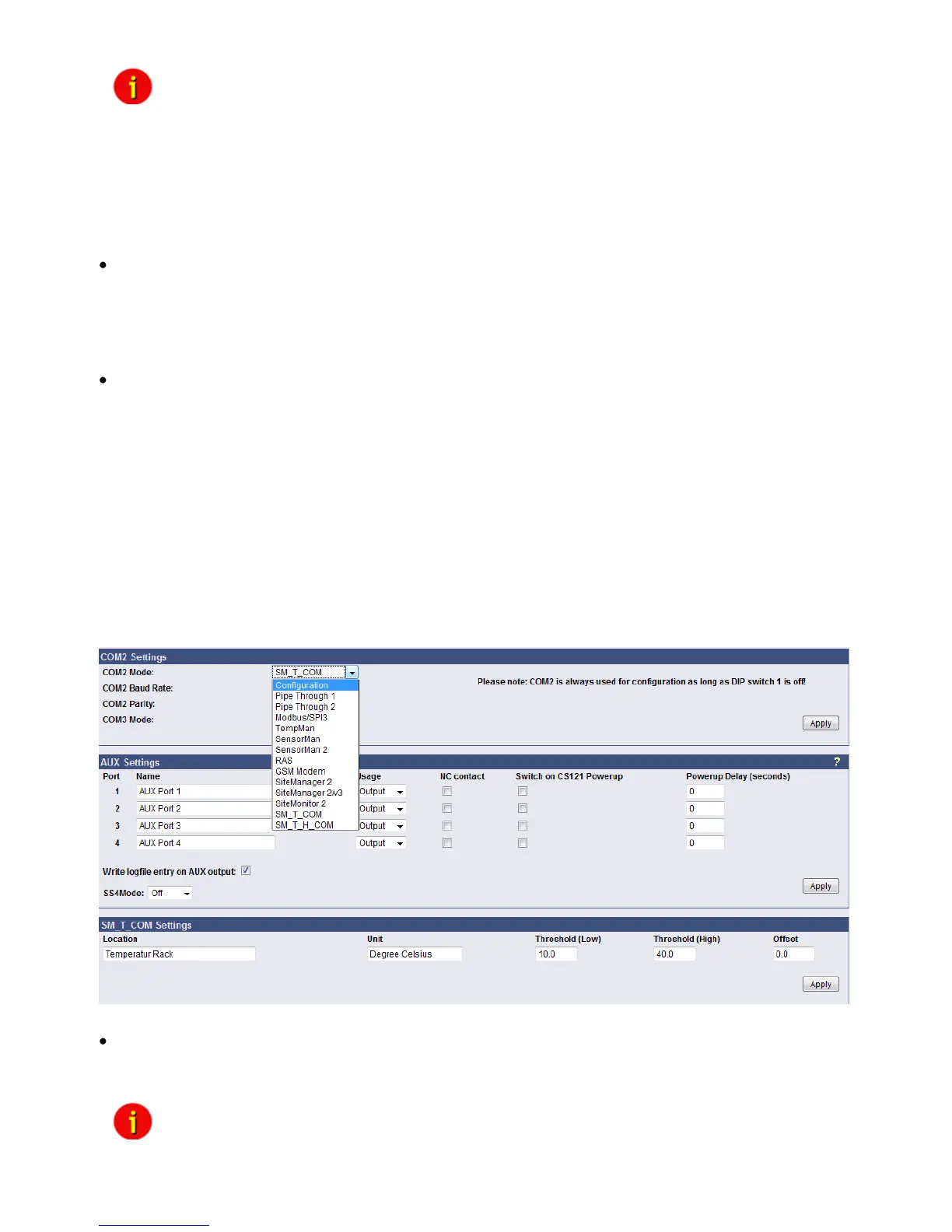
This menu takes the user into the submenus for the general settings of the COM2 and AUX
connection ports of the CS121-adapter.
Figure 61: HTTP - COM2 Mode overview
Configuration Mode:
This sets the normal configuration mode for using the provided cable (CS121-TEMP
configuration cable).
Note: Unless DIP-switch 1 is OFF the COM2 port is always running in
configuration mode.



 To Next Page