83
6.2.1 SM_T_COM configuration
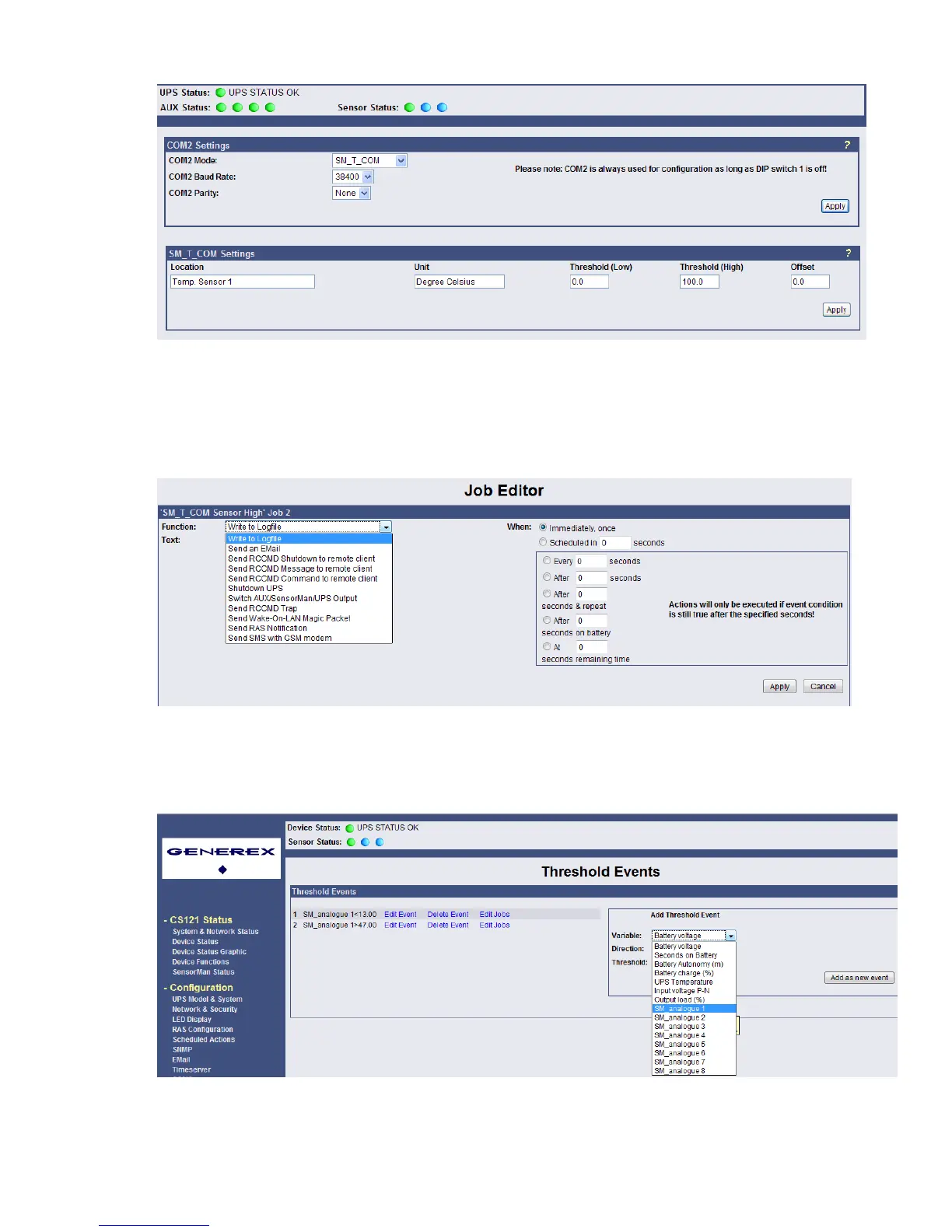
Figure 98: CS121- SM_T_COM Settings
Enter the desired values for the Threshold (low) and Treshold (high).
You can calibrate every sensor with the Offset, that means if you want to rise a measured
value for 5°C, just modify the default range from 0.0 to 5.0. Therefore you are able to adjust
the measurement values like a gauged thermometer.
You can define the following functions for SM_T_COM Events (see figure below).
Figure 99: CS121- SM_T_COM Functions
The CS121 firmware version 4.26.x provides the option to define threshold events for the
analogue inputs. Click the “Configure Threshold Events” button into the CS121
“Events/Alarms” menu.
Figure 100: CS121-Configuration Threshold Events of analogue Inputs
In this example, a below threshold of 13 was defined for SM_analogue 1, in this case for the
temperature in °C, which will appear into the Event Configuration, after you executed the
“Save, Exit & Reboot” function.



 To Next Page