56
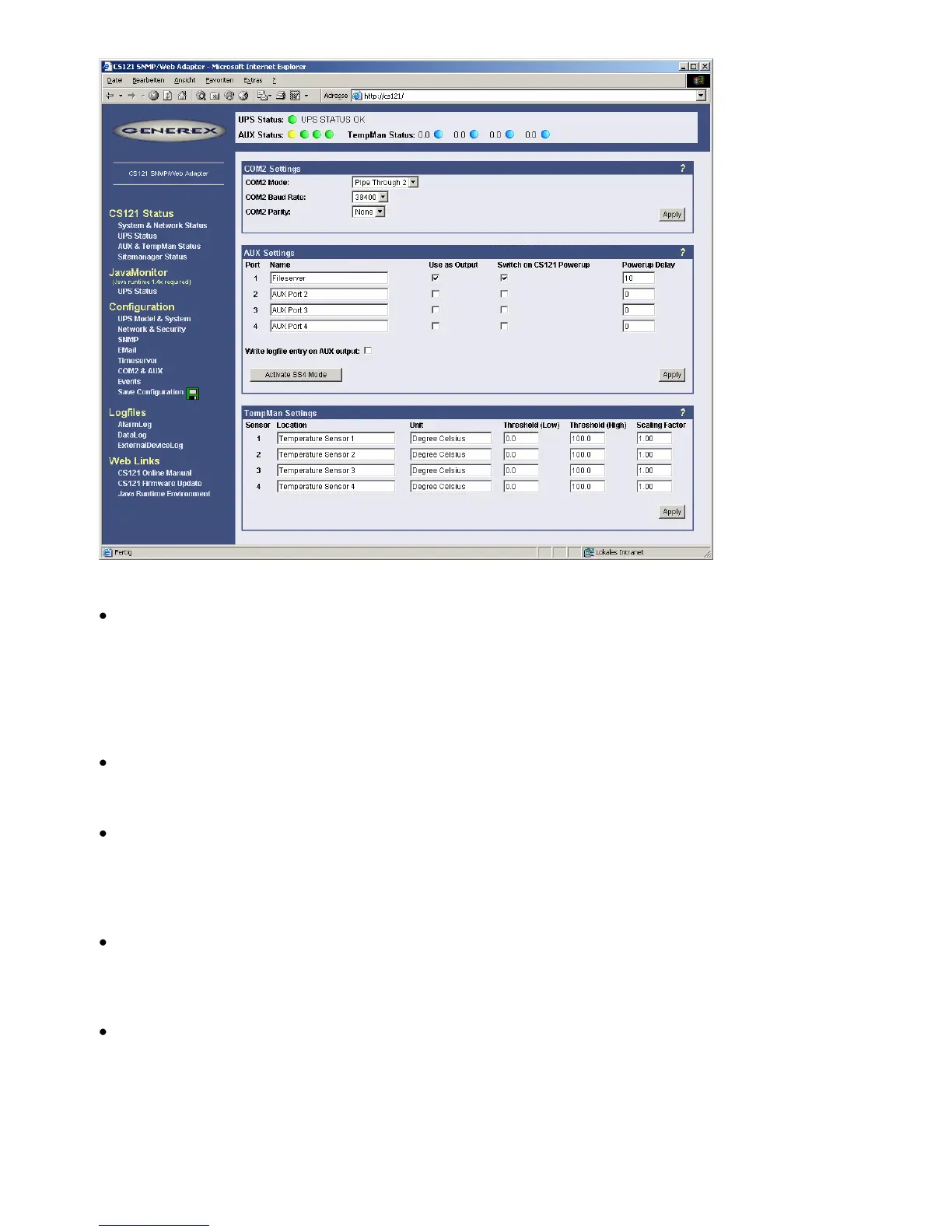
Figure 63: HTTP - COM2 & AUX with TEMPMAN
RAS-Mode
The selection of the “RAS”-entry in the drop down menu of the COM2 settings enables the
CS121-RASManager function. This function is only operational if a RASMANAGER ist used
(CS121 with inbuilt modem) and a RASMANAGER license key is provided (optional, part of
RASMANAGER). While it is also possible to select this entry in the Telnet menu, it is only
possible to configure the RASMANAGER settings using the HTTP interface of the CS121. See
menu “RAS Configuration” for further settings.
GSM Modem
A GSM modem provides the notification or rather forwarding of the UPS events/alarms via
SMS. Please take a look into chapter 6.5 for further information.
SiteManager 2, SiteManager 2/v3
The selection of SiteManager 2, SiteManager 2/v3 enables the communication between the
CS121 and the SiteManager. The SiteManager is a professional facility management device,
which provides 8 configurable analog inputs, 8 digital inputs and 8 switchable relay contacts.
Please take a look into the SiteManager II user manual for further information.
SiteMonitor 2
The COM2 selection SiteMonitor 2 enables the communication between the CS121 and the
SiteMonitor 2. The SiteMonitor 2 is a professional facility management device, which provides
64 digital inputs for several contact detectors.
SM_T_COM
The SM_T_COM is a temperature sensor for the CS121 and is used for the monitoring and
controlling of UPS rooms, server rooms etc.. Please take a look into chapter 6.2 for further
information.



 To Next Page