19
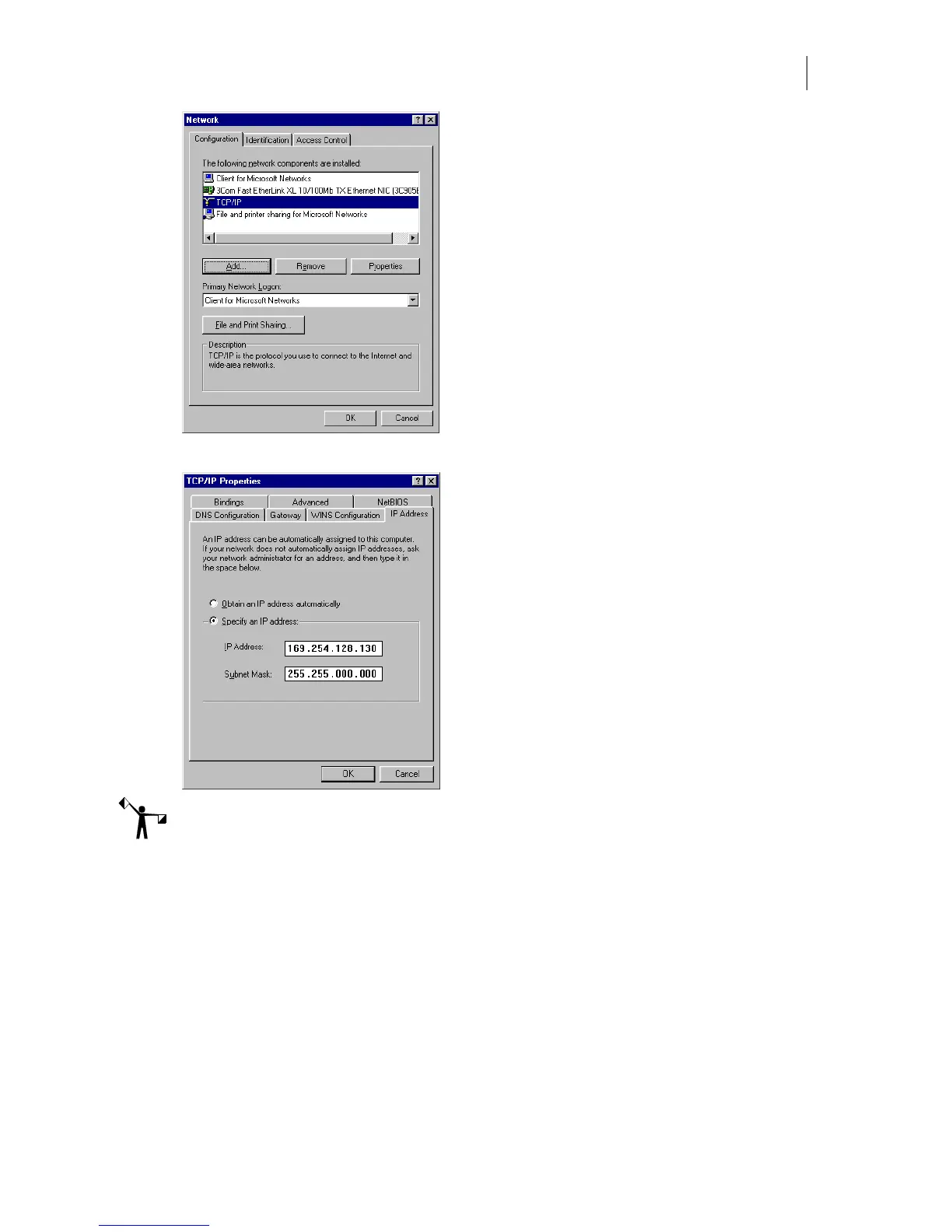
5 Click Properties to open the TCP/IP Properties dialog box.
Note: Depending on your network and other equipment currently residing on the network,
your computer's IP address may vary. If necessary, replace the network address in this
procedure with the proper address obtained from your network administrator or IT
professional.
6 On the IP Address tab, click Specify an IP Address:
7 Enter 169.254.128.130 for the IP Address.
8 Enter 255.255.000.000 for Network Mask.
9 Do not enter a Gateway address unless directed by your network administrator.
10 Click OK to close the TCP/IP Properties dialog box.
11 Click OK to close the Network dialog box.



 To Next Page