49
Changing System Settings
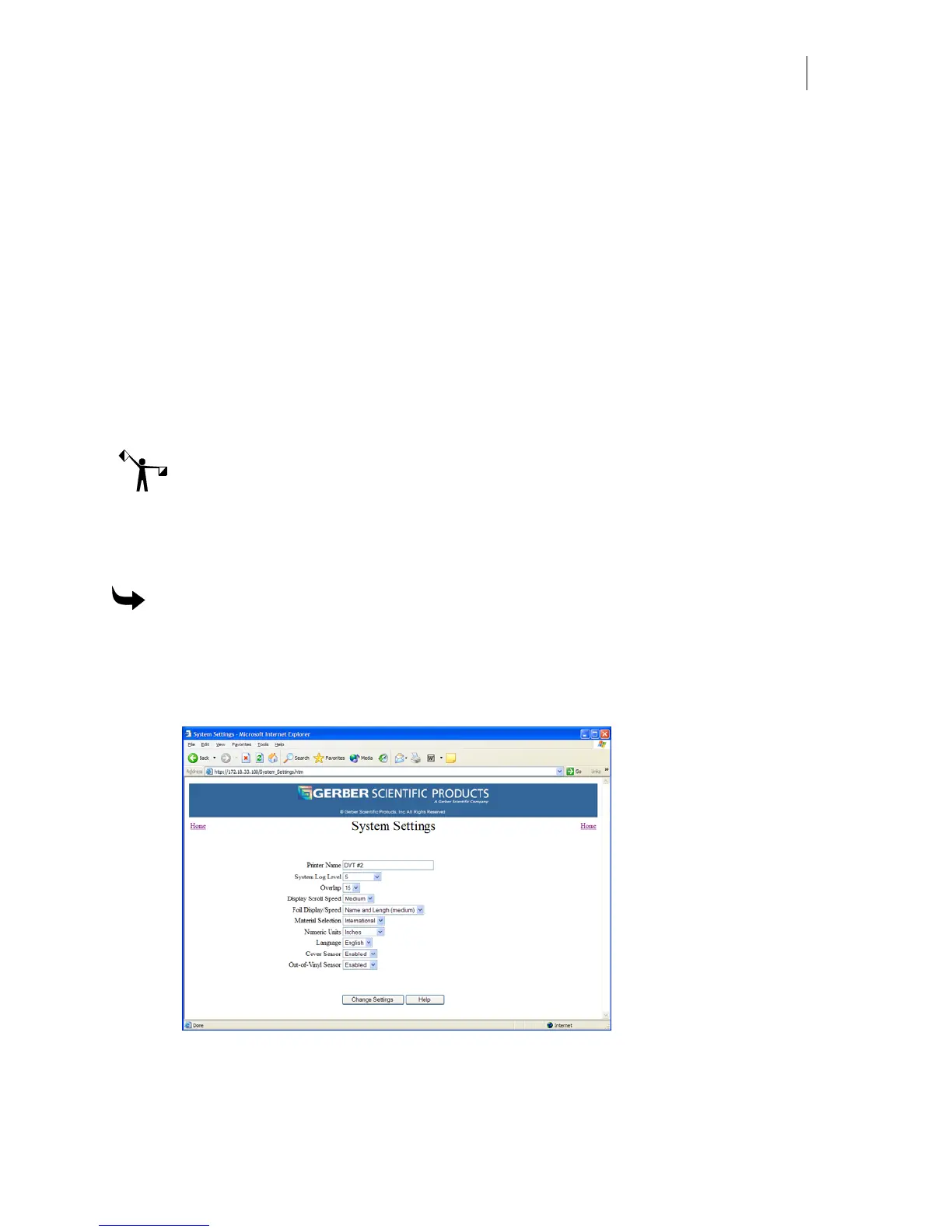
On the GERBER EDGE FX web interface System Settings page you can modify the:
♦ Printer Name
♦ System Log Level
♦ Overlap amount (in pixels)
♦ Display Scroll Speed
♦ Foil/Display Speed
♦ Material Selection (U.S. or International)
♦ Numeric units (English and Metric)
♦ Language used on the display
Note: You cannot modify the System Settings while a job is printing.
Changing the printer name
You can give the GERBER EDGE FX an easily identifiable name displayed in the web interface
on the System Settings page. The default name is Gerber Thermal Printer.
To name the GERBER EDGE FX printer
1 Open the GERBER EDGE FX web interface by entering the printer's IP address in the
Location or Address line of your web browser (for example: http://169.254.128.129).
The Welcome to GERBER EDGE FX screen displays.
2 Click the System Settings link to open the System Settings page.
3 Enter a new name up to 35 characters in length.
4 Click Change Settings to apply the new name to the GERBER EDGE FX.



 To Next Page