52
CHAPTER 6
Configuring the GERBER EDGE FX via the Web Interface
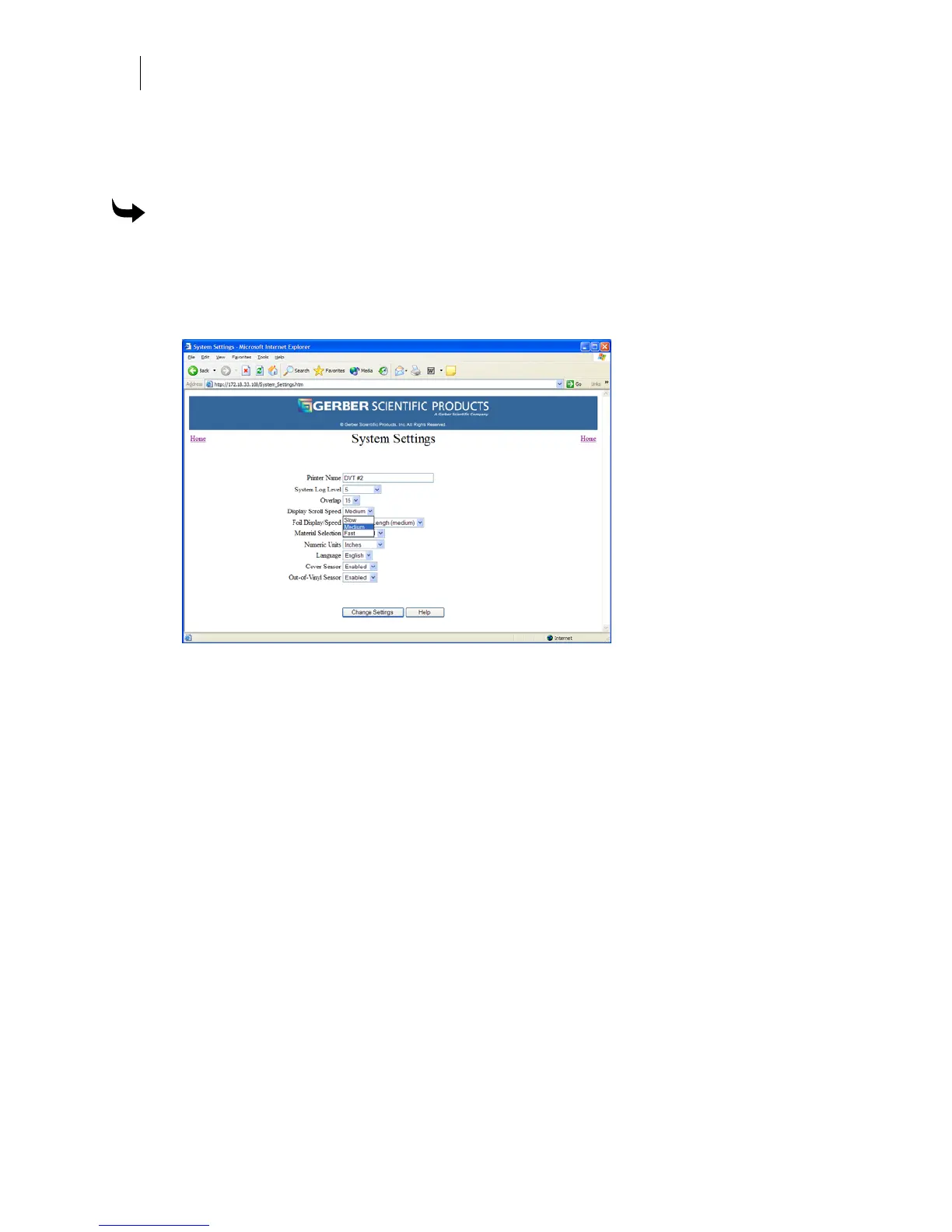
Changing the display scroll speed
You can alter the rate that messages scroll on the GERBER EDGE FX LCD. The default setting is
Slow.
To change the display scroll speed
1 Open the GERBER EDGE FX web interface by entering the printer's IP address in the
Location or Address line of your web browser (for example: http://169.254.128.129).
The Welcome to GERBER EDGE FX screen displays.
2 Click the System Settings link to open the System Settings page.
3 Choose a Display Scroll Speed from the drop-down list. The choices are Slow, Medium
and Fast.
4 Click Change Settings to apply the new display scroll speed.



 To Next Page