48
CHAPTER 6
Configuring the GERBER EDGE FX via the Web Interface
Opening the GERBER EDGE FX web interface
The GERBER EDGE FX is a network device. You can remotely check the status or change the
settings of the GERBER EDGE FX from any computer connected to it via the network.
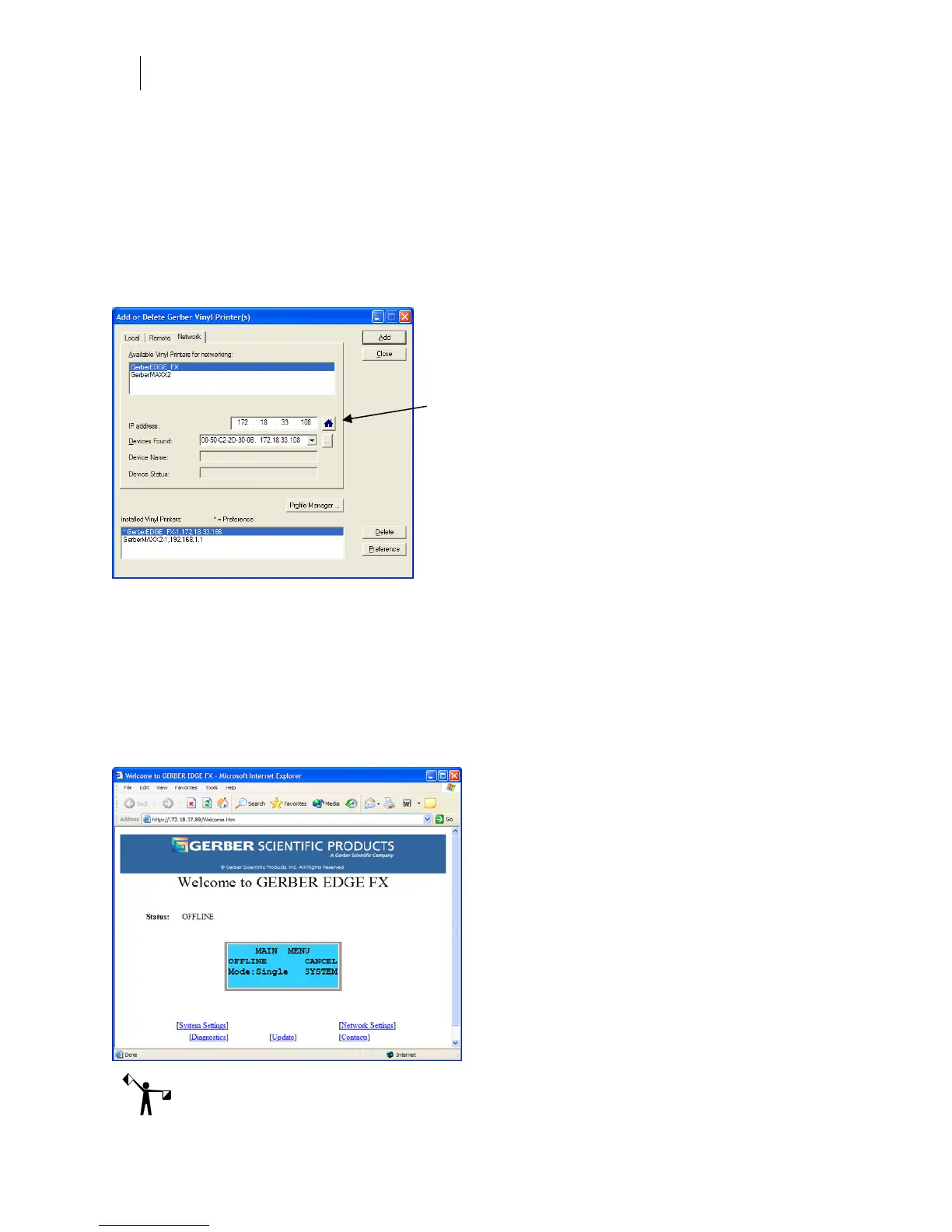
Open the GERBER EDGE FX web interface by entering the printer's IP address in the Location
or Address line of your web browser (for example: http://169.254.128.129). Alternately you can
open the web interface from the Network tab of the Add or Delete Gerber Vinyl Printers dialog
box of OMEGA 2.1. Click the Device Home Page button to open the web interface.
The Welcome to GERBER EDGE FX screen displays the current system status and provides
links to other services including:
♦ System Settings
♦ Network Settings
♦ Diagnostics
♦ Update (firmware)
♦ Contacts
Note: You must have established network communication ability before viewing the EDGE FX
web interface. See “Connecting the GERBER EDGE FX to your computer” on page 7.
Device Home
Page button



 To Next Page