21
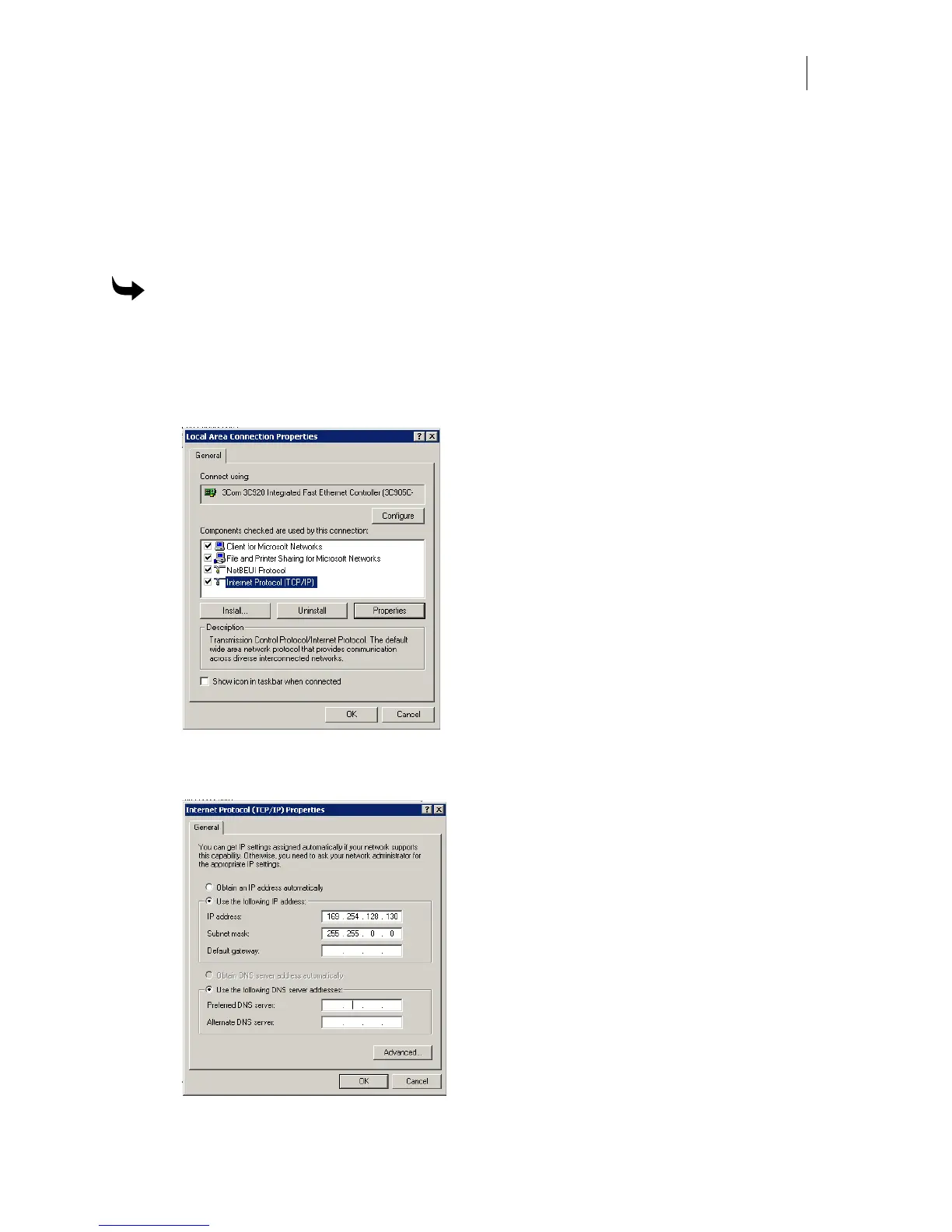
9 Enter 255.255.000.000 for Network Mask.
10 Do not enter a Gateway address unless directed by your network administrator. Leave
the fields blank.
11 Click OK to save the settings and exit the Internet Protocol (TCP/IP) Properties dialog
box.
12 Click OK to close the Local Area Connections Properties dialog box.
To set the IP Address and Network Mask for Windows 2000
1 Click Start > Settings > Control Panel.
2 Double-click the Network and Dial up Connections icon.
3 Right-click the Local Area Connection icon and choose Properties from the context
menu.
4 Click Internet Protocol (TCP/IP) in the list.
5 Click Properties to open the Internet Protocol (TCP/IP) Properties dialog box.



 To Next Page