138 Chapter 8
P/N 130859-US, Manual Revision: AA Haemonetics
®
Cell Saver
®
Elite
®
+ User Manual
Overview
The Records screen displays information about the last 100 procedures,
disposable sets used, any events that may have occurred, and the device.
Using the Records screen, you may also enter additional information and
export data to a USB flash drive.
To access the Records screen:
1. Touch (Menu).
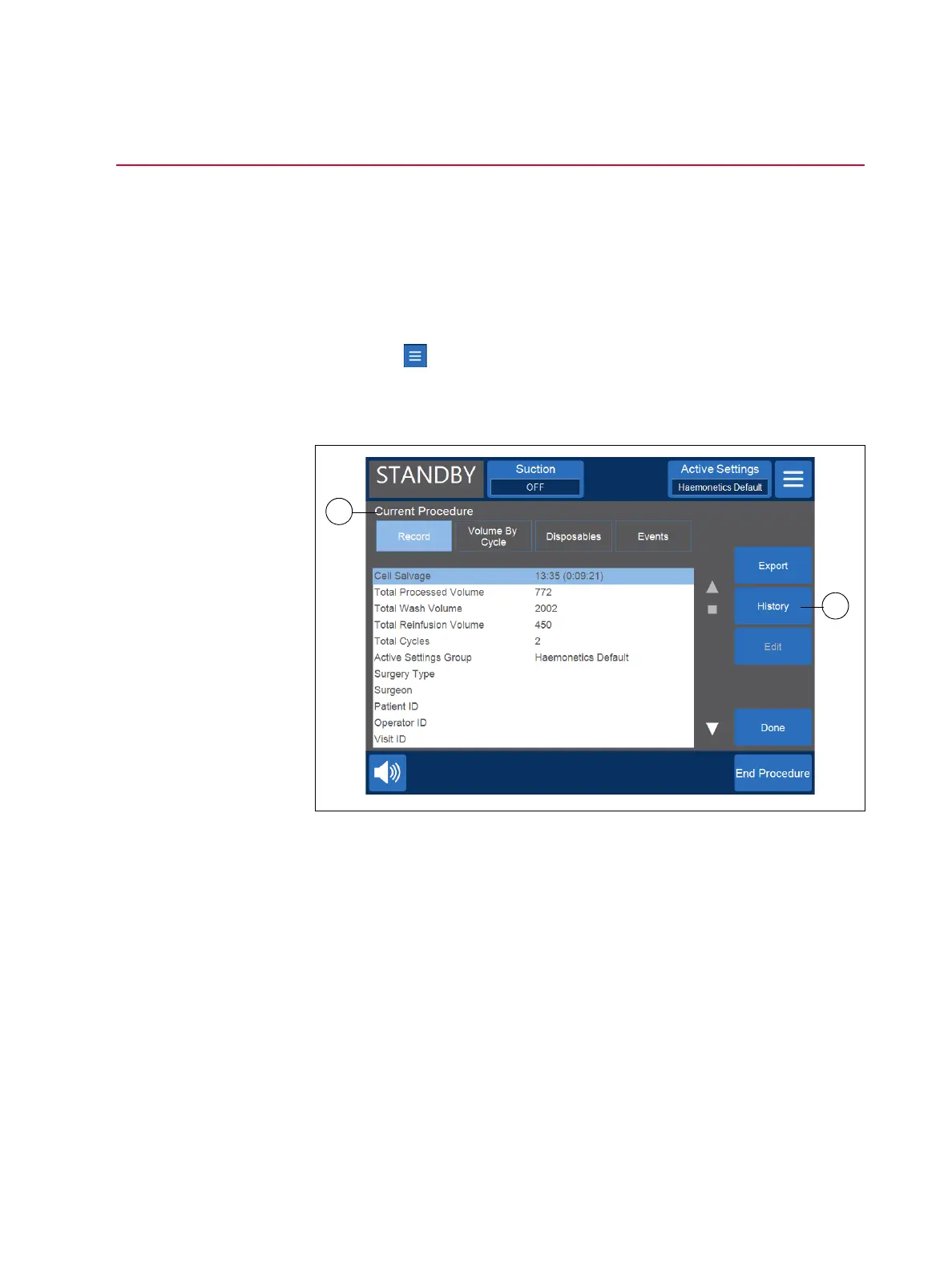
2. Select Records from the drop-down list. The current procedure record
appears.
Figure 67, Example of the current procedure record
By default, when you select Records from the Menu, the device displays the
procedure record for the current procedure. To access a different record, touch
History. The Records screen appears.
1. Selected procedure
record
2. Touch to view record
history



 To Next Page