Records 147
Haemonetics
®
Cell Saver
®
Elite
®
+ User Manual P/N 130859-US, Manual Revision: AA
Exporting Records
The Cell Saver Elite+ device allows you to export procedure records from the
last 100 procedures to a USB flash drive using the Records screen.
Note: Export/Export All only appears if the USB flash drive is properly
connected to the system, and the USB flash drive must be FAT-formatted.
To export procedure records:
1. Touch (Menu).
2. Select Records from the drop-down list. The current procedure record
appears.
3. Connect the USB flash drive to the device. Export appears.
4. Do one of the following:
To export the current procedure record, touch Export.
To export a different procedure record, touch History, select a
procedure record, and touch Export.
To export all procedure records, touch History and touch Export All.
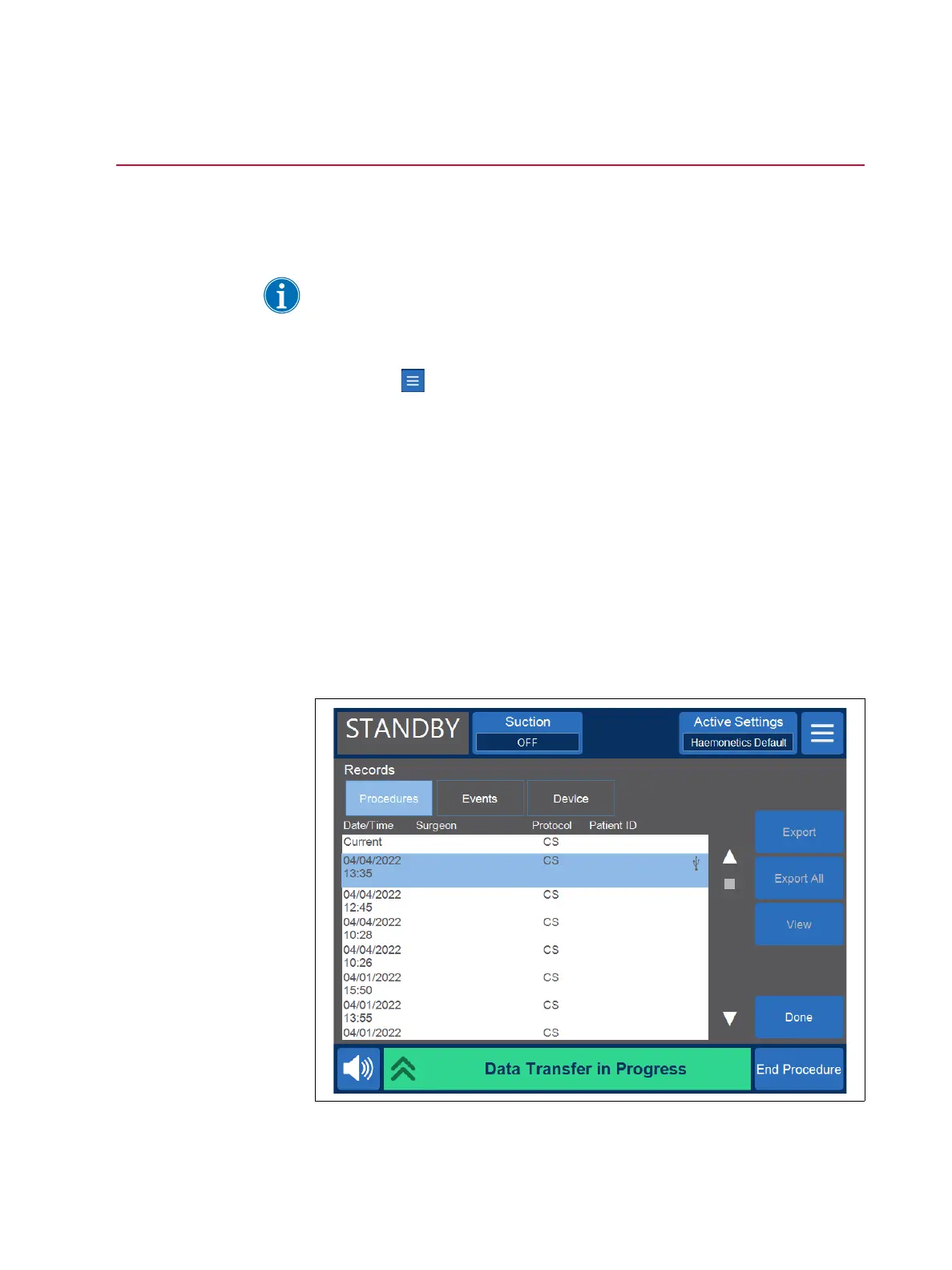
A “Data Transfer in Progress” message appears and disappears when the
transfer is complete. Do not remove the USB flash drive until the data transfer
is complete.
Figure 75, Exporting data



 To Next Page