Equipment Description 35
Haemonetics
®
Cell Saver
®
Elite
®
+ User Manual P/N 130859-US, Manual Revision: AA
Graphical User
Interface
The graphical user interface (GUI) provides a simple and intuitive interface for
users to use during device operation and allows easy access to advanced
configuration options.
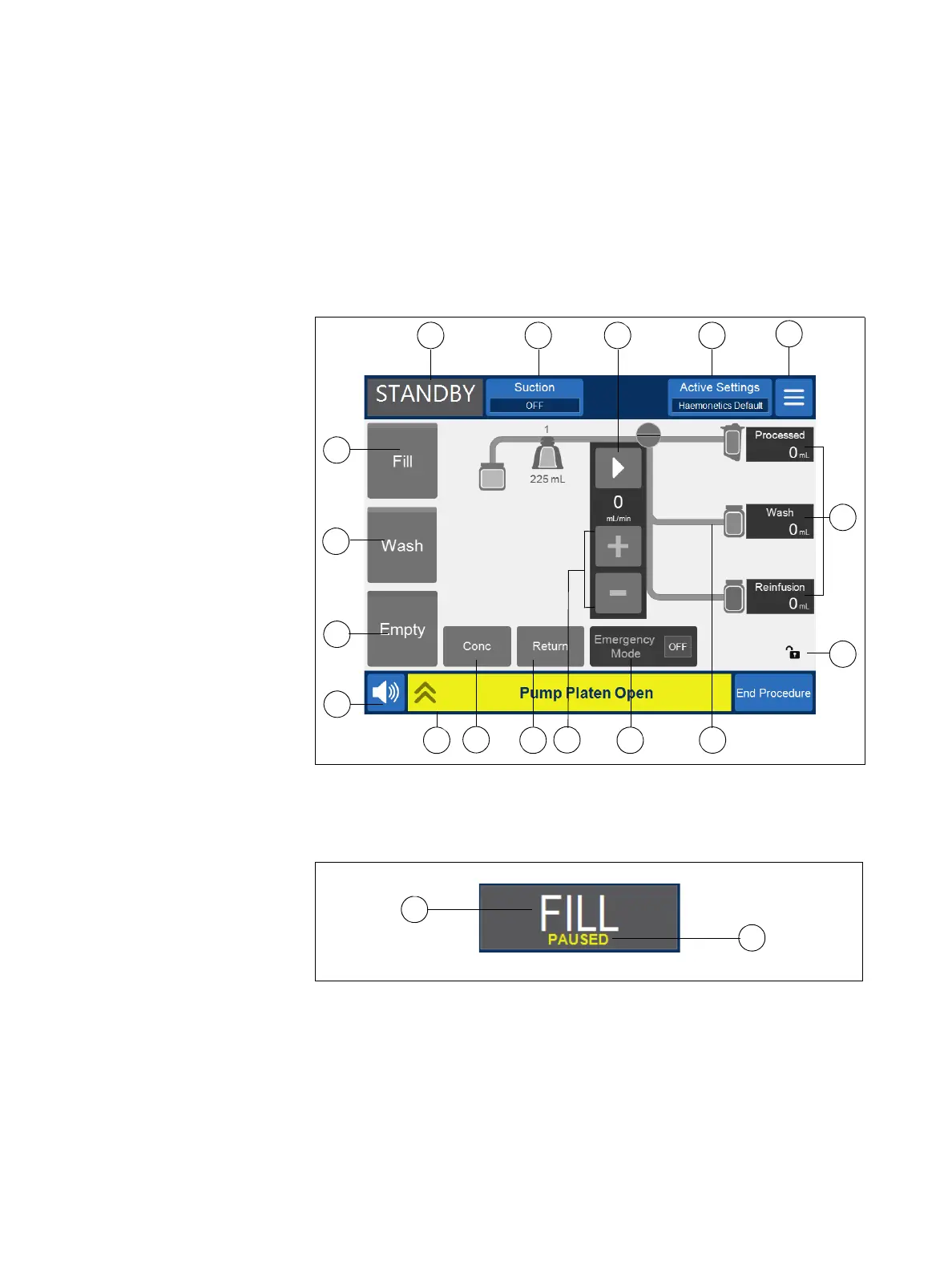
The Processing screen is the main procedure screen and is composed
primarily of touch pads that enable you to control the procedure. If a pad is
grayed out it means that particular function is not currently available.
Figure 6, Parts of the Processing screen GUI
Status Indicator
The status indicator displays the current status of the device.
Figure 7, Example of the status indicator when the Fill phase is paused
This includes:
Phase/mode: The center area shows the current phase of the device.
Examples: Fill, Conc, Wash, Empty, Return, Standby.
State: The area on the bottom right of the status indicator shows the
current state of the device. Examples: stopped, paused.
1.
5.
6.
7.
11.
8.
9.
13.
15.
14.
17.
2. 4.3.
10. 12.
16.
1. Status indicator
2. Suction pad
3. Play/Pause pad
4. Active Settings pad
5. Menu
6. Fill pad
7. Wash pad
8. Empty pad
9. Volume pad
10. Message area
11. Concentrate pad
12. Return pad
13. Pump control pads
14. Emergency Mode pad
15. Procedure diagram
16. Device cover lock
indicator
17. Procedure statistics



 To Next Page