Equipment Description 33
Haemonetics
®
Cell Saver
®
Elite
®
+ User Manual P/N 130859-US, Manual Revision: AA
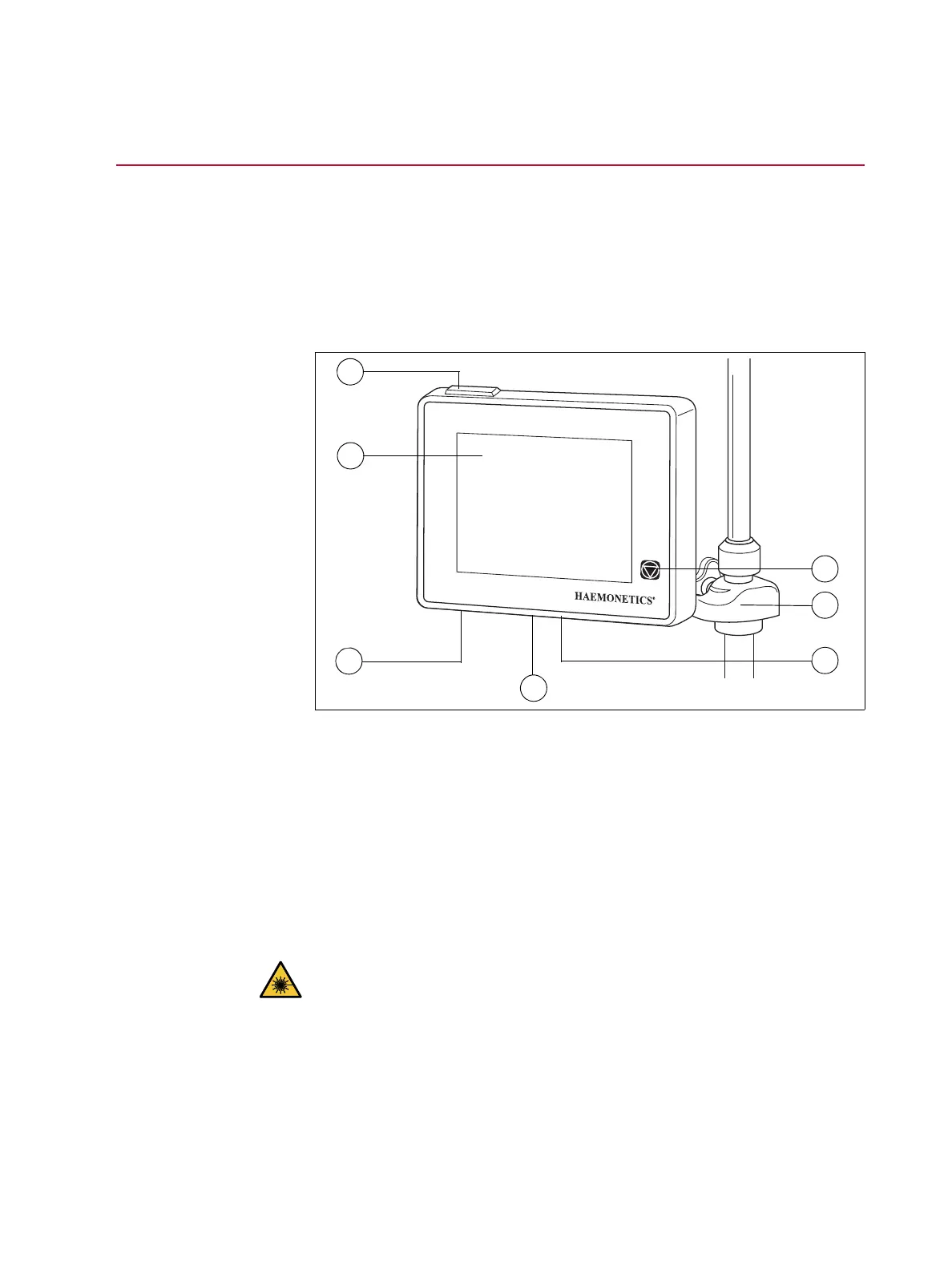
Touch Screen Display
The touch screen can be positioned at a comfortable height on the cart IV pole.
The user can easily rotate the display to the best viewing angle while the
display is secured to the pole.
The display screen can also be mounted on a separate IV pole that is 20-25
mm in diameter.
Figure 5, Parts of the device display
Status Beacon The status beacon indicates the general status of the procedure. The beacon
glows green when all operations are normal, yellow when user intervention is
needed, and red when the procedure is stopped.
There are corresponding color-coded alert bars on the status indicator (page
35) and the message area (page 39).
Barcode Reader
Caution: The class 3R barcode reader emits laser radiation. Do not look
directly into the beam.
The barcode reader scans barcode information, such as processing set list
(REF) numbers, lot numbers and expiration dates, and operator and patient
IDs, and stores it in the memory of the device. It is located on the bottom of the
device display and is active when the Bowl Selection screen and Record or
Disposables tabs are displayed.
1. Status beacon
2. Touch screen
3. Barcode reader (laser
aperture)
4. STOP key
5. Touch screen mount
6. USB connection
7. Ethernet connection



 To Next Page