38 Chapter 2
P/N 130859-US, Manual Revision: AA Haemonetics
®
Cell Saver
®
Elite
®
+ User Manual
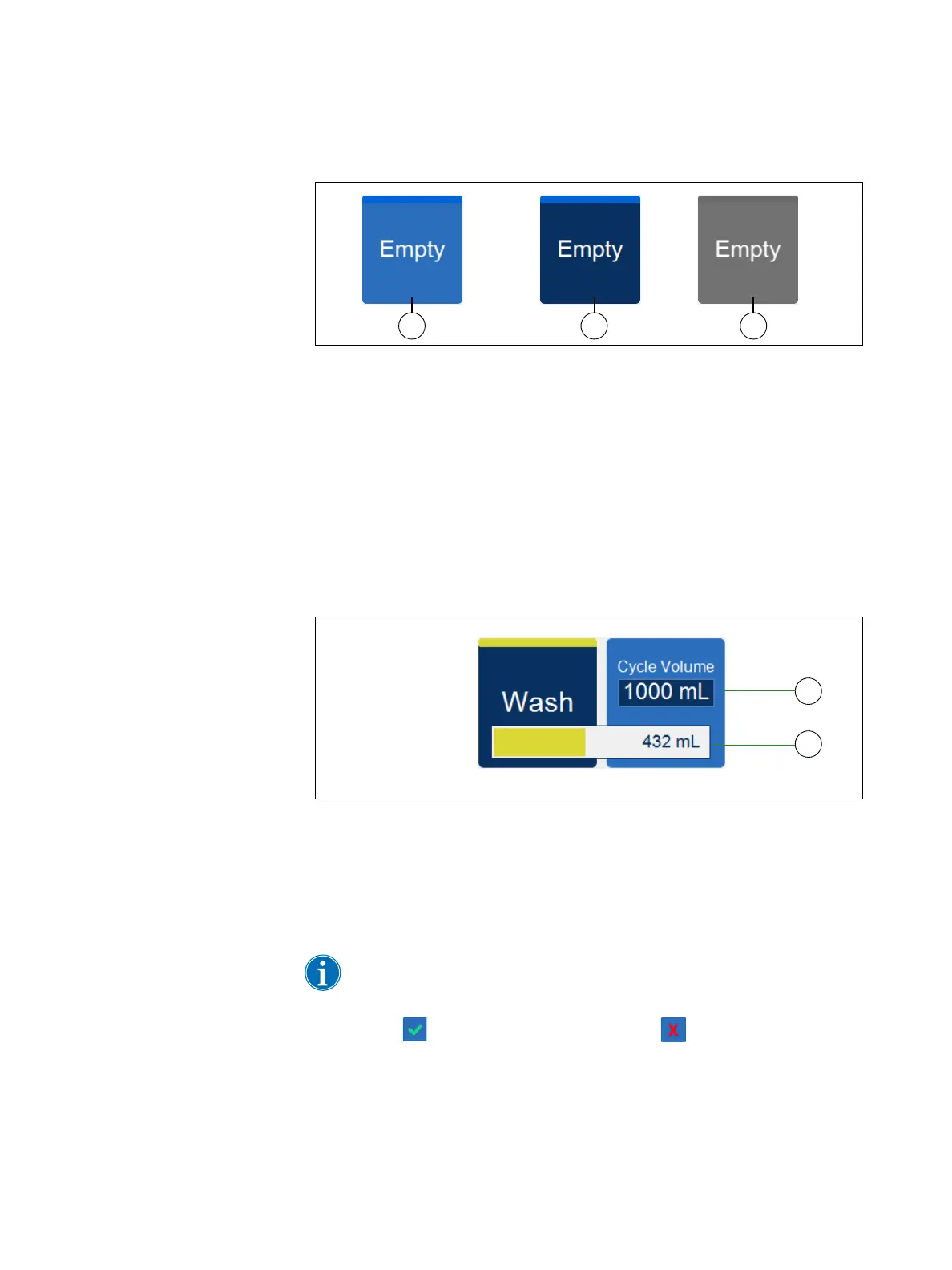
Figure 11, Example of a phase pad in different states
Light blue background: The phase pad is available. The user can touch
the pad to override the automatic progression of the device and manually
move the device into that phase.
Dark blue background: The device is already in the corresponding
phase. If the device is in a paused or stopped state, you can touch the
pad to resume the procedure.
Grayed: The pad is disabled.
During the Wash phase, the Wash pad expands to show the wash volume
used and the target wash volume.
Figure 12, Example of the Wash pad during the Wash phase
To change the target wash volume for the current cycle:
1. Touch Cycle Wash Volume. The Cycle Wash Volume box appears.
2. Use the +/- pads to increase or decrease the target wash volume for the
current wash cycle.
Note: The Cycle Wash Volume target cannot be set below the current
Wash volume.
3. Touch (Accept) to save the change or (Cancel) to exit.
1. Available pad (inactive
phase)
2. Active phase pad
3. Disabled pad
1. Target wash volume
2. Wash volume used



 To Next Page