General Operation: Cell Salvage 89
Haemonetics
®
Cell Saver
®
Elite
®
+ User Manual P/N 130859-US, Manual Revision: AA
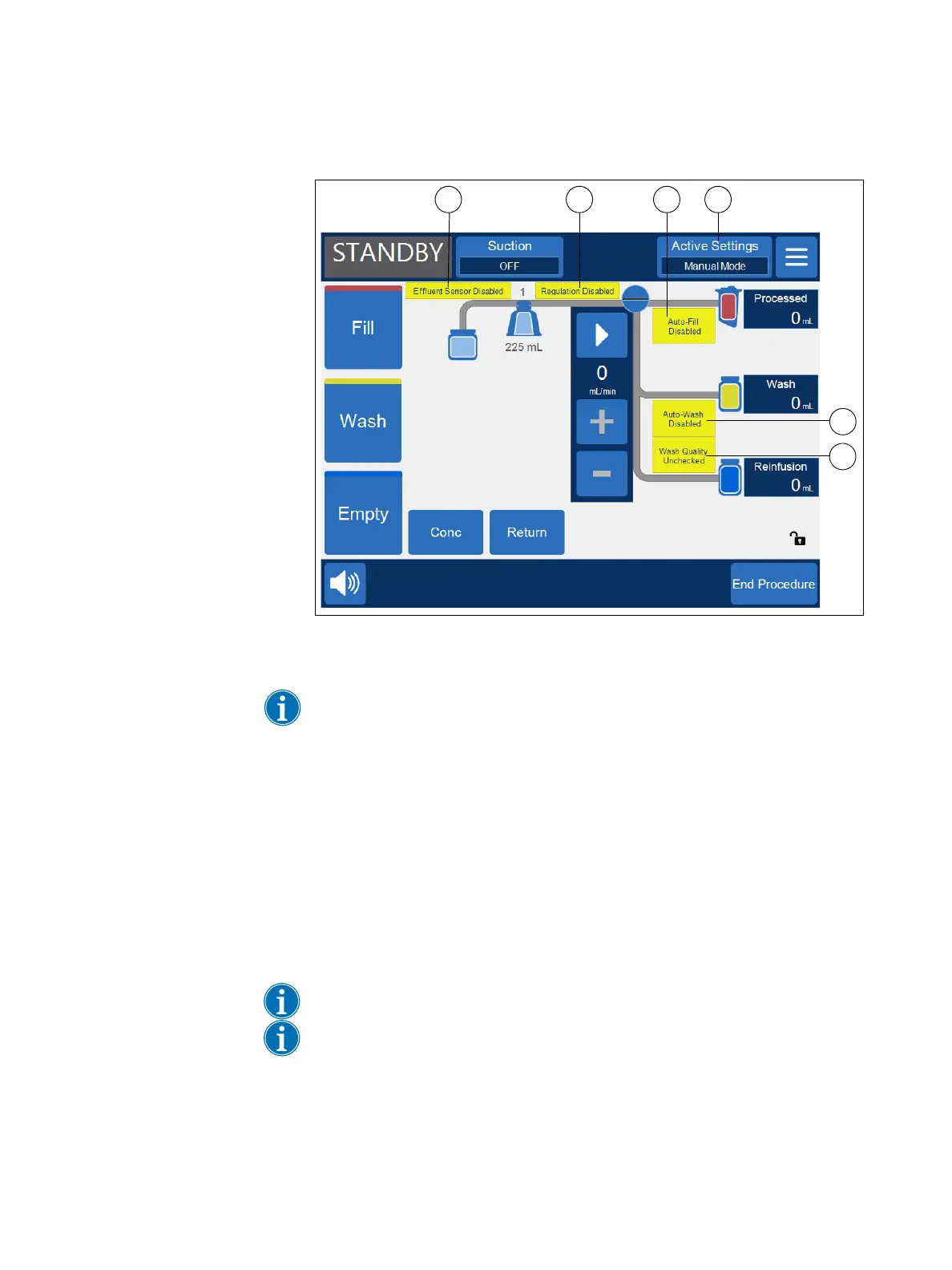
Figure 43, Example of the display in Manual Mode
Switching to Manual Mode
Note: Manual Mode must be enabled in a settings group before it can be
utilized. See “Making the Quick Transfer and Manual Mode Settings Available”
on page 136 for more information.
1. After starting a procedure using a settings group that has Manual Mode
enabled, touch Active Settings.
2. Select Manual Mode from the drop-down list. The Switching to Manual
Mode screen appears.
3. Touch Confirm to switch to Manual Mode.
The device remains in the same phase it was in prior to the transition
to Manual Mode (for example, Fill, Wash, and so on).
All processing phases are now available from the touch screen.
Note: Manual Mode can be selected when in Emergency Mode.
Note: Emergency Mode and Quick Transfer cannot be directly selected when
in Manual Mode. To switch to Emergency Mode or Quick Transfer Mode from
Manual Mode:
a. Touch Active Settings to open the drop-down list.
The following indicators are
displayed in Manual Mode:
1. Effluent sensor is
disabled.
2. Regulation is disabled.
3. Auto-Fill is disabled.
4. The device is in Manual
Mode.
5. Automatic wash is
disabled.
6. Wash quality is
unchecked (this is only
displayed after the
Empty phase is initiated).



 To Next Page