21
Hard keys (H)
Hard keys (H)Hard keys (H)
Hard keys (H)
• Standby/On — activates the system
selected on the UTSR1 home page
• If the SSP180/220 is selected, the key will
perform the same function as the
Standby/On button on the front panel (2).
• Channel ± — the Ch + and - keys scroll
through the input sources
• Volume ± — the Vol + key increases the
volume, and the Vol - key decreases the
volume, in the same way the volume
control (12) operates on the front panel
Accessing the SSP180/220
Accessing the SSP180/220 Accessing the SSP180/220
Accessing the SSP180/220
menus
menusmenus
menus
To access the SSP180/220 menus and make
changes using the UTSR1:
o Activate the UTSR1 and view the
Home page (see page 20) by touching the
“Touch Screen Panel” (F).
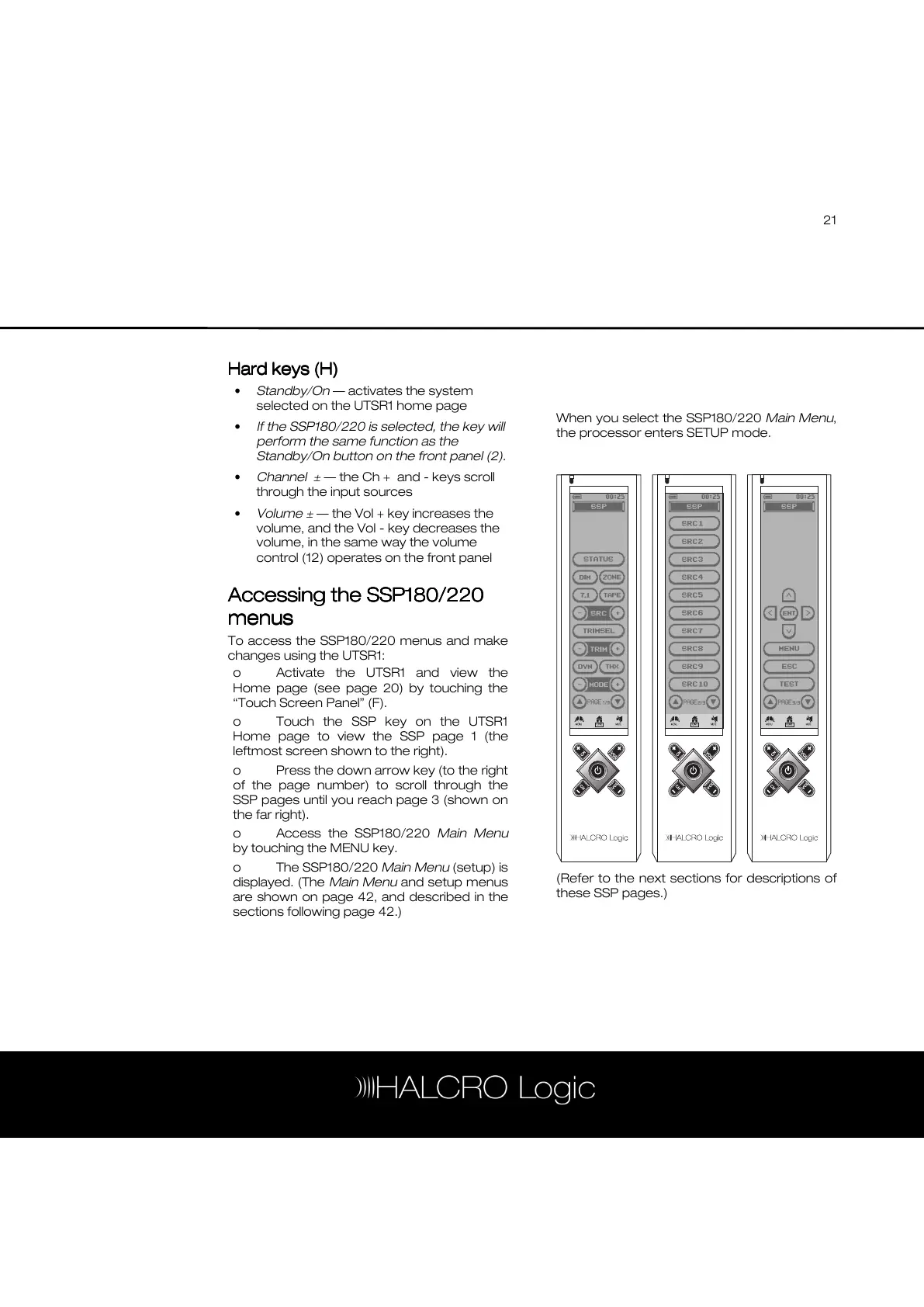
o Touch the SSP key on the UTSR1
Home page to view the SSP page 1 (the
leftmost screen shown to the right).
o Press the down arrow key (to the right
of the page number) to scroll through the
SSP pages until you reach page 3 (shown on
the far right).
o Access the SSP180/220 Main Menu
by touching the MENU key.
o The SSP180/220 Main Menu (setup) is
displayed. (The Main Menu and setup menus
are shown on page 42, and described in the
sections following page 42.)
When you select the SSP180/220 Main Menu,
the processor enters SETUP mode.
(Refer to the next sections for descriptions of
these SSP pages.)



 To Next Page