57
Source
SourceSource
Source
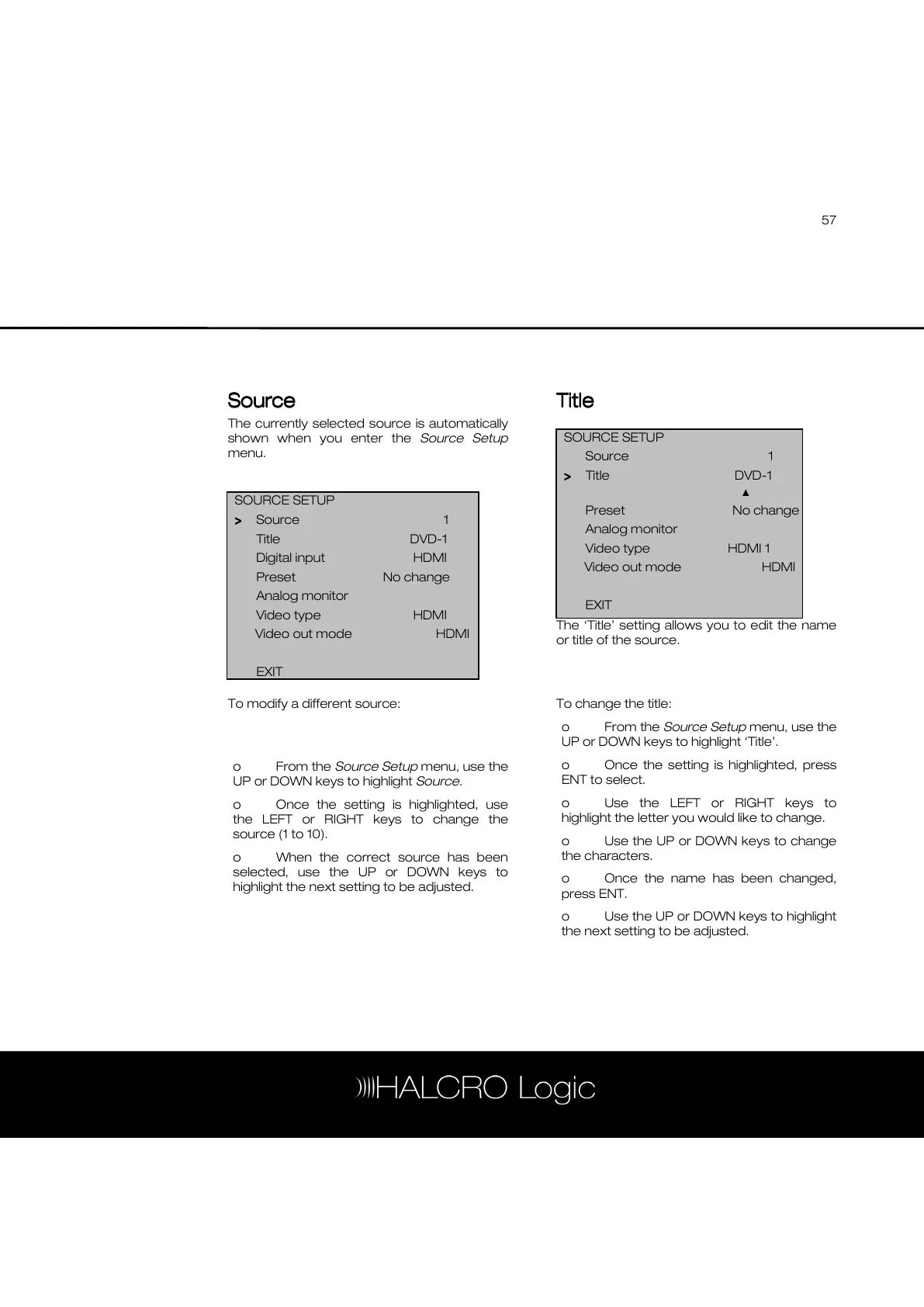
The currently selected source is automatically
shown when you enter the Source Setup
menu.
To modify a different source:
o From the Source Setup menu, use the
UP or DOWN keys to highlight Source.
o Once the setting is highlighted, use
the LEFT or RIGHT keys to change the
source (1 to 10).
o When the correct source has been
selected, use the UP or DOWN keys to
highlight the next setting to be adjusted.
Title
TitleTitle
Title
The ‘Title’ setting allows you to edit the name
or title of the source.
To change the title:
o From the Source Setup menu, use the
UP or DOWN keys to highlight ‘Title’.
o Once the setting is highlighted, press
ENT to select.
o Use the LEFT or RIGHT keys to
highlight the letter you would like to change.
o Use the UP or DOWN keys to change
the characters.
o Once the name has been changed,
press ENT.
o Use the UP or DOWN keys to highlight
the next setting to be adjusted.
SOURCE SETUP
Source 1
>
>>
> Title DVD-1
▲
Preset No change



 To Next Page