51
Audio Setup
Audio SetupAudio Setup
Audio Setup
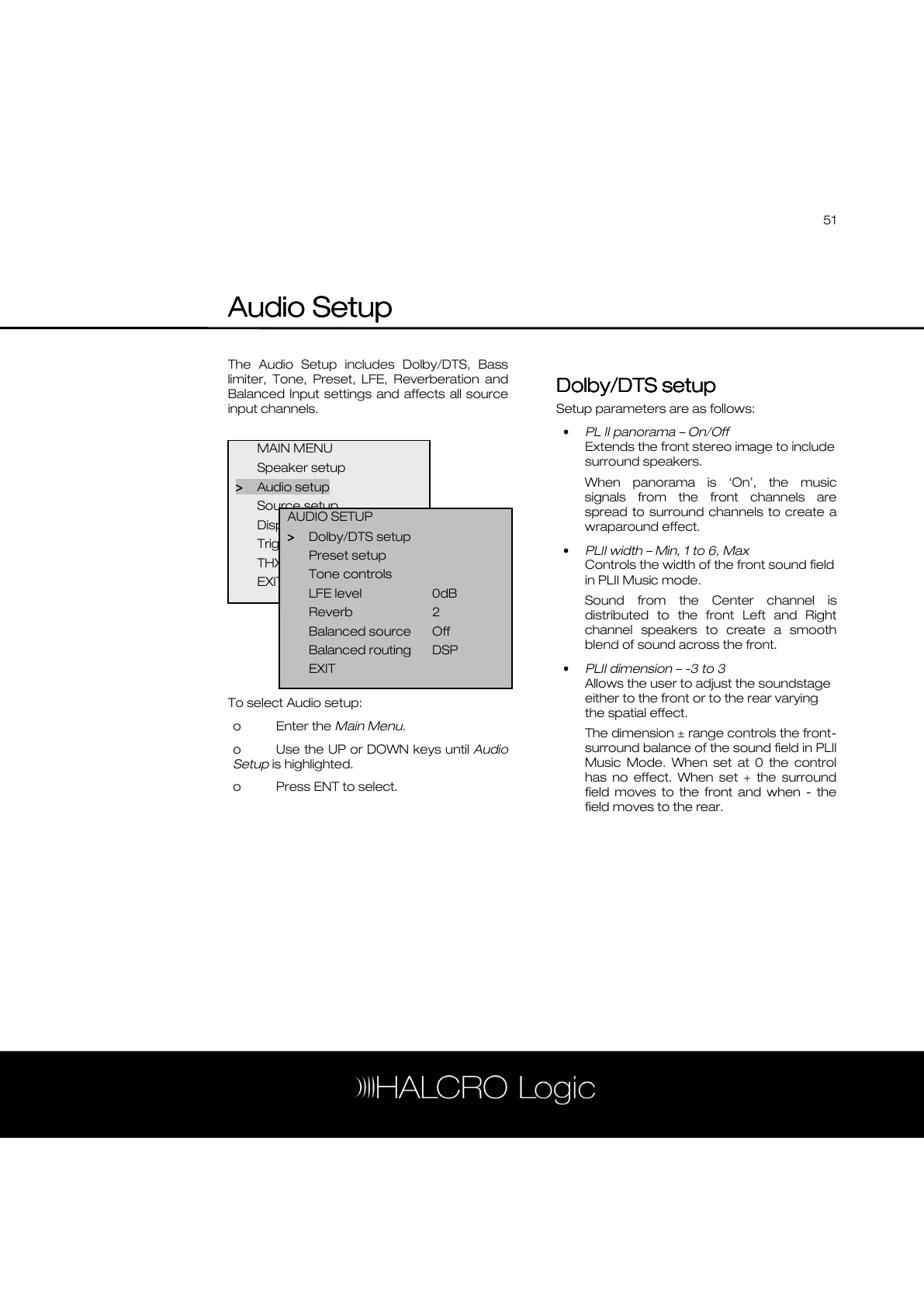
The Audio Setup includes Dolby/DTS, Bass
limiter, Tone, Preset, LFE, Reverberation and
Balanced Input settings and affects all source
input channels.
To select Audio setup:
o Enter the Main Menu.
o Use the UP or DOWN keys until Audio
Setup is highlighted.
o Press ENT to select.
Dolby/DTS setup
Dolby/DTS setupDolby/DTS setup
Dolby/DTS setup
Setup parameters are as follows:
• PL II panorama – On/Off
Extends the front stereo image to include
surround speakers.
When panorama is ‘On’, the music
signals from the front channels are
spread to surround channels to create a
wraparound effect.
• PLII width – Min, 1 to 6, Max
Controls the width of the front sound field
in PLII Music mode.
Sound from the Center channel is
distributed to the front Left and Right
channel speakers to create a smooth
blend of sound across the front.
• PLII dimension – -3 to 3
Allows the user to adjust the soundstage
either to the front or to the rear varying
the spatial effect.
The dimension ± range controls the front-
surround balance of the sound field in PLII
Music Mode. When set at 0 the control
has no effect. When set + the surround
field moves to the front and when - the
field moves to the rear.
MAIN MENU
Speaker setup
>
>>
> Audio setup
Source setup
Display setup
Trigger setup
THX Audio setup
EXIT
AUDIO SETUP
>
>>
> Dolby/DTS setup
Preset setup
Tone controls
LFE level 0dB
Reverb 2
Balanced source Off
Balanced routing DSP
EXIT



 To Next Page