65
THX Audio
THX AudioTHX Audio
THX Audio
The THX Audio setup contains THX specific
parameters such as Bass Limiter setup.
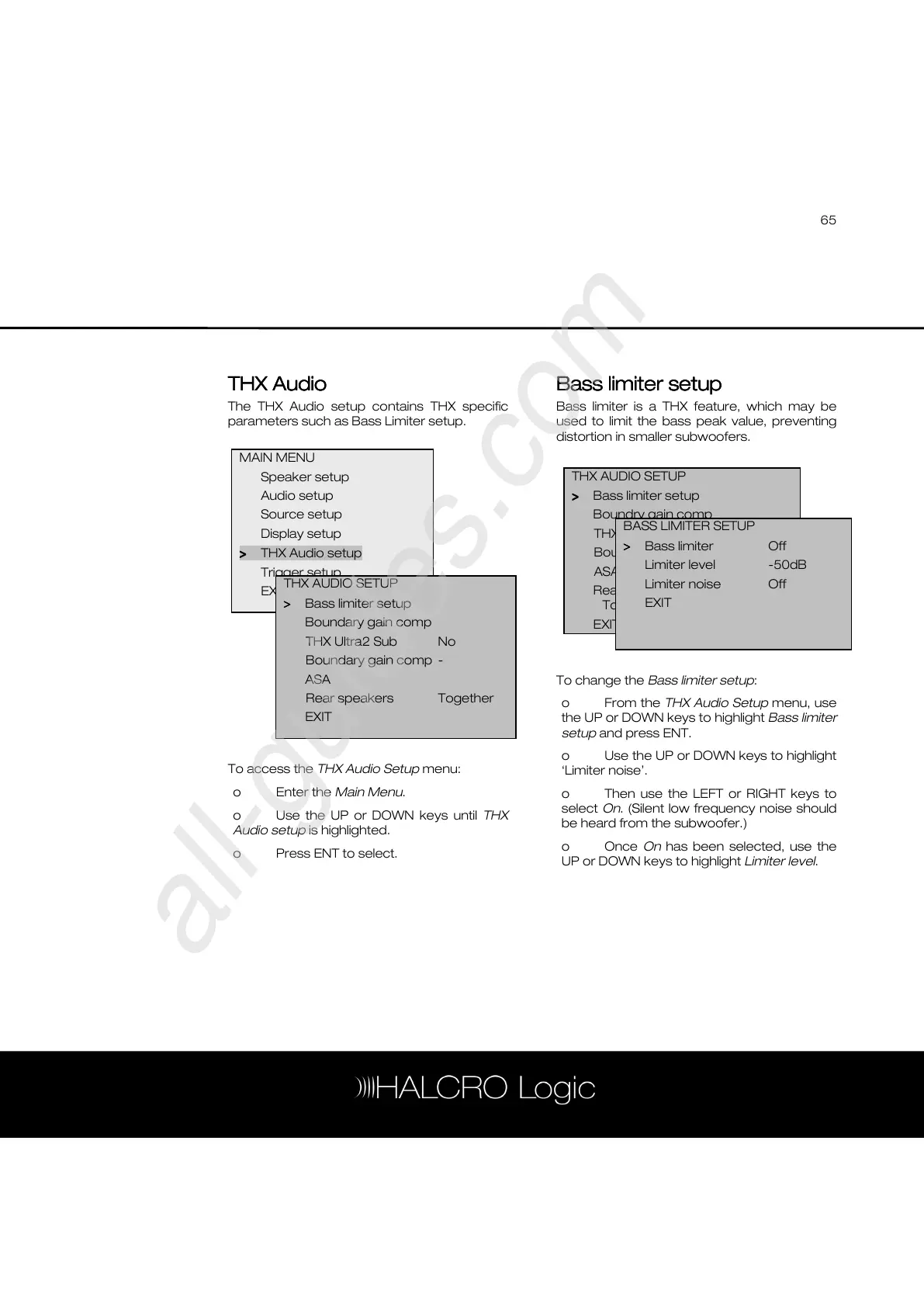
To access the THX Audio Setup menu:
o Enter the Main Menu.
o Use the UP or DOWN keys until THX
Audio setup is highlighted.
o Press ENT to select.
Bass limiter setup
Bass limiter setupBass limiter setup
Bass limiter setup
Bass limiter is a THX feature, which may be
used to limit the bass peak value, preventing
distortion in smaller subwoofers.
To change the Bass limiter setup:
o From the THX Audio Setup menu, use
the UP or DOWN keys to highlight Bass limiter
setup and press ENT.
o Use the UP or DOWN keys to highlight
‘Limiter noise’.
o Then use the LEFT or RIGHT keys to
select On. (Silent low frequency noise should
be heard from the subwoofer.)
o Once On has been selected, use the
UP or DOWN keys to highlight Limiter level.
MAIN MENU
Speaker setup
Audio setup
Source setup
Display setup
>
>>
> THX Audio setup
Trigger setup
EXIT
THX AUDIO SETUP
>
>>
> Bass limiter setup
Boundary gain comp
THX Ultra2 Sub No
Boundary gain comp -
ASA
Rear speakers Together
EXIT
THX AUDIO SETUP
>
>>
> Bass limiter setup
Boundry gain comp
THX Ultra2 Sub Yes
Boundry gain comp Off
ASA
Rear speakers
Together
EXIT
BASS LIMITER SETUP
>
>>
> Bass limiter Off
Limiter level -50dB
Limiter noise Off
EXIT



 To Next Page