www.HandiQuilter.com/ProStitcher 07/23/12 Overview 4.5
Selected vs. Non-Selected Buttons
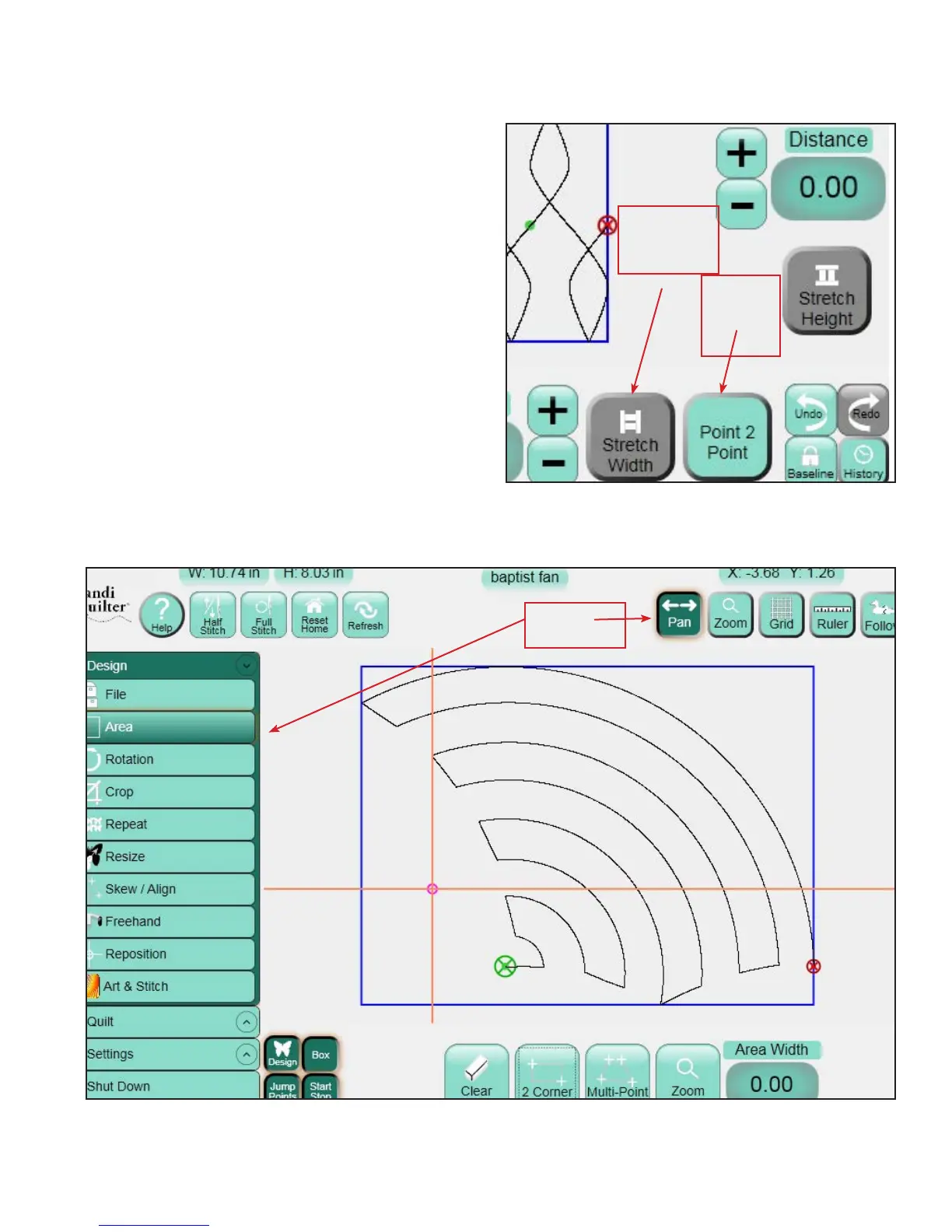
When some buttons, such as Grid and Zoom are
selected, or “pressed”, they will have a darker color
and a recessed look to indicate that they are selected
(See Figure 4.12 below). Some of these are on/o
toggle buttons and can be deselected by pressing
them again; they will return to the lighter color.
Other buttons are either/or buttons and can only
be turned o by selecting another button with the
opposite action (such as Pan and Zoom).
Gray Buttons
Depending on the menu or sub-menu item selected,
there may be certain buttons that are grayed out
(Figure 4.13). A gray button indicates that this
function is not currently available. is typically
happens because the user has started another
function that must be completed rst or that the
grayed-out function is not possible within the
selected function.
Figure 4.12
Figure 4.13
Dark Gray:
Function
Unavailable
Green:
Function
Available
Selected
Buttons












 To Next Page