HQ Pro-Stitcher User Manual07/23/125.6 Design Menu
Area
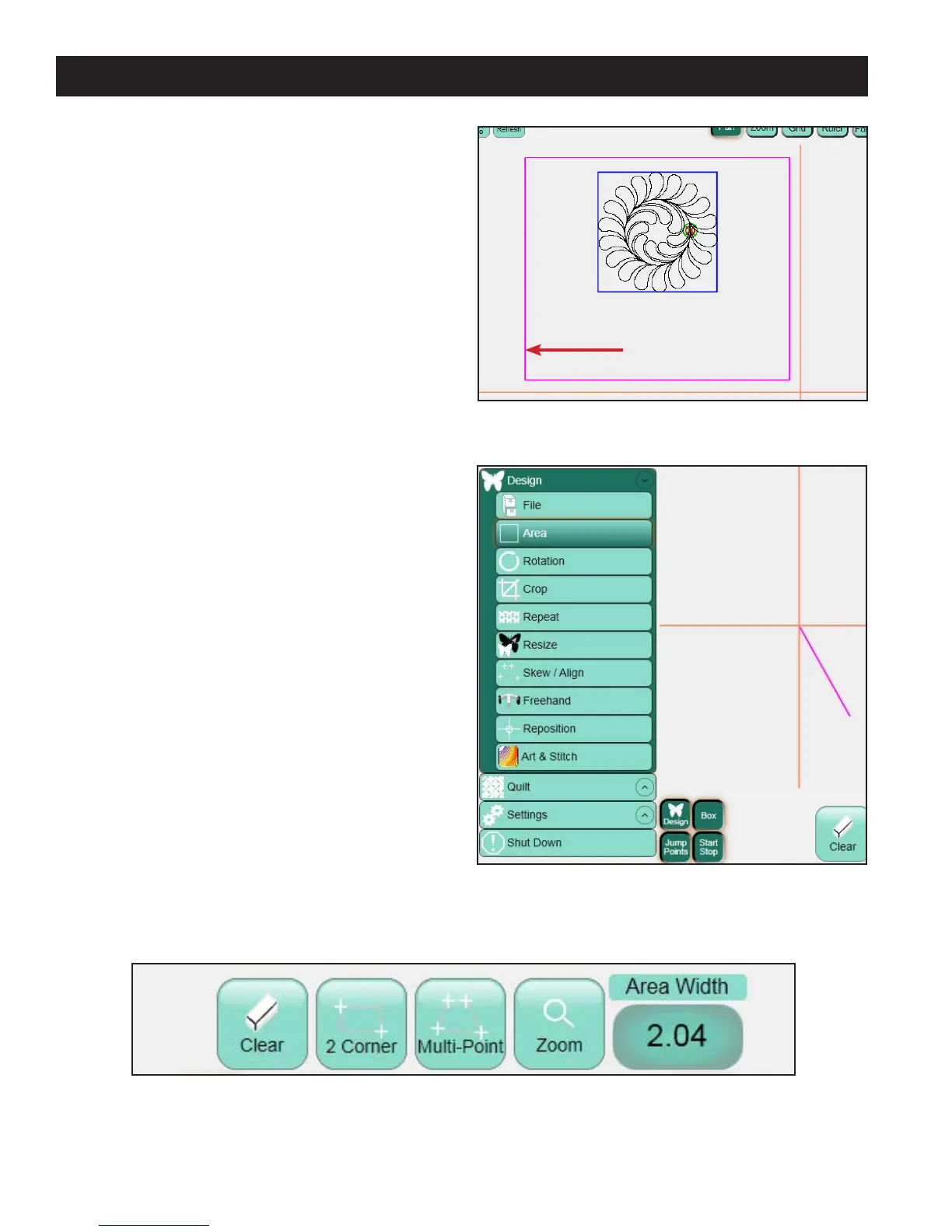
A quilting Area is a portion of the HQ Pro-Stitcher
screen that represents an area on the quilt
(Figure 5.16). Within this area the quilter can place
their designs, repeat them, stretch them, skew them,
crop them, and so forth, knowing that everything
within the dened Area on the HQ Pro-Stitcher
screen will match up with the corresponding area
on the quilt. An Area can be created at any point
during the Design process, but only aer a design
is loaded. If a quilter creates an area with no design
loaded, the area will not be visible until a design is
loaded.
Areas can be created as a simple rectangle by
identifying only two opposing corners (2 Corner) or
by plotting multiple points around the desired area
to create any unique shape (Multi-Point). e Area
is xed in position once it is dened and cannot be
moved. If the quilter must move or adjust the dened
Area, rst clear the Area and then recreate it.
To create an Area, press the Design menu button to
reveal the Design sub-menus (Figure 5.17). en
press the Area sub-menu button to reveal
the buttons for the Area panel (Figure 5.18).
Figure 5.16
Figure 5.17
Dened area
on quilt
Figure 5.18












 To Next Page