www.HandiQuilter.com/ProStitcher 07/23/12 Design Menu 5.7
2-Corner
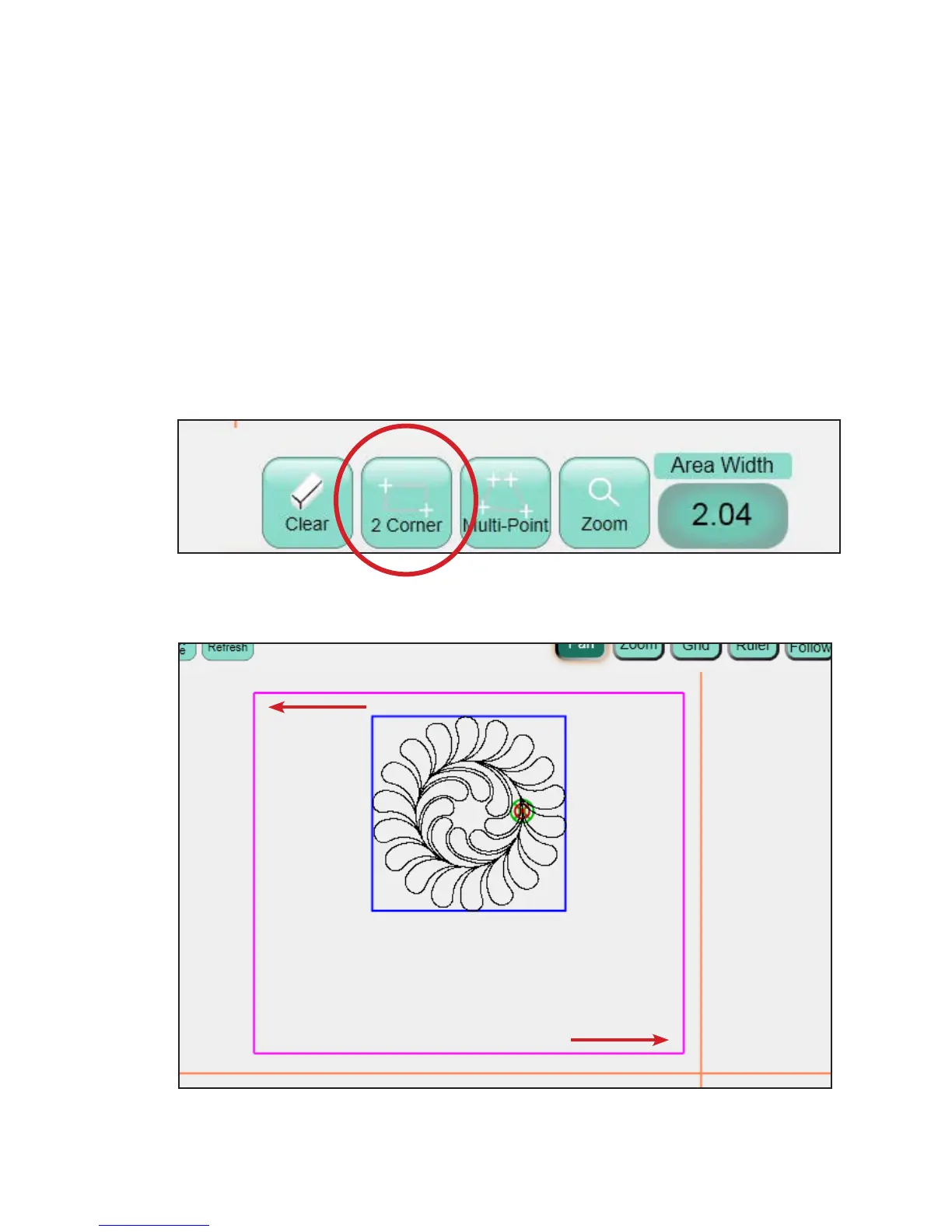
To create a 2-corner rectangular Area, move the
quilting machine so the needle lines up with one
corner of the desired area on the quilt (it may be
necessary to press the Disable Motors button at the
top right-hand corner of the screen) and press the 2
Corner button at the bottom of the screen
(Figure 5.19).
Move the quilting machine so the needle lines up
with the opposite corner of the desired area on the
quilt and press the 2 Corner button once again. A
purple rectangle indicates the quilting area
(Figure 5.20).
Figure 5.19
Figure 5.20
Selected Starting Corner
Selected Ending Corner












 To Next Page