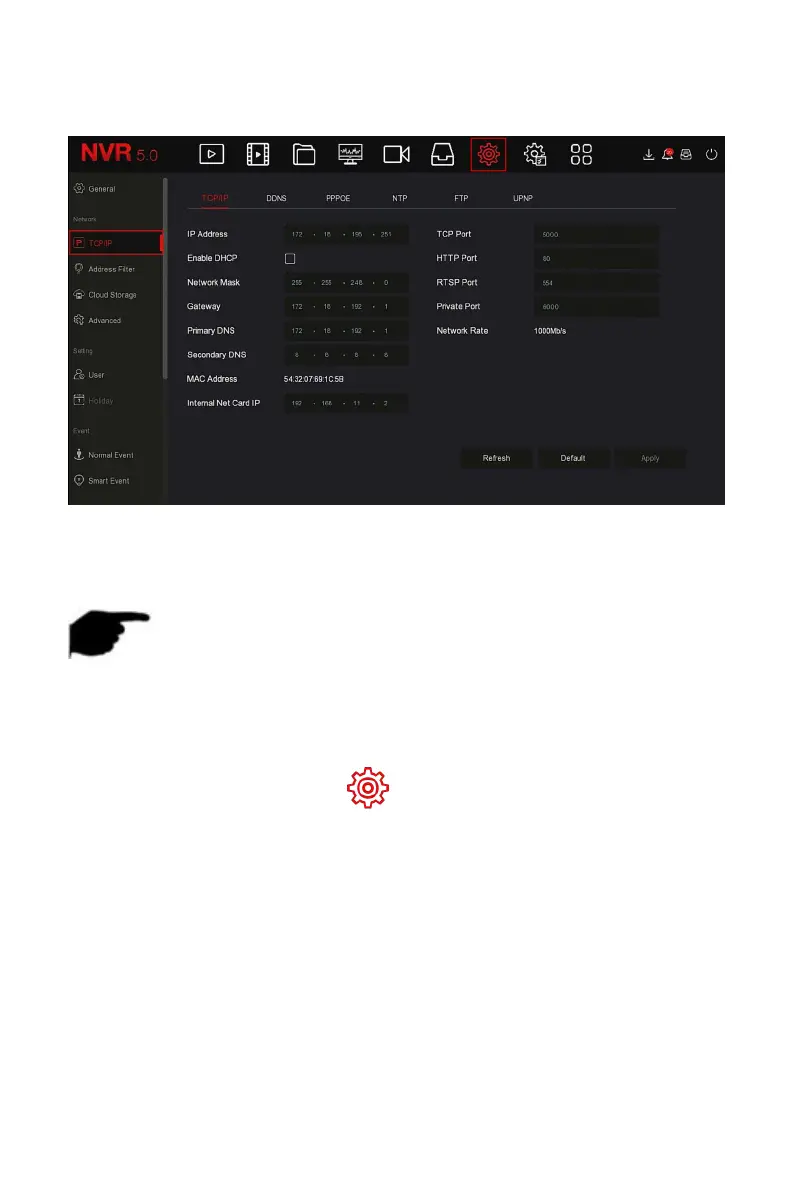
TCP/IP is composed of TCP/IP, DDNS, PPPOE, NTP, FTP and UPNP, as shown in
Figure 5-42 below.
Figure 5-42
Set the IP address, DNS server and other information of the NVR device to
ensure that it can communicate with other devices in the network.
NOTE
If the device is used for network monitoring, the network must be set
up for normal use.
Factory default IP: 192.168.1.88.
The specific operation steps are as follows:
Step 1: In the main menu, click " →TCP/IP→TCP/IP" to enter TCP/IP to
set the interface, as shown in Figure 5-43 below.



 To Next Page