Interval (Min): The interval of NTP time correction, the default is 720
minutes, and the settable range is 30-1440 minutes.
Steps 3: Click "Apply" to save the setting.
With FTP (File Transfer Protocol) server, you can store alarm pictures on the
FTP server.
Prerequisites
You need to purchase or download the FTP service tool and install the
software on your PC.
NOTE
To create an FTP user, you must set FTP folder write permission.
Otherwise, the picture will not be uploaded successfully.
The specific operation steps are as follows:
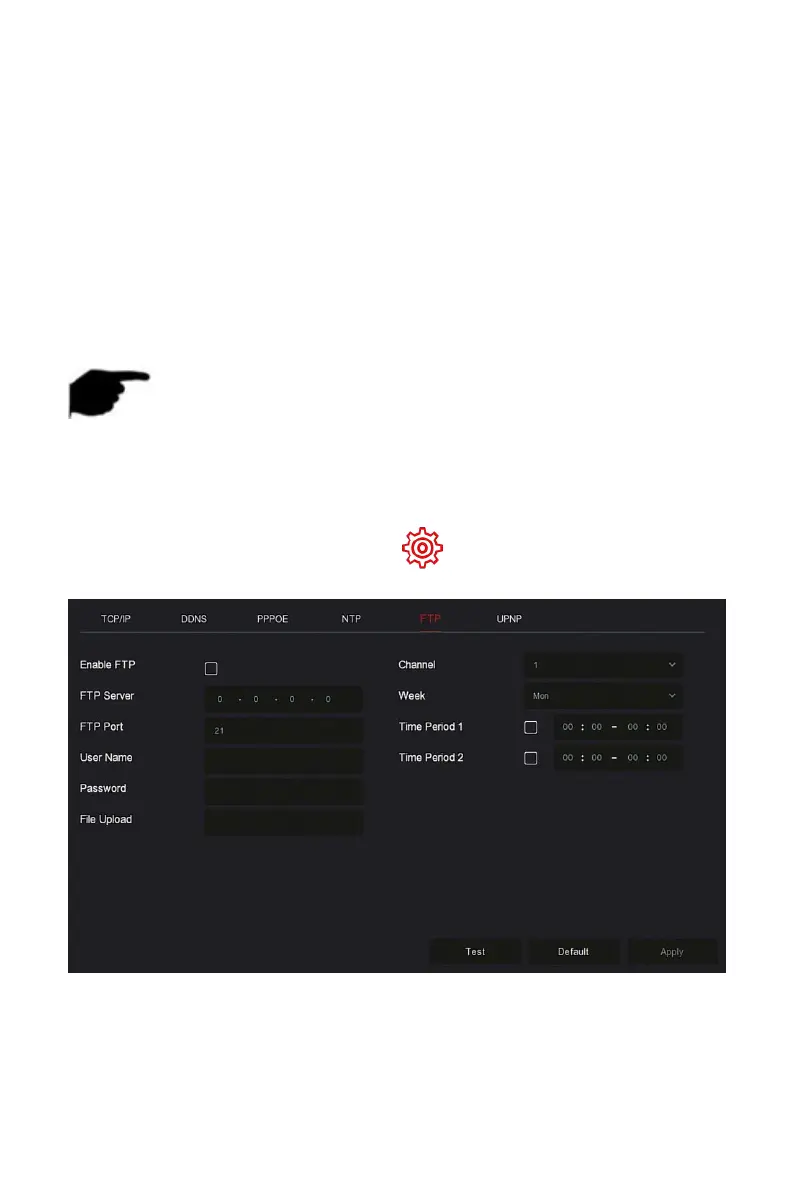
Step 1: On the main menu page, click " → Network → FTP" to enter
the FTP interface, as shown in Figure 5-47.
Figure 5-47
Steps 2: Select "Enable FTP" and enter parameters such as the FTP Server,
FTP Port, User Name, Password, and the File Upload path.
Steps 3: Click "Apply" to save the configuration.



 To Next Page