After setting successfully, You could check the status of the PPPOE
from" Maintenance→Network".
After completing the setting, the device will automatically dial after
restarting. After successful dialing, the network information can be
displayed in the network status, and users can access the device
through the IP address.
After the configuration is complete, the IP address of the TCP/IP
interface cannot be modified.
After enable NTP (Network Time Protocol), the system can periodically adjust
the device time through the NTP server to ensure the accuracy of the device
system time.
The specific operation steps are as follows:
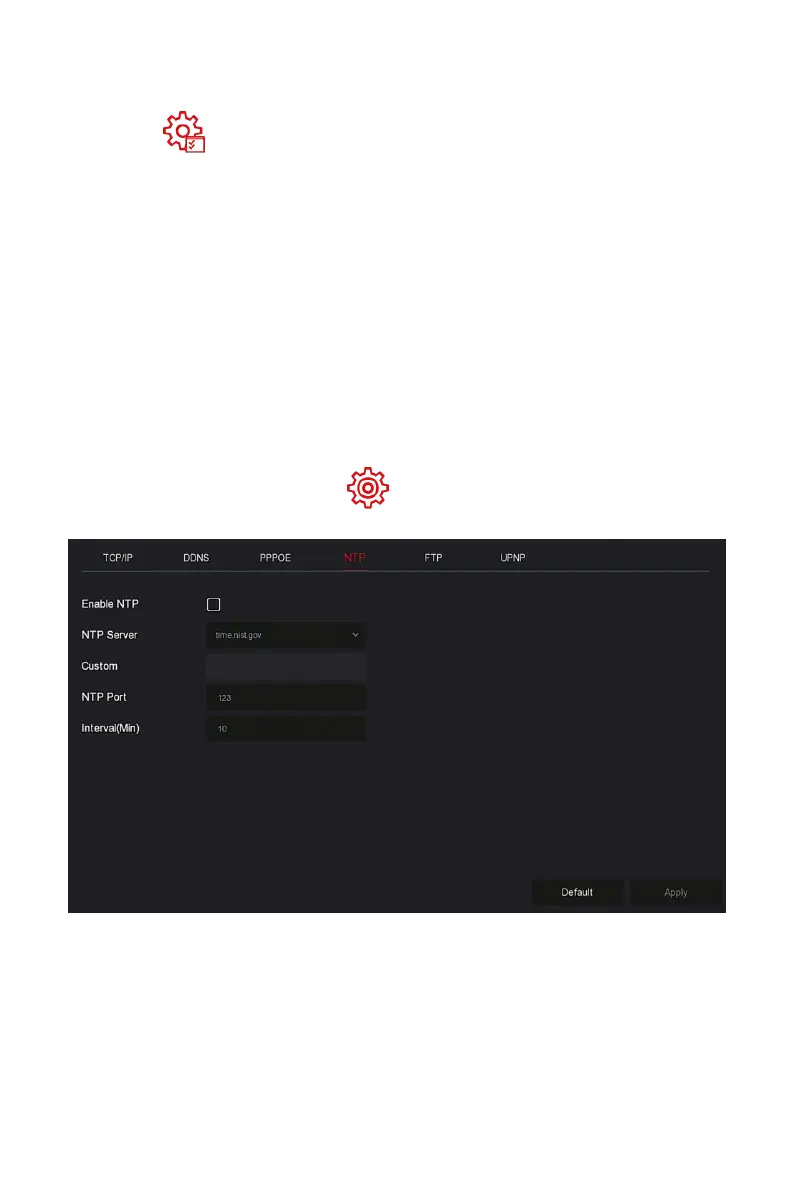
Step 1: In the main menu, click " →TCP/IP→NTP" to enter NTP to set
the interface, as shown in Figure 5-46 below.
Figure 5-46
Steps 2: Choose "Enable NTP" to set NTP related parameters.
NTP Sever: Select the domain name of the server where the NTP service
is installed.
Custom: When the NTP server selects "Custom", enter the NTP server
domain name manually.
NTP Port: Select the port corresponding to the NTP server.



 To Next Page