After enable the IPEYE for a channel of NVR, you can add the device to
the IPEYE account, and view the real-time audio / video of the NVR
channel through IPEYE.
The specific operation steps are as follows:
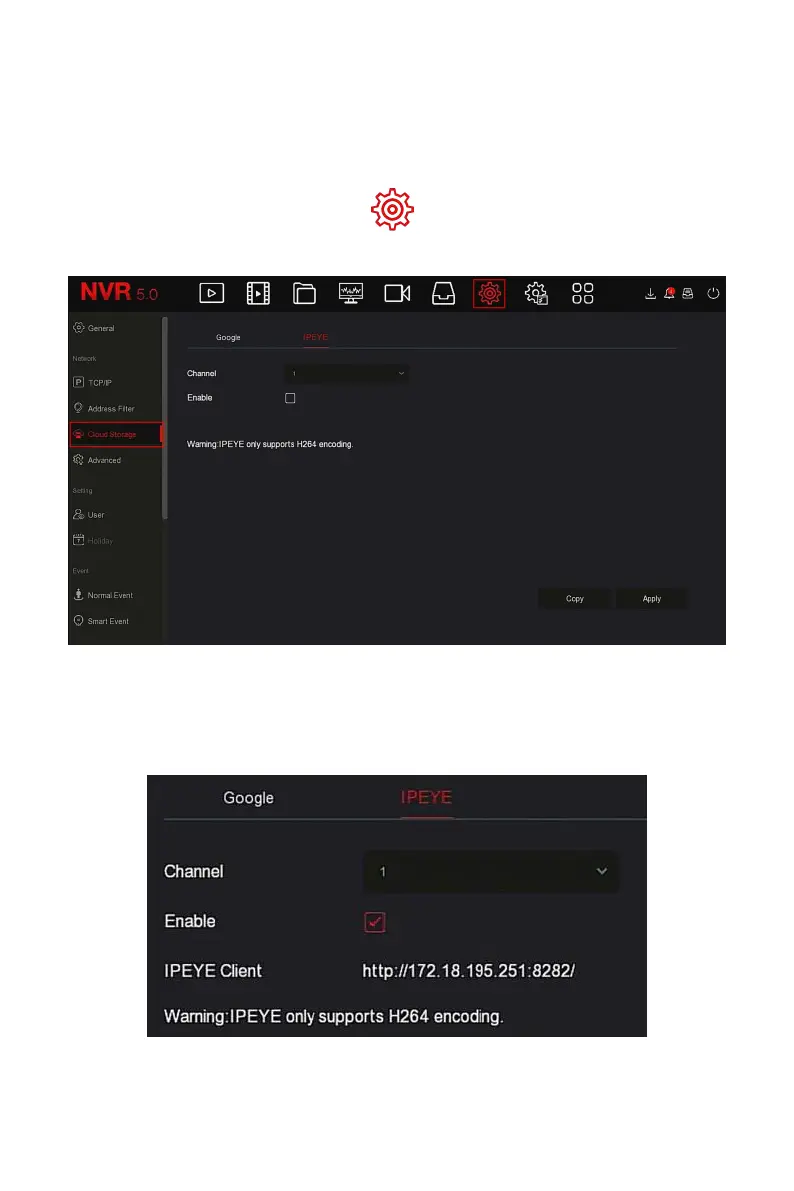
Step 1: In the main menu, choose " → Cloud Storage →IPEYE" to enter
IPEYE setting interface, as shown in Figure 5-51
○
1
below.
Figure 5-51
○
1
Steps 2: choose "Configure channel→ Enable", click "Apply", the IPEYE client
IP address will be shown on the interface, as shown in Figure 5-51
○
2
below:
Figure 5-51
○
2



 To Next Page