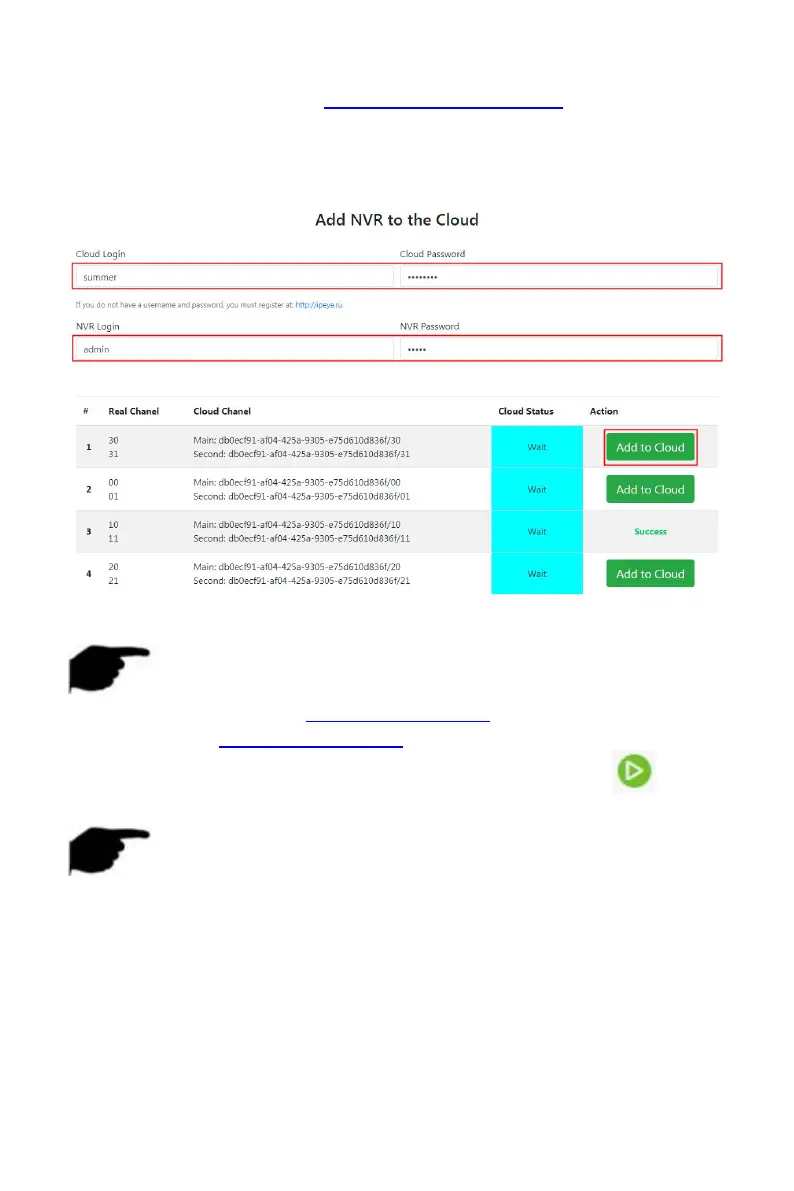
Steps 2: Log in to IPEYE Client http://182.18.195.251:8282, enter the IPEYE
and XVR accounts and passwords, select the device to enable IPEYE, and click
"Add to Cloud" to add the device to the IPEYE account, as shown in Figure
5-51
○
3
.
Figure 5-51
○
3
NOTE
New user please log in http://www.ipeye.ru/ to register an account.
Steps 3: Log in to http://www.ipeye.ru/ and enter the IPEYE device list to
view the newly added device name as "cloud_xxxxx", and click " " to
view the device real-time video.
NOTE
The IPEYE function only supports H264-encoded video streams. When
the device channel is not H264-encoded, the real-time video of the
channel cannot be previewed through IPEYE.



 To Next Page