CAUTION
In order to improve the security of the product's network use, please
update the product password regularly. It is recommended to update
and maintain it every 3 months. If you have high security requirements
for the product environment, it is recommended to update the
password monthly or weekly.
It is recommended that administrators effectively manage device
accounts and user permissions, delete irrelevant users and permissions,
and close unnecessary network ports.
Administrators should configure user rights appropriately, and
recommend using custom users for management in daily maintenance.
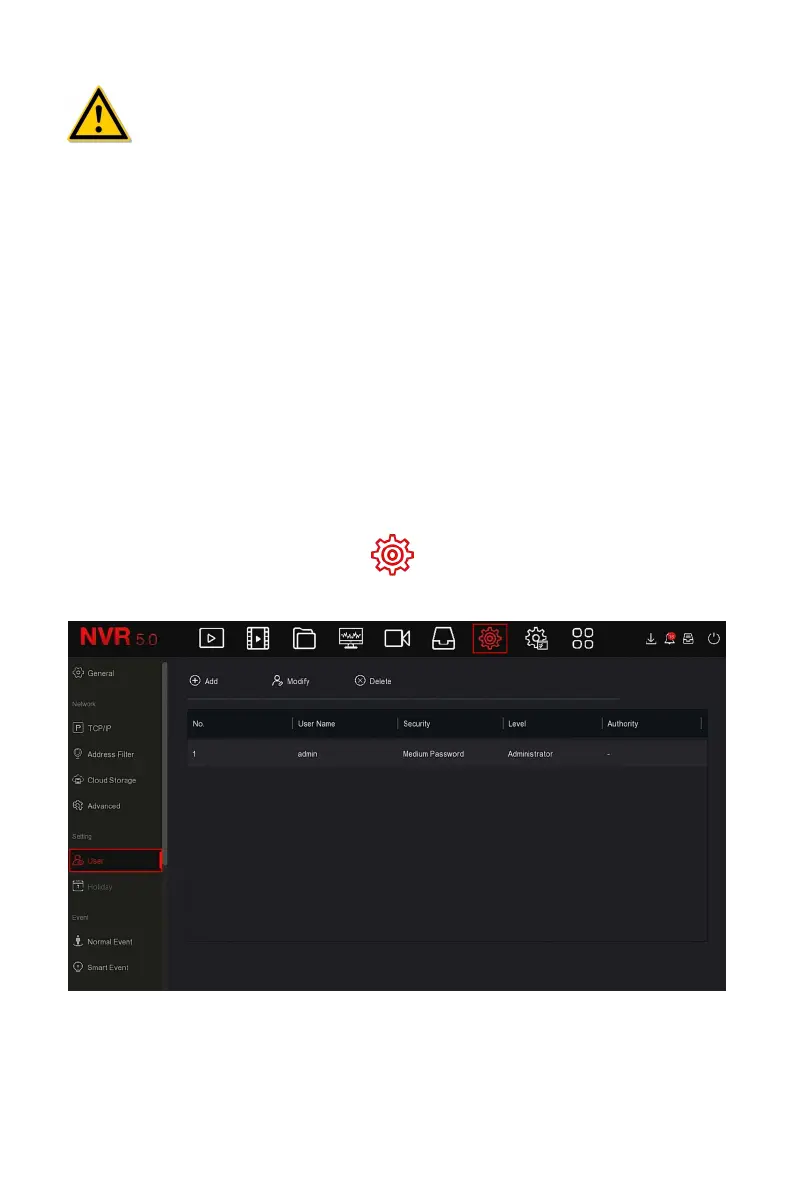
The specific operation steps are as follows:
Step 1: In the main menu, choose " →User" to enter User interface, as
shown in Figure 5-54
○
1
below.
Figure 5-54
○
1
User list: Displays all current users of the device; the administrator can
only change its password, not its permissions.



 To Next Page