.
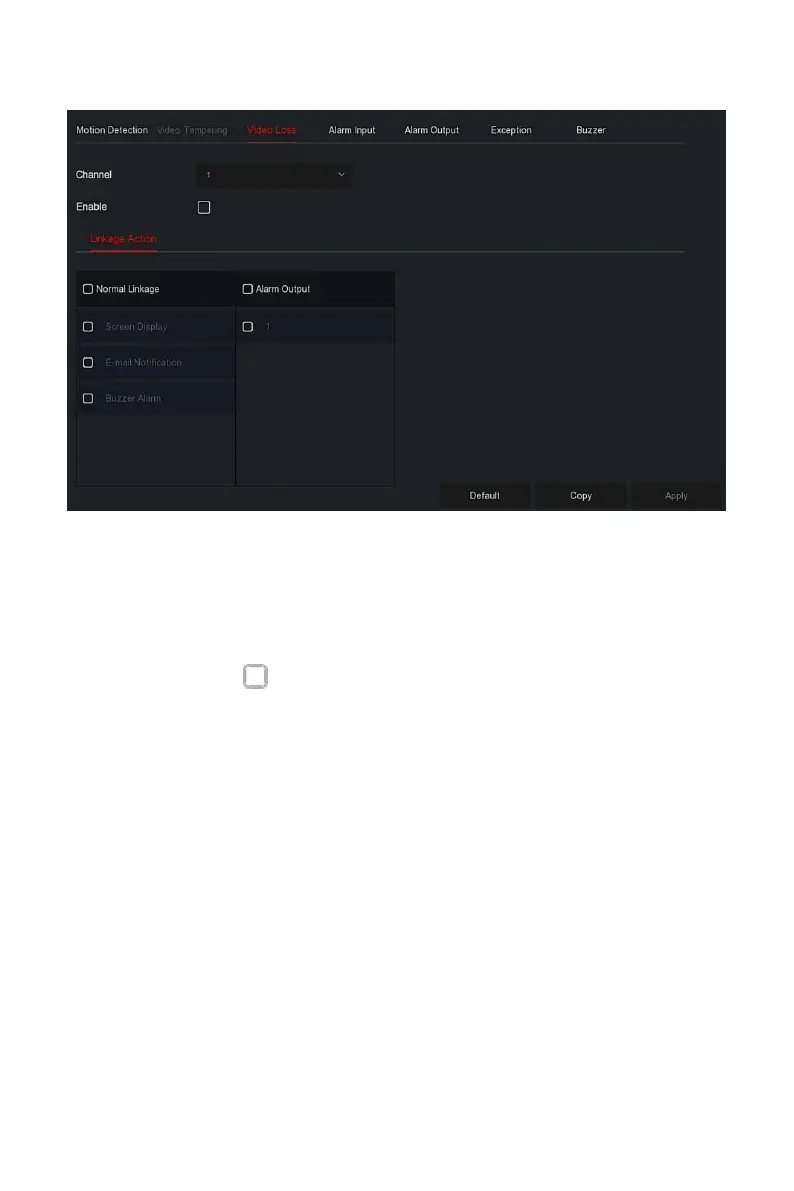
Figure 5-60
Steps 2: Choose a channel, and enable the video loss.
Steps 3: Set normal linkage and alarm output as required.
Steps 4: Click "Apply" to save the setting.
Channel: Select the channel.
Enable: Check " " to turn on / off video loss alarm.
Screen Display: When an alarm occurs, the device pops up an alarm
screen to show a warning.
E-mail Notification: When an alarm occurs, the device will send an
email as a warning.
Buzzer Alarm:When an alarm occurs, the device will beep to show a
warning.
Copy: After the channel has been set up, click "Copy" to apply the
setting to another channel.
The alarm input is the NVR alarm input port connected to the alarm device.
When the alarm signal is transmitted to the NVR through the alarm input
port, the system performs the alarm linkage action.
.
Prerequisites



 To Next Page