Show After Boot: Select (Main Screen) to display the screen split screen
number.
Show After Boot (Sub): Select the sub-screen boot display screen split
screen number.
NOTE
After the configuration resolution is saved, restart the device to
configure it successfully.
Only systems that support dual screens have the ability to sub screen
Resolutions and Show after boot (Sub) configurations.
Some devices support simultaneous access to multiple monitors, and the
local interface of the device can be displayed on multiple monitors at the
same time.
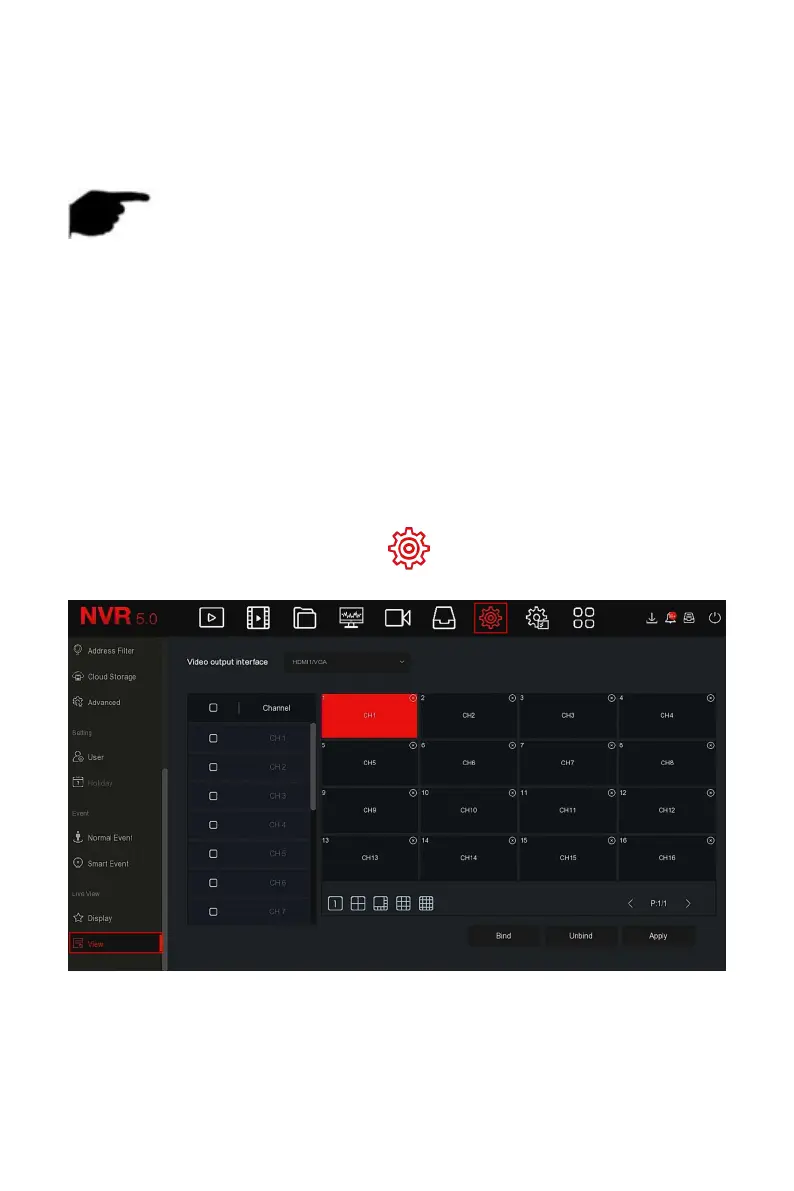
The specific operation steps are as follows:
Step 1: In the main menu, choose " →View" to enter the view setting
interface, as shown in Figure 5-73 below.
Figure 5-73
Steps 2: Select video output interface, channel and picture split icon.
Steps 3: Click "Bind→Apply", save the setting.



 To Next Page