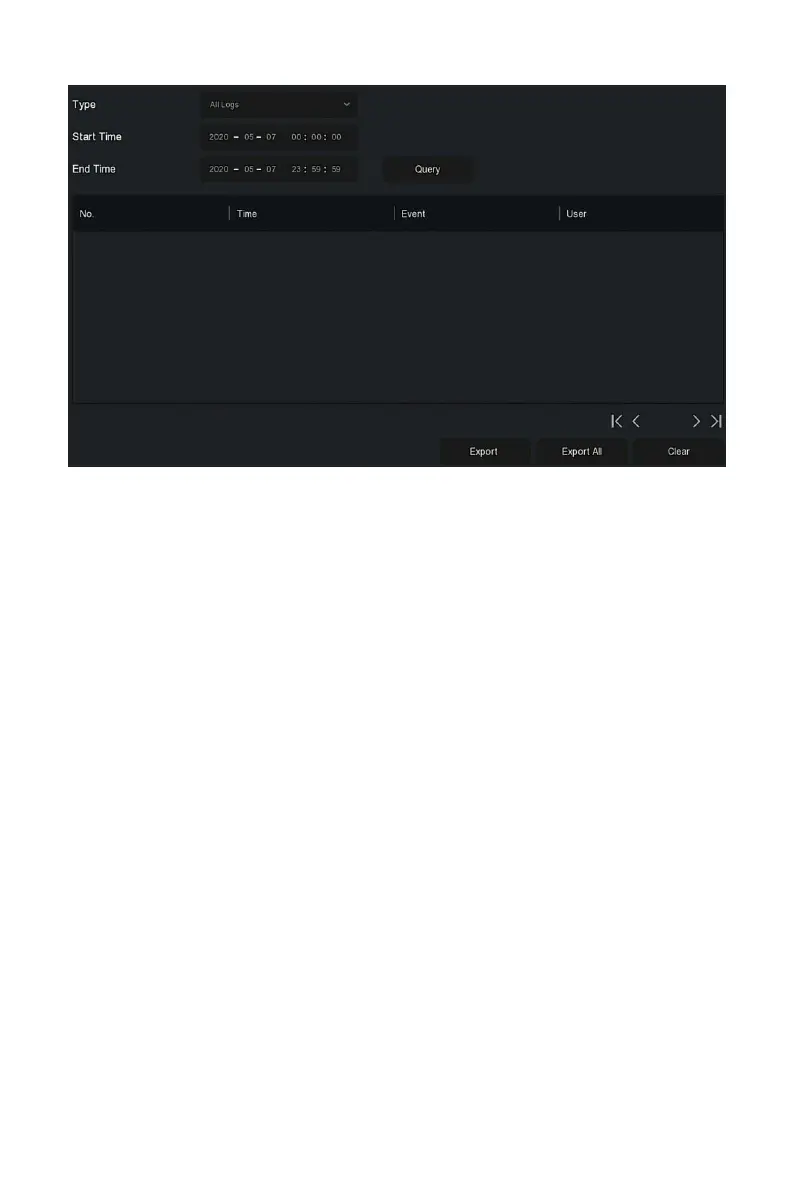
Figure 5-81
Steps 2: Set search criteria (Type, time range).
Steps 3: Click "Query" to check the log.
Steps 4: Export the log, insert U disk into NVR, click "Export", and wait for
the export progress to complete, you can export the searched logs to a USB
flash drive.
Type: Select the type of log to find.
Start/ End Time: Enter the time range of the log to find.
Export: Export the searched log information and store it on the U disk of
the connected device.
Export All: Export and store all log information on the U disk connected
to the device.
Query: Search logs by setting search criteria and display them in the log
list.
Prev Page /Next Page: Page turning function, when there are many logs
in the query period, click to view other log information.
Clear: Clear all the information for the log.
If multiple devices need to adopt the same configuration, one device can be
configured first, and the configuration file of the device can be "exported"
and backed up, and then through the "import" operation, the configuration
can be applied to other devices to save more Configure the time.


 To Next Page