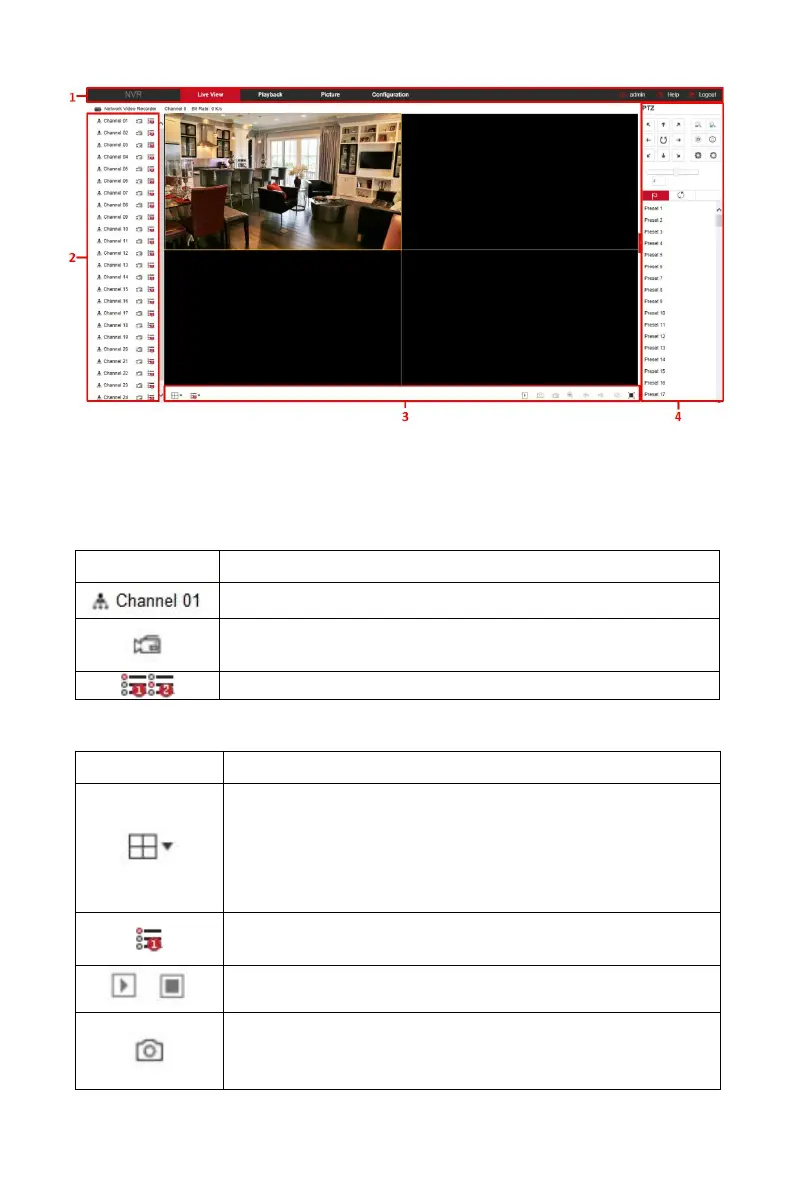
Figure 6-4
1. System Menu. Including Live View, Playback, Picture, Configuration, Help,
Logout, and show login user name.
2. Real-time Monitoring Channel. Open/Close Preview, record and stream
switching.
Open / close corresponding preview channel.
Start/stop recording, save video on local computer hard
drive.
Main and sub bit stream switching
Table 6-1
3. Preview channel shortcut button
Preview window toggle. From left to right are: 1 split
screen, 4 split screen, 9 split screen. According to the
number of channels supported by the device, the
preview window will be different. Please refer to the
actual situation.
Switch all preview channel master, sub streams, and
open preview
Open / Close all preview channels.
Click this icon to take a picture.
The default storage path of the picture is C:\Record.
You can enter the Configuration → Local Config



 To Next Page