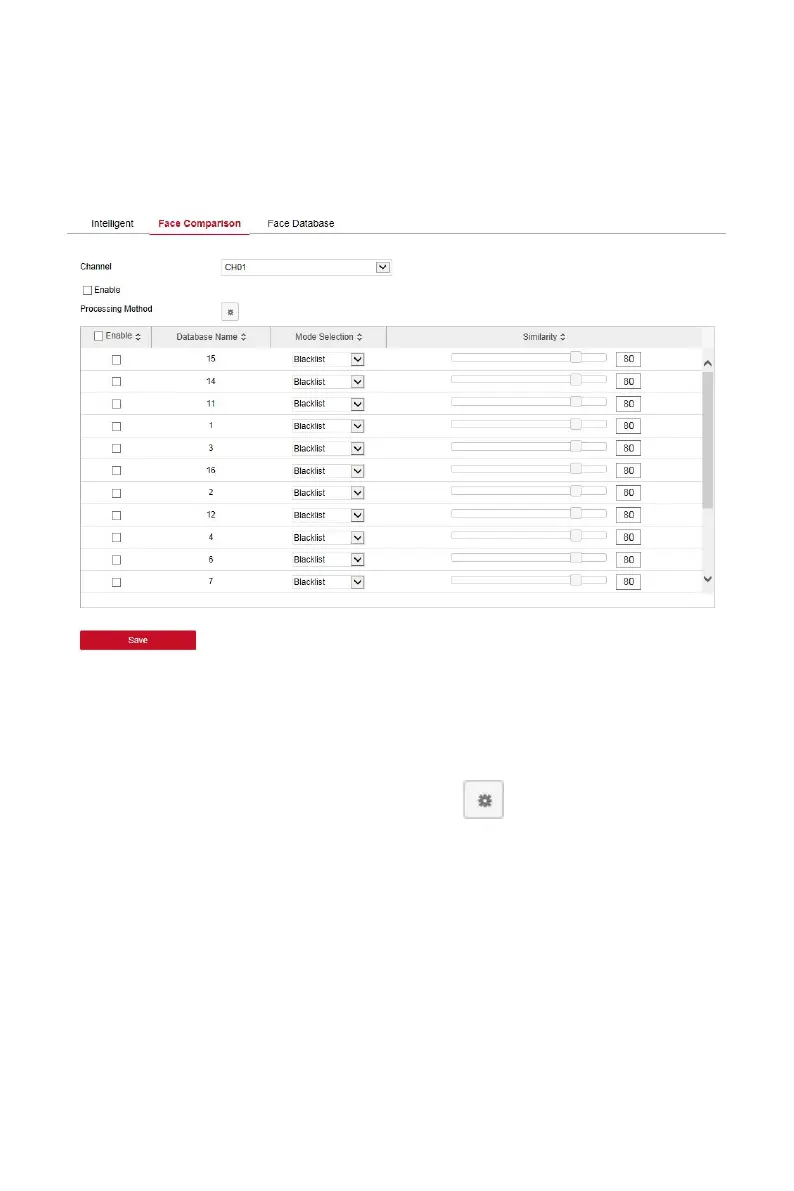
The specific operation steps are as follows:
Step 1:In the main interface, click "Configuration → System →Smart Event→
Face Comparison" to enter the face comparison setting interface, as shown
in Figure 6-40 below.
Figure 6-40
Steps 2: Select the configuration channel, enable the face comparison
function, set the comparison face database and processing method.
Face comparison library settings: select face library and mode, set
similarity.
Processing method settings: Click " " to enter the processing
method interface, select "buzzer alarm", "email notification", "channel
recording" and "alarm output" ports as required.
Steps 3: Click "Save" to save the settings.
In the main interface, click "Configuration → System →Smart Event→ Face
Database" to enter the face database setting interface, as shown in Figure
6-41 below. Here you can add and delete the face database, and the related
operation steps are the same as the local NVR.



 To Next Page