Enable Electronic Zoom: When the video is played, click " / " to
turn on / off the electronic zoom function of the recorded video. Turn
on the electronic zoom function, hold down the left mouse button,
select the position to zoom in on the playback screen, release the
mouse, select the location screen is placed, click " ", the
magnification screen is restored.
Snapshot: When the video is played, click " " to capture the settings
to the local configuration settings.
clip: When the video is played, click " " to start recording, and then
click Save Clip File again, which is stored in the local configuration
settings.
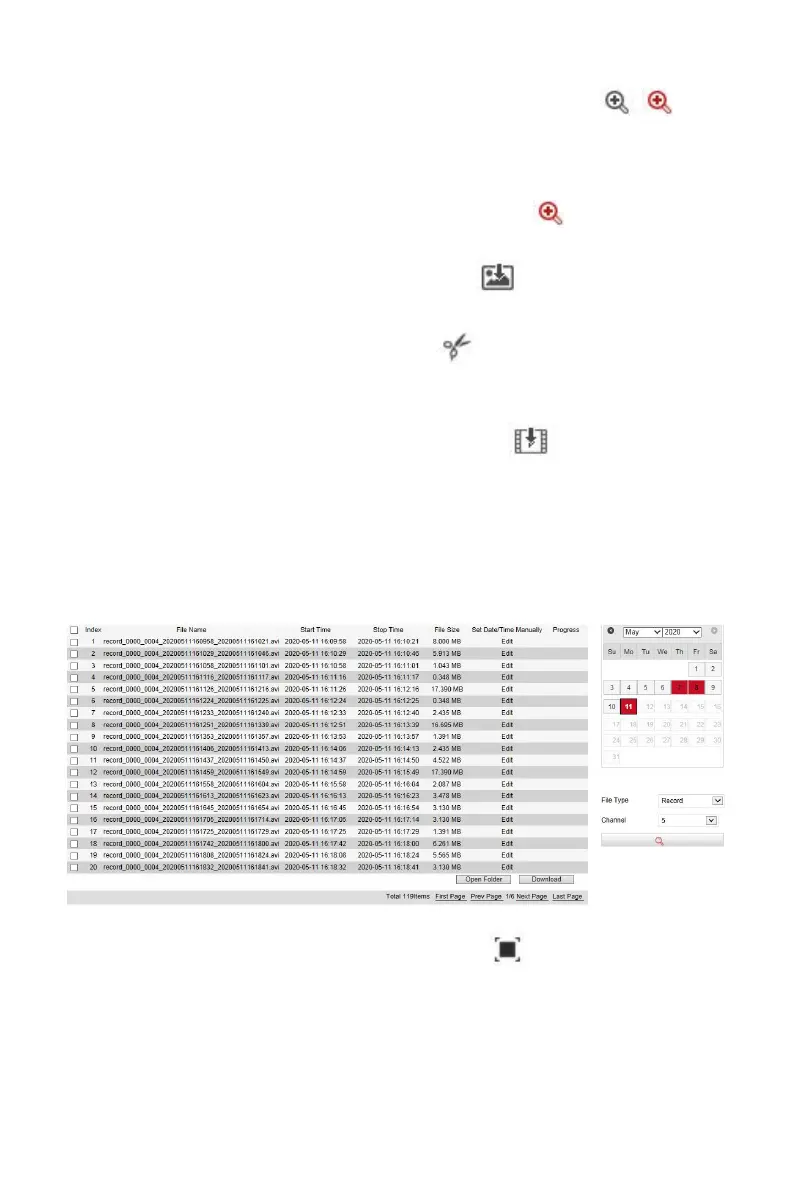
Download: After querying the video file, click " " to enter the video
file list, select the download file, click "Download", the video file starts
to download in order, stored in the local configuration settings location.
The file download interface is shown in Figure 6-45. The "First Page",
"Prev Page", "Next Page" and "Last Page" are used to scroll through all
video files. You can use "Edit" under "Set date / time manually" to
intercept and download the video file.
Figure 6-48
Full Screen: When the video is played, click " " the full-screen
playback video. Press "Esc" on the keyboard to exit the full-screen
playback interface.
Drag and drop: the video playback, the left mouse button click on the
time axis to play the position, drag left and right, drag it to the middle of



 To Next Page