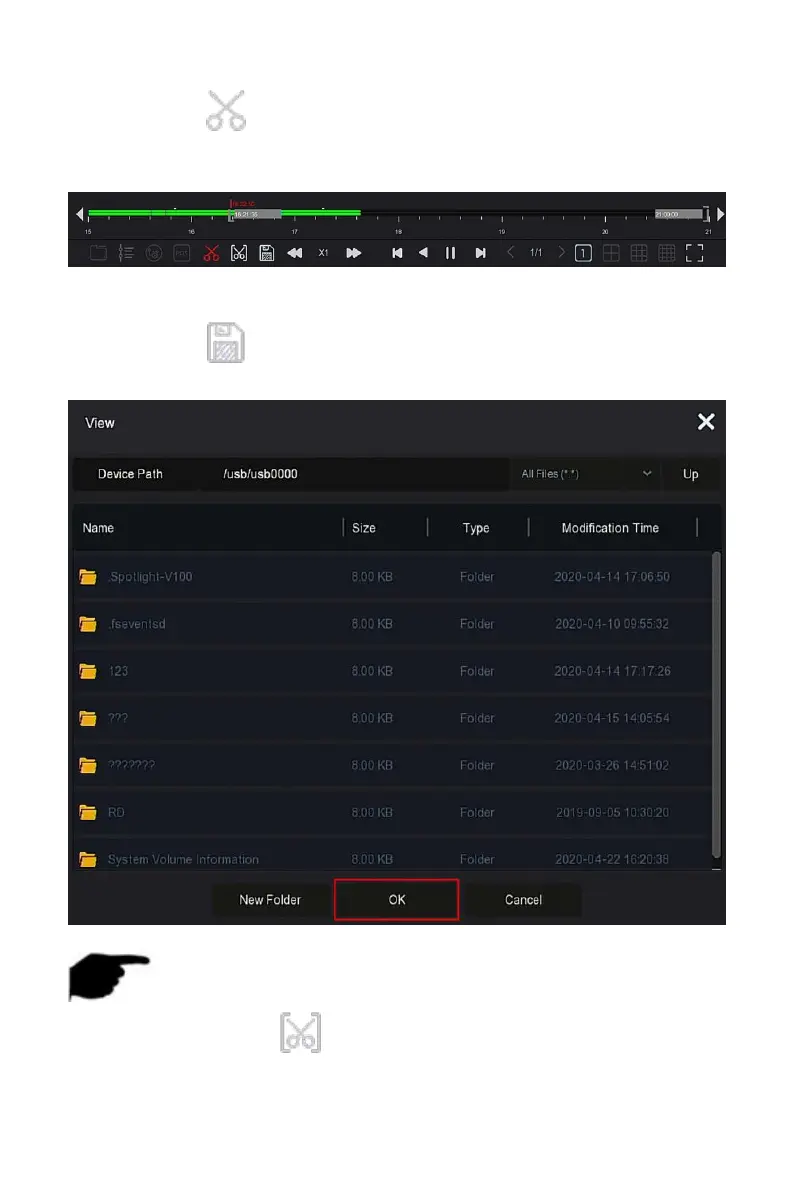
Steps 3: Click " ", at this time, the start and stop characters appear on
the progress bar, you can manually adjust them to obtain the desired length
of the video file, as shown in Figure 5-12 below.
Figure 5-12
Steps 4: Click " " to export clips to USB flash drive, as shown in Figure
5-13 below.
Figure 5-13
NOTE
You can also click" " to set the start and end time of the clip to
export the video file directly, as shown in Figure 5-14 below.



 To Next Page