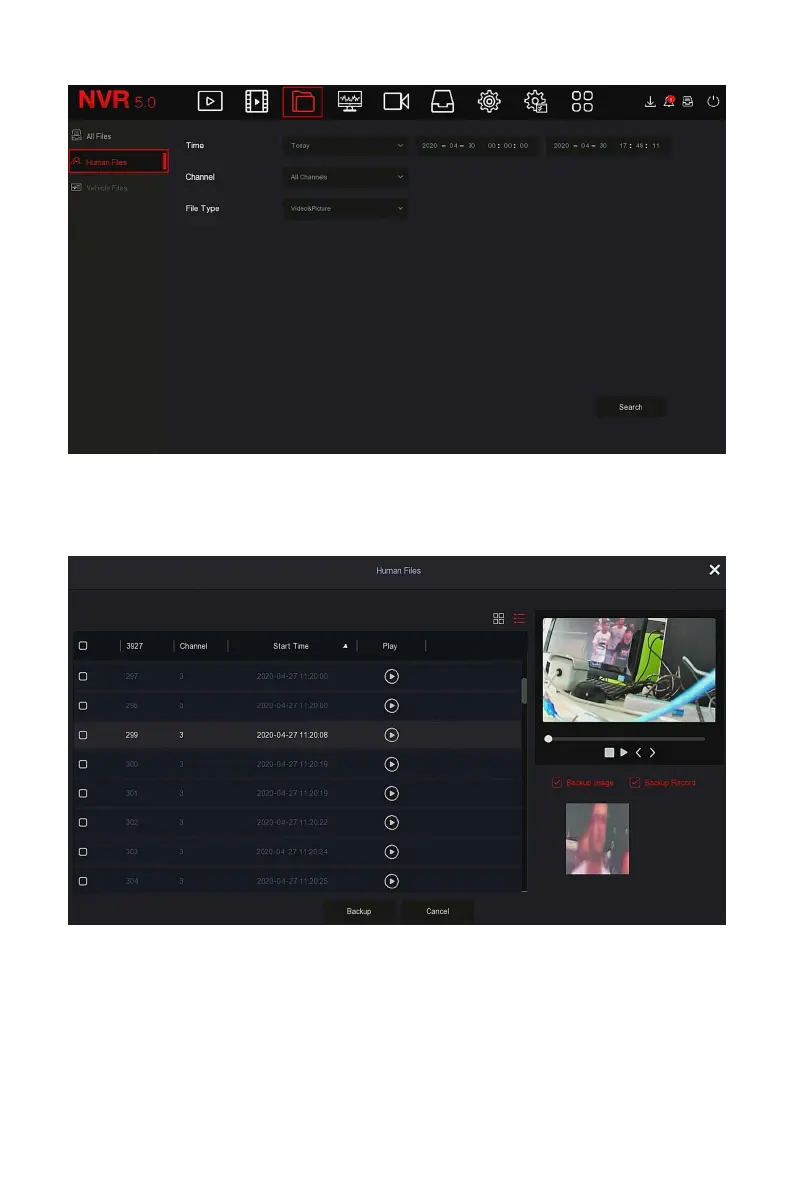
Figure 5-17
Steps 2: Set the search conditions (time, channel, file type), click "Search",
the files that meet the conditions will be displayed, as shown in Figure 5-18
below.
Figure 5-18
Steps 3: Related operations such as backup, viewing videos or pictures can
be performed on the retrieval results.
5.3.3.3 Vehicle Files



 To Next Page