DTS-60A OPERATORS MANUAL
92
8.7.4 test download
The test download command is used for downloading a user- defined
test. By entering the command the system is ready to receive a Script Test
File (see paragraph 4.4.2), which describes a specific test scenario.
In order to simplify the program downloading the user can send a text
file through the Terminal Software directly to the system. It is noted that the
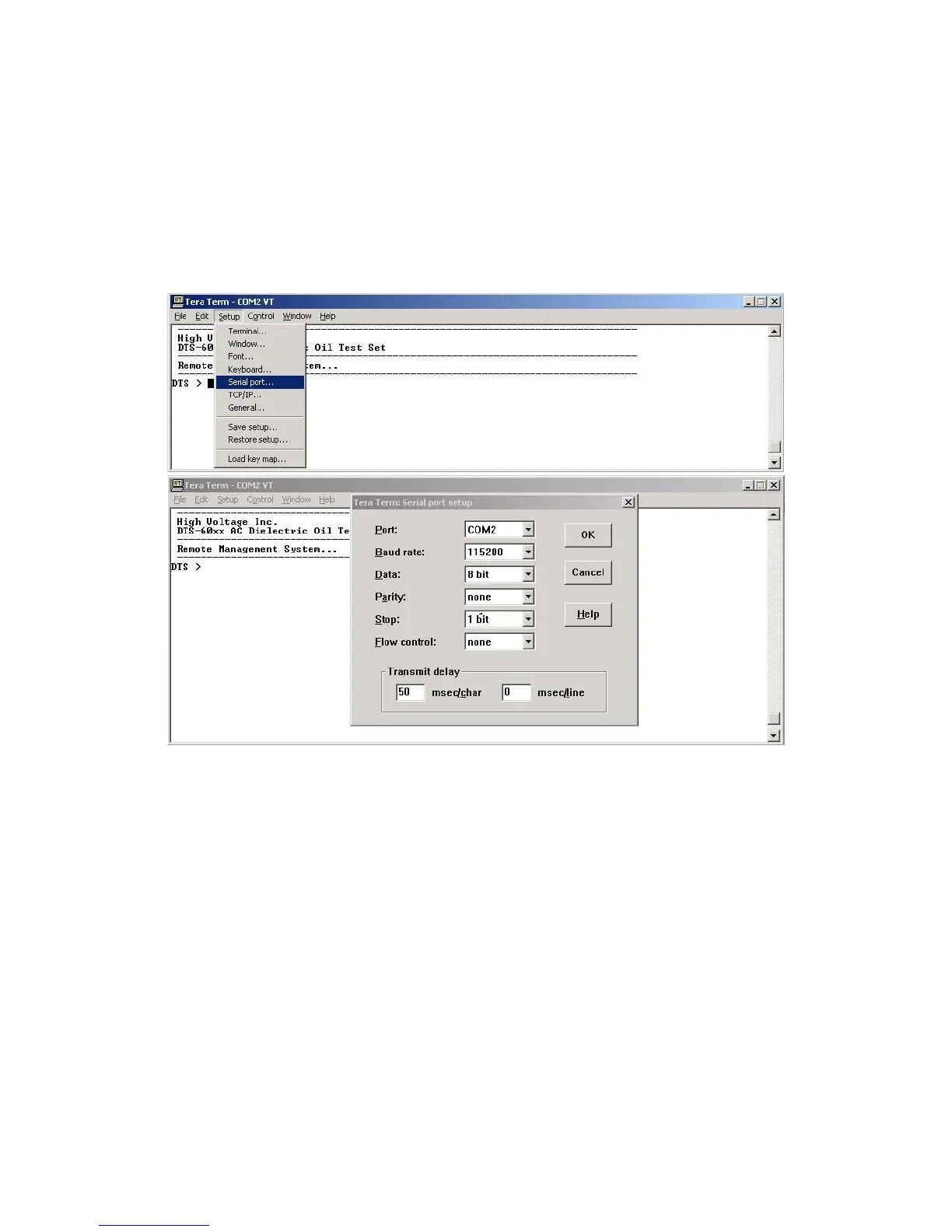
terminal software should be settled to transmit with a delay of 50 ms in
every character, Figure 8-11 (e.g. for TeraTerm).
Figure 8-13 – Set-up the Terminal Software (TeraTerm)
After making the terminal set-up the user must start a transmission of a
script file in Text Mode, Figure 8-12. When the file is transmitted to the
equipment it enables echo back, in order to display the received characters.
Script File IEC-156-95 for downloading



 To Next Page